We use cookies and third-party services that store or retrieve information on the end device of our visitors. This data is processed and used to optimize our website and continuously improve it. We require your consent fro the storage, retrieval, and processing of this data. You can revoke your consent at any time by clicking on a link in the bottom section of our website. Privacy Policy.
Customise Consent Preferences
We use cookies to help you navigate efficiently and perform certain functions. You will find detailed information about all cookies under each consent category below.
The cookies that are categorised as "Necessary" are stored on your browser as they are essential for enabling the basic functionalities of the site. ...
Always Active
Necessary cookies are required to enable the basic features of this site, such as providing secure log-in or adjusting your consent preferences. These cookies do not store any personally identifiable data.
Cookie
gf_email_otp_seed_3
Duration
2 hours
Description
Used to temporarily store the OTP verification seed required for secure form or email verification.
Cookie
gf_email_otp_seed_12
Duration
2 hours
Description
Used to temporarily store the OTP verification seed required for secure form or email verification.
Cookie
gf_email_otp_seed_6
Duration
2 hours
Description
Used to temporarily store the OTP verification seed required for secure form or email verification.
Cookie
gf_email_otp_seed_1
Duration
2 hours
Description
Used to temporarily store the OTP verification seed required for secure form or email verification.
Cookie
gf_email_otp_seed_4
Duration
2 hours
Description
Used to temporarily store the OTP verification seed required for secure form or email verification.
Cookie
gf_email_otp_seed_10
Duration
2 hours
Description
Used to temporarily store the OTP verification seed required for secure form or email verification.
Cookie
gf_email_otp_seed_5
Duration
2 hours
Description
Used to temporarily store the OTP verification seed required for secure form or email verification.
Cookie
VISITOR_PRIVACY_METADATA
Duration
6 months
Description
YouTube sets this cookie to store the user's cookie consent state for the current domain.
Cookie
GAESA
Duration
1 month
Description
Description is currently not available.
Cookie
aquaSessionId2
Duration
2 days
Description
Description is currently not available.
Cookie
aquaXAuthId2
Duration
2 days
Description
Description is currently not available.
Cookie
rc::a
Duration
Never Expires
Description
This cookie is set by the Google recaptcha service to identify bots to protect the website against malicious spam attacks.
Cookie
rc::c
Duration
session
Description
This cookie is set by the Google recaptcha service to identify bots to protect the website against malicious spam attacks.
Cookie
__Secure-ENID
Duration
1 year 1 month
Description
The __Secure-ENID cookie is a type of secure cookie used for authentication and to ensure the security of user sessions.
Cookie
LS_CSRF_TOKEN
Duration
session
Description
Cloudflare sets this cookie to track users’ activities across multiple websites. It expires once the browser is closed.
Cookie
zalb_*
Duration
session
Description
Zoho sets this cookie for load balancing and session stickiness. It ensures that user requests are consistently directed to the same server during a session, helping maintain session integrity and improving website performance.
Cookie
GCLB
Duration
session
Description
This cookie is known as Google Cloud Load Balancer set by the provider Google. This cookie is used for external HTTPS load balancing of the cloud infrastructure with Google.
Cookie
cookieyes-*
Duration
1 year
Description
CookieYes sets this cookie for consent solution management.
Cookie
__cf_bm
Duration
1 hour
Description
This cookie, set by Cloudflare, is used to support Cloudflare Bot Management.
Functional cookies help perform certain functionalities like sharing the content of the website on social media platforms, collecting feedback, and other third-party features.
Cookie
VISITOR_INFO1_LIVE
Duration
6 months
Description
A cookie set by YouTube to measure bandwidth that determines whether the user gets the new or old player interface.
Cookie
ytidb::LAST_RESULT_ENTRY_KEY
Duration
Never Expires
Description
The cookie ytidb::LAST_RESULT_ENTRY_KEY is used by YouTube to store the last search result entry that was clicked by the user. This information is used to improve the user experience by providing more relevant search results in the future.
Cookie
__session
Duration
1 year 1 month 4 days
Description
GitBook sets this cookie for logging in.
Cookie
uesign
Duration
1 month
Description
Zoho sets this cookie for the Visitor Live Chat.
Cookie
_tldtest_*
Duration
session
Description
Amplitude sets this cookie to determine the highest-level domain where cookies can be set. Deleted after testing.
Cookie
lidc
Duration
1 day
Description
LinkedIn sets the lidc cookie to facilitate data center selection.
Cookie
li_gc
Duration
6 months
Description
Linkedin set this cookie for storing visitor's consent regarding using cookies for non-essential purposes.
Analytical cookies are used to understand how visitors interact with the website. These cookies help provide information on metrics such as the number of visitors, bounce rate, traffic source, etc.
Cookie
gf_visitor_source
Duration
7 days
Description
Stores visitor attribution data such as source, medium, campaign, content, term, and location for analytics and lead attribution.
Cookie
gf_visitor_medium
Duration
7 days
Description
Stores visitor attribution data such as source, medium, campaign, content, term, and location for analytics and lead attribution.
Cookie
gf_visitor_campaign
Duration
7 days
Description
Stores visitor attribution data such as source, medium, campaign, content, term, and location for analytics and lead attribution.
Cookie
gf_visitor_content
Duration
7 days
Description
Stores visitor attribution data such as source, medium, campaign, content, term, and location for analytics and lead attribution.
Cookie
gf_visitor_term
Duration
7 days
Description
Stores visitor attribution data such as source, medium, campaign, content, term, and location for analytics and lead attribution.
Cookie
gf_visitor_location
Duration
7 days
Description
Stores visitor attribution data such as source, medium, campaign, content, term, and location for analytics and lead attribution.
Cookie
ga_session_duration
Duration
1 hour
Description
Stores visitor attribution data such as source, medium, campaign, content, term, and location for analytics and lead attribution.
Cookie
_ga_*
Duration
1 year 1 month 4 days
Description
Google Analytics sets this cookie to store and count page views.
Cookie
_ga
Duration
1 year 1 month 4 days
Description
Google Analytics sets this cookie to calculate visitor, session and campaign data and track site usage for the site's analytics report. The cookie stores information anonymously and assigns a randomly generated number to recognise unique visitors.
Cookie
amp_*
Duration
1 year
Description
Amplitude sets this cookie for session tracking for analytics purposes.
Cookie
YSC
Duration
session
Description
YSC cookie is set by Youtube and is used to track the views of embedded videos on Youtube pages.
Cookie
amplitude_device_id
Duration
session
Description
No description available.
Cookie
loom_anon_comment
Duration
1 year
Description
No description available.
Cookie
loom_referral_video
Duration
session
Description
Description is currently not available.
Cookie
__Host-psifi.analyticsTrace
Duration
6 hours
Description
Description is currently not available.
Cookie
__Host-psifi.analyticsTraceV2
Duration
6 hours
Description
Description is currently not available.
Cookie
_cs_id
Duration
1 year 1 month
Description
This cookie is used to store the ContentSquare's user identifier ID. This is a persistent cookie and expires after 13 months.
Cookie
_cs_s
Duration
1 hour
Description
This cookie is used to store the number of page's viewed by a visitor within the session for ContentSquare's solution.
Cookie
ai_session
Duration
1 hour
Description
This is a unique anonymous session identifier cookie set by Microsoft Application Insights software to gather statistical usage and telemetry data for apps built on the Azure cloud platform.
Cookie
_hjSessionUser_*
Duration
1 year
Description
Hotjar sets this cookie to ensure data from subsequent visits to the same site is attributed to the same user ID, which persists in the Hotjar User ID, which is unique to that site.
Cookie
_hjSession_*
Duration
1 hour
Description
Hotjar sets this cookie to ensure data from subsequent visits to the same site is attributed to the same user ID, which persists in the Hotjar User ID, which is unique to that site.
Cookie
ajs_anonymous_id
Duration
1 year
Description
This cookie is set by Segment to count the number of people who visit a certain site by tracking if they have visited before.
Cookie
_cs_c
Duration
1 year 1 month
Description
This cookie is used by Contentsquare to store the user's consent preference for analytics and session replay tracking.
Cookie
utm_medium
Duration
7 days
Description
This cookie is used to record from where the visitor came to the website orginally. This information is used by the website operator to know the efficiency of their marketing.
Cookie
utm_source
Duration
7 days
Description
This cookie is used to record from where the visitor came to the website orginally. This information is used by the website operator to know the efficiency of their marketing.
Cookie
utm_campaign
Duration
7 days
Description
Google Ad Services sets this cookie to store session campaign value if present.
Cookie
utm_content
Duration
7 days
Description
This cookie is used for storing the session content value if present.
Cookie
utm_term
Duration
7 days
Description
This cookie is used to record from where the visitor came to the website orginally. This information is used by the website operator to know the efficiency of their marketing.
Cookie
amp_cookie_test*
Duration
session
Description
Amplitude sets this cookie to test if cookies are enabled in the user’s browser. It is used during SDK initialisation and is automatically removed after the check.
Cookie
utsdb
Duration
session
Description
Zoho SalesIQ sets this cookie to register data on visitor's website behaviour.
Performance cookies are used to understand and analyse the key performance indexes of the website which helps in delivering a better user experience for the visitors.
Cookie
_uetsid
Duration
1 day
Description
Bing Ads sets this cookie to engage with a user that has previously visited the website.
Cookie
_uetvid
Duration
1 year 24 days
Description
Bing Ads sets this cookie to engage with a user that has previously visited the website.
Advertisement cookies are used to provide visitors with customised advertisements based on the pages you visited previously and to analyse the effectiveness of the ad campaigns.
Cookie
_gcl_au
Duration
3 months
Description
Google Tag Manager sets this cookie to experiment advertisement efficiency of websites using their services.
Cookie
__Secure-ROLLOUT_TOKEN
Duration
6 months
Description
YouTube sets this cookie to manage feature rollout and experimentation. It helps Google control which new features or interface changes are shown to users as part of testing and staged rollouts, ensuring consistent experience for a given user during an experiment.
Cookie
__Secure-YEC
Duration
past
Description
Description is currently not available.
Cookie
__Secure-YNID
Duration
6 months
Description
YouTube cookie used to protect user security and prevent fraud, especially during the login process.
Cookie
test_cookie
Duration
15 minutes
Description
doubleclick.net sets this cookie to determine if the user's browser supports cookies.
Cookie
MUID
Duration
1 year 24 days
Description
Bing sets this cookie to recognise unique web browsers visiting Microsoft sites. This cookie is used for advertising, site analytics, and other operations.
Cookie
ai_user
Duration
1 year
Description
Microsoft Azure sets this cookie as a unique user identifier cookie, enabling counting of the number of users accessing the application over time.
Cookie
NID
Duration
6 months
Description
Google sets the cookie for advertising purposes; to limit the number of times the user sees an ad, to unwanted mute ads, and to measure the effectiveness of ads.
Cookie
__Host-GAPS
Duration
2 years
Description
This cookie allows the website to identify a user and provide enhanced functionality and personalisation.
Cookie
bcookie
Duration
1 year
Description
LinkedIn sets this cookie from LinkedIn share buttons and ad tags to recognize browser IDs.
Cookie
IDE
Duration
1 year 24 days 1 minute
Description
Google DoubleClick IDE cookies store information about how the user uses the website to present them with relevant ads according to the user profile.
Cookie
guest_id_marketing
Duration
1 year 1 month 4 days
Description
Twitter sets this cookie to identify and track the website visitor.
Cookie
guest_id_ads
Duration
1 year 1 month 4 days
Description
Twitter sets this cookie to identify and track the website visitor.
Cookie
personalization_id
Duration
1 year 1 month 4 days
Description
Twitter sets this cookie to integrate and share features for social media and also store information about how the user uses the website, for tracking and targeting.
Cookie
guest_id
Duration
1 year 1 month 4 days
Description
Twitter sets this cookie to identify and track the website visitor. It registers if a user is signed in to the Twitter platform and collects information about ad preferences.
Other uncategorised cookies are those that are being analysed and have not been classified into a category as yet.
Cookie
_cs_root-domain
Duration
session
Description
Description is currently not available.
Cookie
aquacloudio-_zldp
Duration
1 year 1 month 4 days
Description
Description is currently not available.
Cookie
aquacloudio-_zldt
Duration
1 year 1 month 4 days
Description
Description is currently not available.
Cookie
amplitude_testaqua-cloud.io
Duration
1 year
Description
Description is currently not available.
X
🤖 Exciting new updates to aqua Intelligence are now available! 🎉
Software Quality Testing: The Ultimate Guide to Flawless Launches
Your software is only as good as its worst bug. If your team is launching an app, a platform, or a system without proper software quality testing, you gamble with the company’s reputation, user trust, and revenue. Do not see it as ticking boxes; this is a must-have. Here is a brutal truth: a survey showed that 88% of users will abandon using your product after facing one major bug.
Software quality testing detects defects before release, with 88% of users abandoning products after experiencing just one major bug.
The cost of fixing bugs increases exponentially across development phases, from €50 in requirements to €5000+ in production.
Modern testing combines manual and automated approaches, with 77% of companies adopting automation for regression, performance, and load testing.
AI-powered test management solutions like aqua cloud can reduce manual testing efforts by 43% and cut regression testing time by 34%.
Risk-based testing prioritizes efforts on business-critical functions and high-impact areas where failures would cause the most damage.
Waiting until the last minute to test can lead to expensive disasters in production, but many teams still struggle with this approach. See how proper software quality testing can save your reputation and revenue in the article below 👇.
So, before this disaster happens, you need to have a thorough software quality assurance testing process in place. How? And what difficulties are on the way? This guide cuts through the fluff. Let’s get down to it.
What is software quality testing? (And why most teams do it wrong)
Software quality testing is the process of checking if software works as expected, without unexpected bugs, crashes, or security issues.
It is more than catching bugs – your goal should be to minimise it as much as you can. The ultimate goal is to prevent the bad code from being made to production.
What are the three pillars of software quality?
These are the main pillars of software quality:
Quality Assurance (QA): Setting rules and best practices before development starts.
Quality Control (QC): Finding issues after development through manual and automated testing.
Testing: Running various tests throughout the development—unit, performance, security, etc.—to validate software quality.
🚨 Where QA teams fail: The main effort goes to fixing bugs after they make it to production. However, this is costly, bad for the reputation, and as stated above, one of the reasons why people abandon your software and never come back. You have to understand that testing is not an afterthought. Only then will you be able to minimise the number of bugs making it to the production. We will cover this in more detail further in this guide.
QA vs QC vs Testing: What are the differences?
Most people also use these three terms interchangeably. So, let’s clear this up fast:
QA (Quality Assurance) = Preventing bugs It’s about processes—setting up the right methods, standards, and checks so fewer defects make it into the code. Think audits, best practices, and continuous improvement.
QC (Quality Control) = Finding defects on the final product It’s product-focused—reviewing requirements, testing builds, and verifying that the software meets specs before release. Happens after development.
Testing = The act of executing checks An actual act of running tests (manual/automated) to catch defects.
Since testing is the primary way QC detects issues, it often gets mixed up. Understanding their differences is crucial so that you know QA is more than just testing. And you need testing in all parts of your software development lifecycle, not only after the launch where allbugs become 100x more expensive to fix.
The short answer is that software testing is just a small part of Quality Assurance.
Key Principles of Software Testing (That Most Teams Learn the Hard Way)
1. Early Testing: Don’t Wait Until It’s Too Late
Scenario: Your team just finished coding a major feature. QA gets it two days before release, runs tests, and—surprise—critical failures everywhere. Now it’s panic mode: Do you delay launch or ship broken software?
Reality: Testing should start the moment the first requirement is written. Review specs. Test prototypes. Validate architecture decisions. The earlier you catch flaws, the cheaper they are to fix.
2. Defect Clustering: The 80/20 Rule of Bugs
Scenario: After a release, 90% of your crash reports come from just two modules: the payment processor and file uploader. Your team wasted weeks testing low-risk features while the real time bombs slipped through.
Reality: In most systems, a small fraction of components cause most defects. Focus your testing firepower where it matters—historical data and risk analysis will show you where.
3. Pesticide Paradox: Your Tests Are Getting Obsolete
Scenario: Your automated test suite passes with 100% success… yet users keep reporting bugs. Why? Because you’ve been running the same tests for months, and they no longer catch new failure modes.
Reality: Like antibiotics losing effectiveness, tests wear out over time. Regularly review and expand your test cases—or risk missing critical regressions.
4. Context is Everything: Medical Software ≠ Gaming Apps
Scenario: Your team used the same testing approach for both a hospital patient portal and a mobile game. The game launched flawlessly, but the healthcare software failed compliance audits, costing $500k in fines.
Reality: Testing must match the stakes, regulations, and user expectations of your domain. What works for a social media app could be catastrophic for fintech or aviation systems.
5. Absence of Errors Fallacy: The Perfect Useless Product
Scenario: You shipped software with zero known defects… and users hated it. Why? Because you tested for “correctness” but never validated if it actually solved their problems.
Reality:No bugs ≠ good software. Assuming it means good software is one of the first red flags. If your product doesn’t deliver real value, technical perfection is meaningless. Always pair defect hunting with usability and market fit testing.
Software Testing Life Cycle Checklist You Need to Know
The STLC provides a structured approach to testing activities:
Requirements Analysis: Understand what needs to be tested.
Test Planning: Define testing strategy, effort estimation, and resource allocation.
Test Case Development: Create detailed test cases and procedures.
Test Environment Setup: Prepare the testing infrastructure.
Test Execution: Run tests and report defects.
Test Cycle Closure: Evaluate testing objectives against actual results.
Till now, we have come with theory. However, in practice, structured STLC is only as good as the solutions supporting it. Without a test management solution, your team will drown in spreadsheets, lose track of defects, and struggle with collaboration. Modern Test Management Systems (TMS) bring everything into one place—test cases, automation, reporting, and integrations. They make QA faster, smarter, and scalable. A prime example of these solutions is aqua cloud, an AI powered TMS that streamlines your STLC from the start.
Here is what aqua cloud helps you with:
Requirements Analysis: AI-powered traceability ensures test coverage from day one.
Test Planning: Centralised strategy and effort estimation streamline collaboration.
Test Case Development:AI generates test cases and test data in seconds, reducing manual effort.
Test Environment Setup:Seamless integrations with CI/CD pipelines, Jira, Azure DevOps, and automation frameworks.
Test Execution: Manual and automated tests run side by side, with AI accelerating defect detection.
Test Cycle Closure: Customisable dashboards and real-time analytics make reporting and insights effortless.
If your testing feels like a never-ending cycle of chaos, it’s time to upgrade to AI-powered test management with aqua.
Speed up every step of the software testing lifecycle with a 100% AI-powered solution
Software testing has multiple levels, each serving a specific purpose:
Unit Testing
Testing individual components in isolation. For example, a bank might test specific functions like interest calculation or fund withdrawal separately to identify issues early.
Integration Testing
Verifying interactions between integrated units. This makes sure different modules work together seamlessly.
System Testing
Testing the complete, integrated system to verify compliance with requirements.
Acceptance Testing
Validating the software meets business requirements and is ready for delivery.
How do you know if you’re allocating your testing efforts correctly across these levels? Most teams guess, overspend on the wrong phases, and watch their budgets explode when bugs hit production. But what if you could simulate different strategies and see the real cost impact before making those expensive mistakes? We present to you a simulation exactly for this:
💰 The Bug Cost Escalator (Click to open)
▼
Discover how bug fixing costs escalate exponentially across development phases
📋
Requirements
Baseline cost
$50
💻
Development
5x more expensive
$250
🔍
Testing
15x more expensive
$750
🚨
Production
100x+ more expensive
$5,000
Phase selected
Why so expensive?
💡 Calculate your own costs
With your parameters, this bug would cost:
Requirements
$150
Development
$750
Testing
$2,250
Production
$15,000
💡
Key Takeaway
Shift-Left Testing can reduce bug fixing costs by up to 90%.
The earlier you catch bugs, the more money you save. Start testing during requirements phase
and avoid the expensive nightmare of production fixes!
Manual vs Automated Testing: Finding the Right Balance
Manual Testing
Human testers execute test cases without automated tools, which is essential for:
Using specialised tools to execute tests, automated testing excels at:
Regression testing
Performance testing
Load testing
The industry has seen a significant shift toward automation, with 77% of companies adopting automated testing. For nearly half of surveyed teams, automation has replaced over 50% of manual testing activities. But you still need a blend of both, because relying on only automation means risking a lot, and depending on only manual effort means losing on efficiency.
Does anyone think automation is very effective at finding bugs? Test automation finds content issues, environment issues, it’s own logical shortcomings. Actual software defects? Not so much.
These are the proven strategies you need to implement in your testing efforts:
Shift Left Testing: Find Bugs Before They Cost You Waiting until the last minute to test? That’s how you get expensive disasters. Shift Left means testing as early as possible—even before a single line of code is written. Review requirements, validate designs, and automate early tests. The sooner you find issues, the cheaper they are to fix.
Risk-Based Testing: Focus on What Can Actually Break Not all bugs are equal. A typo in a tooltip? Annoying. A broken checkout button? A financial nightmare. Risk-based testing helps you prioritise based on impact. Analyse past defects, business-critical functions, and security vulnerabilities—then focus your efforts where failure hurts the most.
Continuous Testing: QA That Moves at Dev Speed If your tests only run before a big release, you’re already behind. Continuous Testing runs tests automatically with every code change, catching problems the moment they appear. Integrated into CI/CD pipelines, it ensures your software is always deployment-ready without slowing you down.
Test Data Management: Real Data, Real Insights Testing with fake data leads to fake confidence. Poorly crafted test data misses real-world issues, especially in edge cases. Facebook’s A/B testing and other top-tier approaches use realistic, anonymized datasets to ensure testing reflects actual user behavior. The result? More accurate tests and fewer nasty surprises post-launch.
Metrics-Driven Approach: Measure What Matters You can’t improve what you don’t measure. Tracking defect density (industry standard: ~1 defect per 1,000 lines of code), test coverage, and defect resolution time gives you hard data on QA effectiveness. A strong metrics strategy helps teams optimise testing efforts and prove QA’s impact to stakeholders.
Why You Need Test Management Solutions in Quality Assurance
Let’s be real—managing tests across spreadsheets, emails, and 15 different tools is a nightmare. Teams drown in chaos:
Lost test cases buried in someone’s laptop
Zero visibility on what’s actually tested
Endless meetings just to figure out if you’re ready to ship
That’s where tools like aqua cloud step in. It does not just “manage tests”—it fixes the mess that slows you down every day.
What This Actually Does for You:
Kills Spreadsheet Hell
No more version 27 of “Test_Cases_FINAL_v2_revised.xlsx”
All tests, results, and docs in one place—accessible to everyone
Stops the “Who Tested What?” Circus
Real-time dashboards show exactly what’s passed, failed, or untested
No more surprises 2 hours before launch
Works How Your Team Works
Manual testers? Covered.
Automation engineers? Plug your scripts right in.
No forcing everyone into a rigid workflow
Makes Decisions Based on Data, Not Guesses
See trends: “Our payment module fails 73% of API tests—maybe we should fix that?”
Prove QA’s impact with hard numbers (finally)
For instance, a German software company with a 9-digit valuation improved stability while maintaining biweekly releases using aqua cloud. They streamlined regression testing, improved QA efficiency, and cut regression testing time by 34%.
In banking, aqua’s AI-powered TMS reduced manual testing efforts by 43%, enabling financial institutions to launch new applications faster. A 140-year-old bank increased testing productivity by over 50% with aqua.
Want to join these companies and enter the list of success stories? Why wait?
Get the best testing services from 100% reliable, AI-powered test management solution
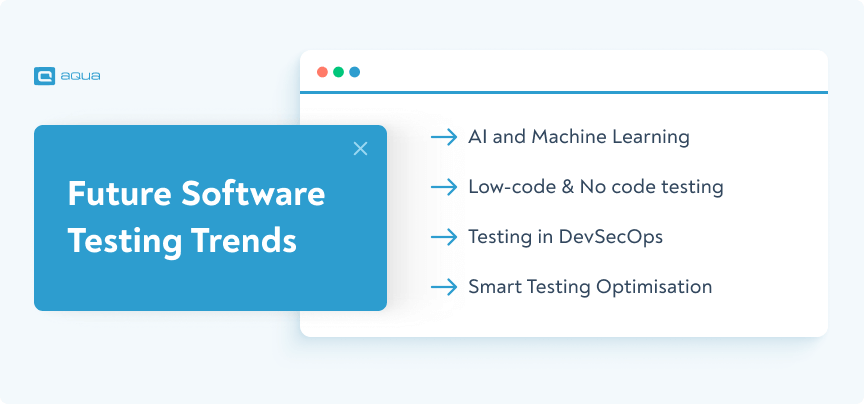
Testing isn’t what it used to be. Relying on old-school methods while software development speeds ahead is a losing game. The industry is shifting—AI, automation, and smarter testing strategies are rewriting the rules. Are you keeping up?
Here’s where testing is heading and how you can stay ahead:
AI and Machine Learning: Your New QA Superpower
AI isn’t hype—it’s revolutionising the game of testing. Imagine AI-powered test automation that writes, keeps up to date, and optimises tests for you. Smart defect prediction that points out threats before they become real issues. AI-driven test data generation that mimics real-world scenarios in seconds.
Low-Code/No-Code Testing: Anyone Can Test Now
Not everyone on your team is a coding ninja. With low-code/no-code testing, productmanagers, businessanalysts, and even non-technical testers can create and execute tests without scripting. More testersresultin faster feedback and fewer blind spots.
Testing in DevSecOps: Catch Security Flaws Before Attackers Do
Security can’t be an afterthought. Integrating security testing into DevSecOps ensures that vulnerabilities are caught before deployment, not after a breach. Picture automated security scans, real-time threat detection, and continuous compliance checks—all built into your pipeline.
Smart Test Optimisation: Stop Wasting Time on the Wrong Tests Running every test every time? That’s inefficient. AI-based analytics can identify which test cases matter most. They can maximize coverage while removinguseless runs. Fewer wasted cycles, faster feedback loops, and a more efficient QA process.
Aqua cloud’s AI Copilot lets you generate test cases, user stories, and BDDs instantly from requirements or files. Need test data? Get synthetic test data with precision and variety in seconds. Stuck on a testing challenge? AI-powered guidance helps solve complex issues fast. 100% traceability, test coverage, and visibility are not dreams far away anymore. With Jira, Azure DevOps, and automation integrations, you will supercharge your testing efforts. One-click bug-tracking integration Capture, customisable dashboards, and centralised repository gives you the ultimate software quality assurance testing experience. Step into the world of smarter testing today.
Transform your testing with a rock-solid, 100% modern, AI-powered solution
Software testing is no longer a final hurdle—it’s the centre of fast, reliable development. Modern apps are complex, and the cost of defects skyrockets the later they’re found. The smartest teams blend manual expertise with automation, use AI-powered tools like aqua cloud, and follow proven best practices to ship high-quality software faster. Investing in QA early will slash long-term costs by catching issues before they spiral. So the real question isn’t whether you can afford to test properly—it’s whether you can afford not to.
What is the difference between verification and validation in software testing?
Verification determines if the software meets specified requirements (building the product right), while validation ensures the software meets user needs (building the right product).
How do I choose between manual and automated testing?
Choose manual testing for exploratory, usability, and ad-hoc testing scenarios. Opt for automation when dealing with repetitive tests, regression testing, and performance testing.
What metrics should I track to measure testing effectiveness?
Key metrics include defect density, test coverage, defect leakage ratio, test execution time, and defect resolution time.
How can AI improve software testing?
AI can generate test cases automatically, predict defect-prone areas, optimise test suites, generate synthetic test data, and automate visual testing. Aqua cloud is a prime example of a perfect AI-powered TMS, helping you generate test cases, test data and requirements in a few seconds.
How do I integrate testing into an Agile development process?
Integrate testing by adopting test-driven development, involving testers from sprint planning, automating regression tests, conducting continuous testing, and holding regular test review meetings.
Robert has several years of experience in process optimisation and test management. He is an expert in defining and implementing workflows by adapting aqua to the clients’ processes.
Nurlan, a QA Coordinator & Quality Standards Officer, takes pride in orchestrating seamless QA operations. His expertise in coordinating QA-focused projects and integrating QA solutions has consistently yielded top-tier client satisfaction. Aside from a full-time QA coordinator, Nurlan's role involves creating compelling content that educates…
Home » Best practices » Software Quality Testing: The Ultimate Guide to Flawless Launches
Do you love testing as we do?
Join our community of enthusiastic experts! Get new posts from the aqua blog directly in your inbox. QA trends, community discussion overviews, insightful tips — you’ll love it!
We're committed to your privacy. Aqua uses the information you provide to us to contact you about our relevant content, products, and services. You may unsubscribe from these communications at any time. For more information, check out our Privacy policy.