
We use cookies to help you navigate efficiently and perform certain functions. You will find detailed information about all cookies under each consent category below.
The cookies that are categorised as "Necessary" are stored on your browser as they are essential for enabling the basic functionalities of the site. ...
Necessary cookies are required to enable the basic features of this site, such as providing secure log-in or adjusting your consent preferences. These cookies do not store any personally identifiable data.
Functional cookies help perform certain functionalities like sharing the content of the website on social media platforms, collecting feedback, and other third-party features.
Analytical cookies are used to understand how visitors interact with the website. These cookies help provide information on metrics such as the number of visitors, bounce rate, traffic source, etc.
Performance cookies are used to understand and analyse the key performance indexes of the website which helps in delivering a better user experience for the visitors.
Advertisement cookies are used to provide visitors with customised advertisements based on the pages you visited previously and to analyse the effectiveness of the ad campaigns.
Other uncategorised cookies are those that are being analysed and have not been classified into a category as yet.

-
Product
-
Solutions
 Bankingaqua ALM helps banks increase testing productivity by over 50%
InsuranceConsistent testing with aqua ensures robust insurance software that increases retention
ManufacturingUsing aqua helps an IoT manufacturer save 3% of revenue by reducing production defects
Governmentaqua paves the way for digital transformation with a portfolio of 7 government organisations
Tech companiesaqua helps reach a defect detection ratio of 98% with thorough and efficient testing
Medicalaqua proudly serves 10+ enterprise medical companies to level up their QA
-
Resources
BlogTips & tricks on how to manage testing process effectively and speed up releases
aqua wikiDetailed information on aqua capabilities, functionality and features
Product updatesDescription of our newest features and their value to QA teams
Success storiesCompanies that want to keep up with digital change trust in aqua
Product FAQFast answers to the most important product questions
Data centersExplore our infrastructure & global locations


Test Management for Jira
Enhance Jira’s bug reporting tool with aqua’s test management software functionality


Why use aqua test management solution with Jira?
Jira does not have native test management functionality
aqua’s Jira plugin enables you to connect or create genuine test cases that Jira doesn’t support natively. This is perfect for teams that need strong QA but still primarily use Jira
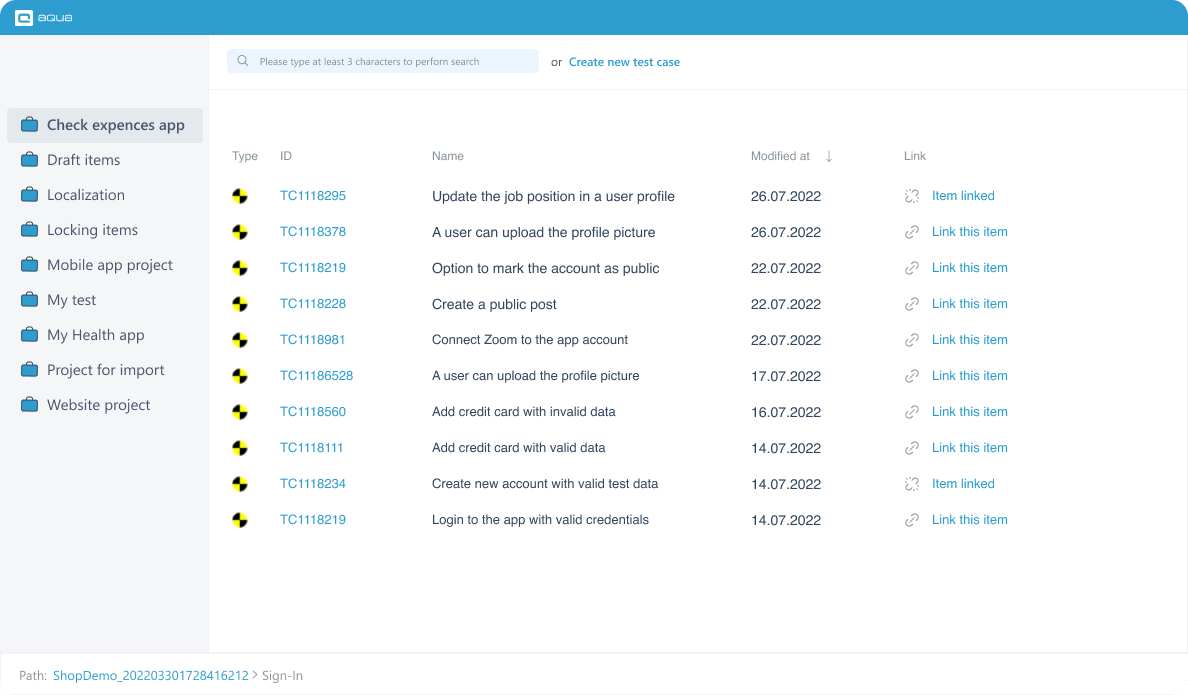
Jira can’t organise user stories that were repurposed as “test cases”
Connect multiple test cases right in Jira to increase requirement coverage with test cases. Run tests from Jira and review execution history there
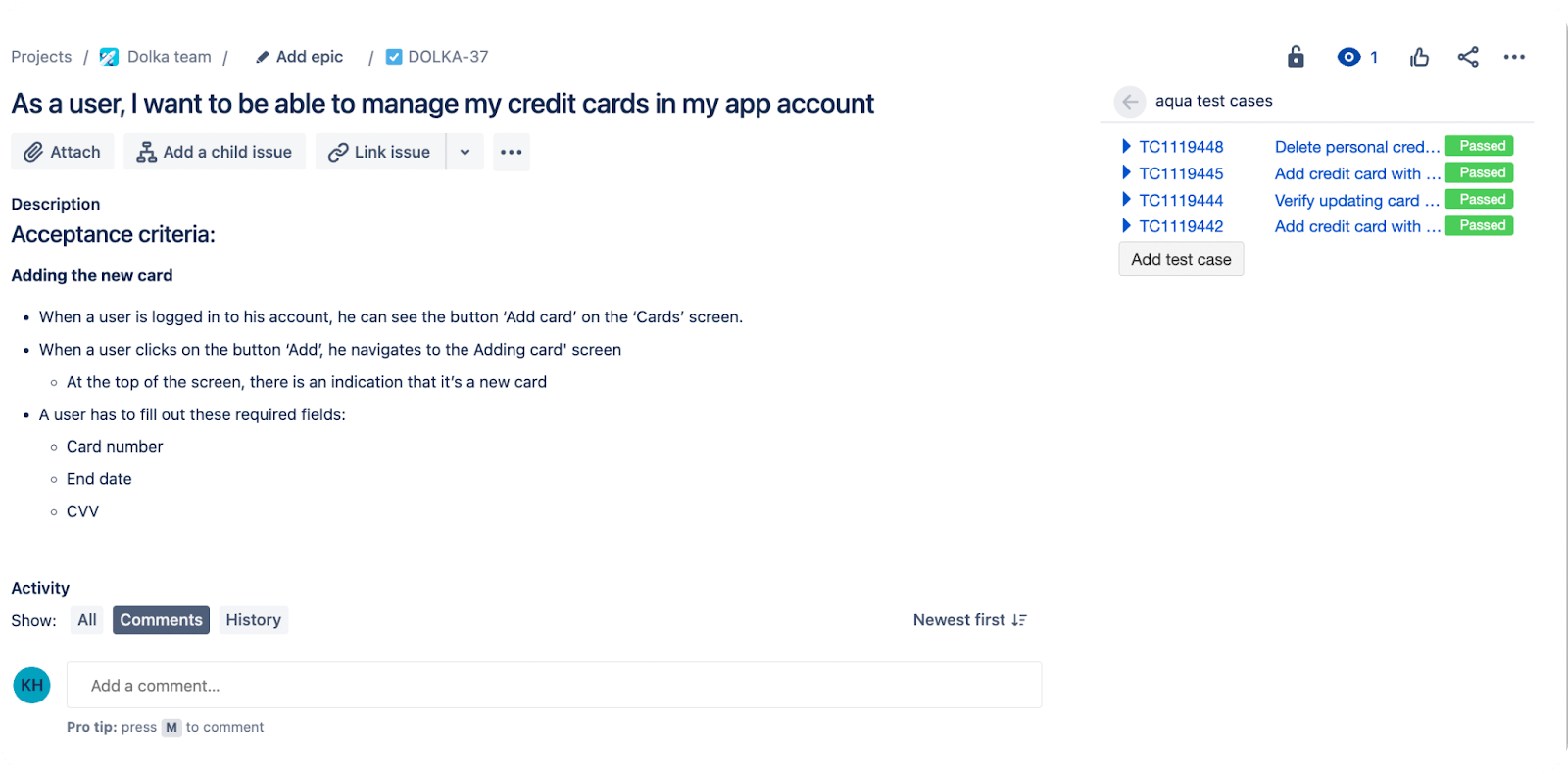
Jira does not have test reports
aqua sends test reports straight to Jira, where you can further enhance them with Jira’s reporting functionality. Test execution history is also available on your Jira server
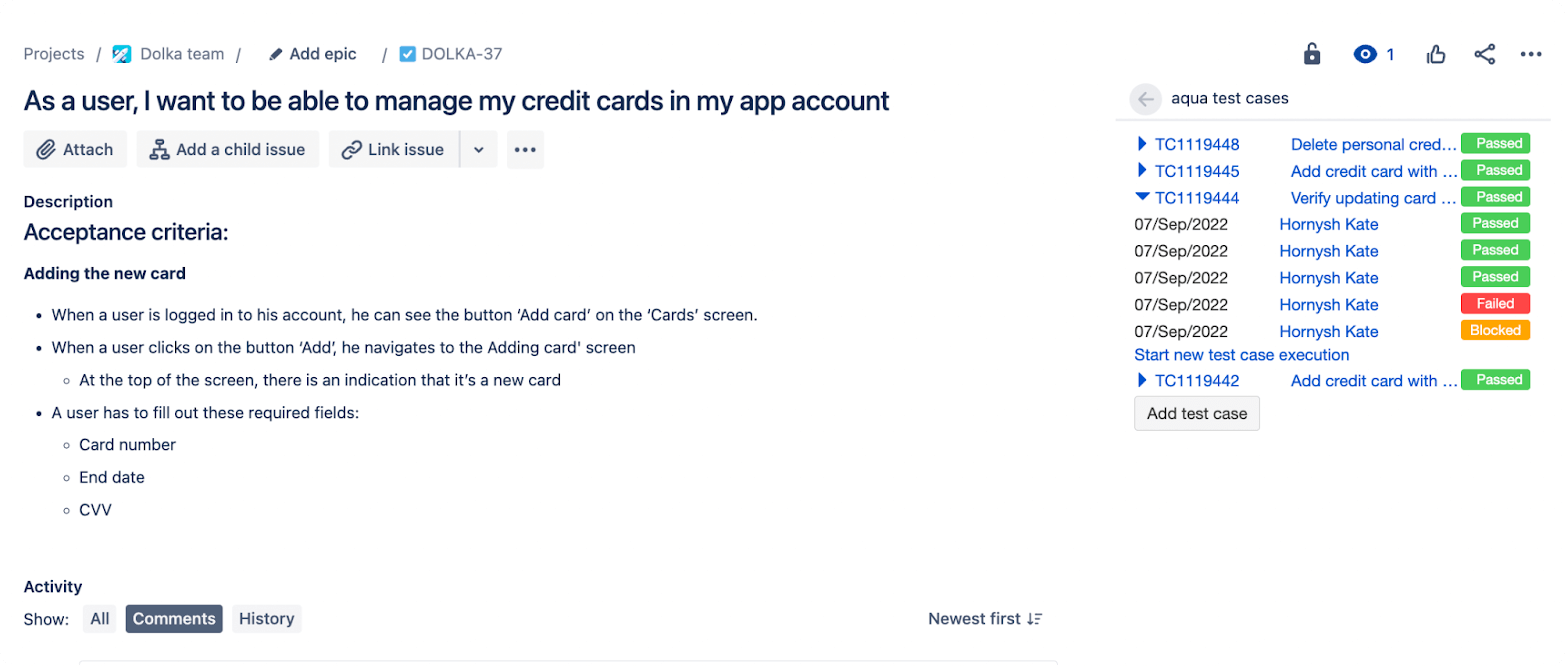
Install aqua plugin on Jira or use these solutions independently
Run aqua test cases while tracking defects in Jira
Create defects in Jira as you execute aqua test cases. You can also link existing Jira defects and issues to aqua test cases, browse summaries, and establish dependencies between items from aqua and Jira.
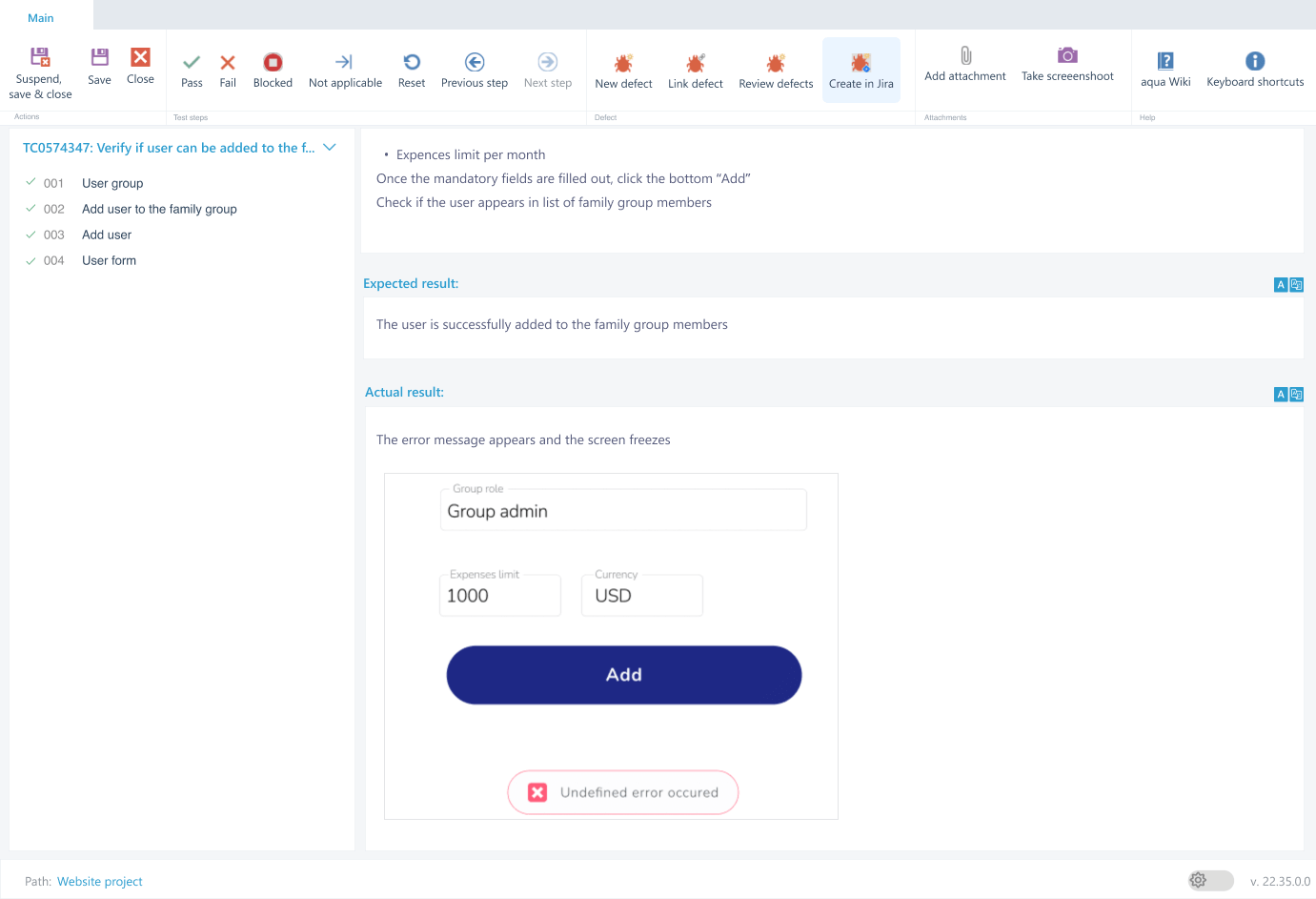
Keep dev and QA effort in perfect sync
aqua projects can be fully integrated with Jira. Changes to Jira tickets will be reflected in aqua and vice versa. This is the best of two worlds: your devs continue to use Jira while testers work with an industry-leading test management software.
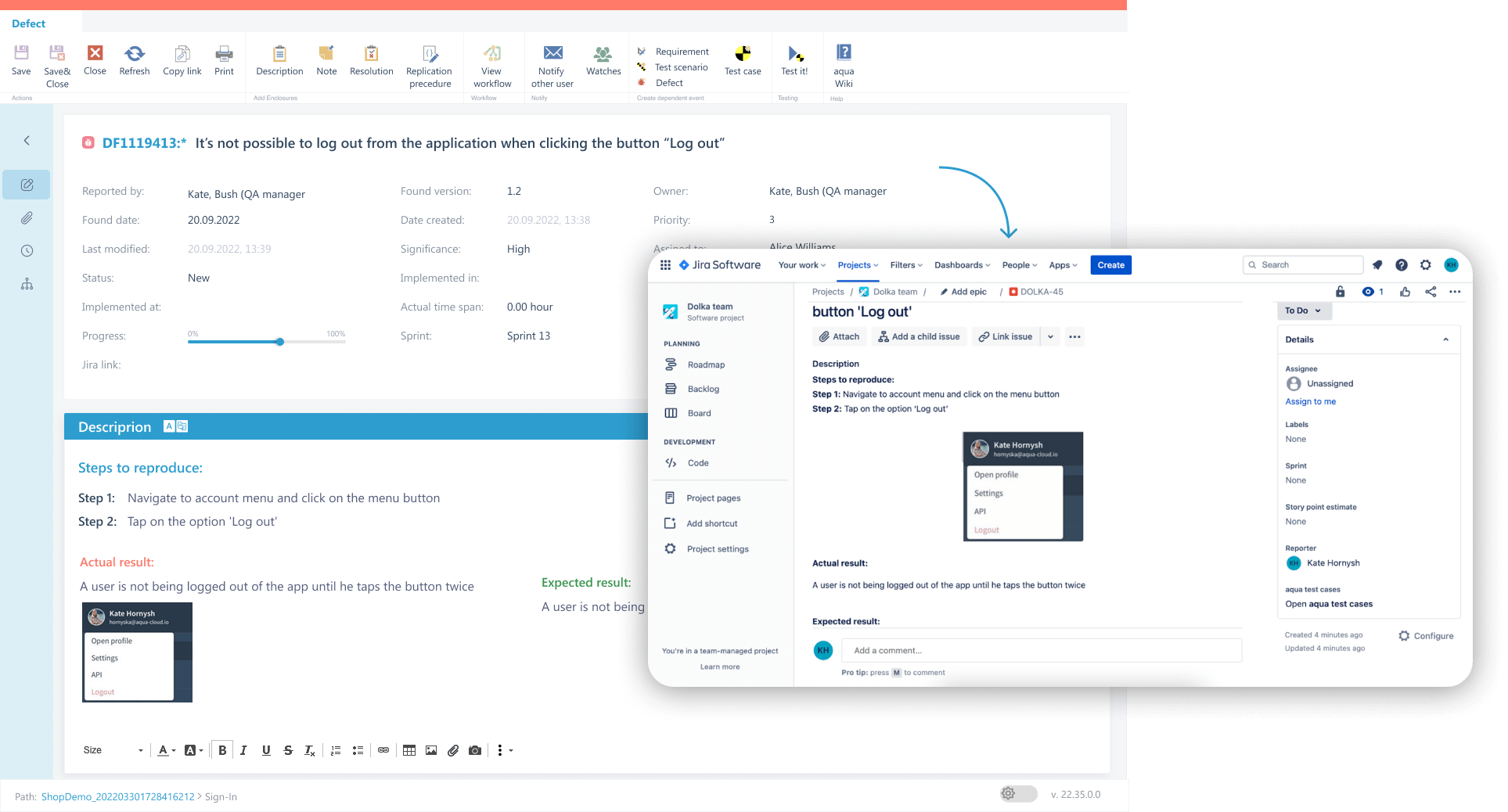
Centralise requirements across tools
Working in Jira but checking requirements in aqua or vice versa gets tedious. The solution: link them and designate one solution as the point of truth. Your teammates can stay in the tool they like and also use the other as a backup. Changes in one tool will automatically apply in the other, but you may stick to one-way link if needed.
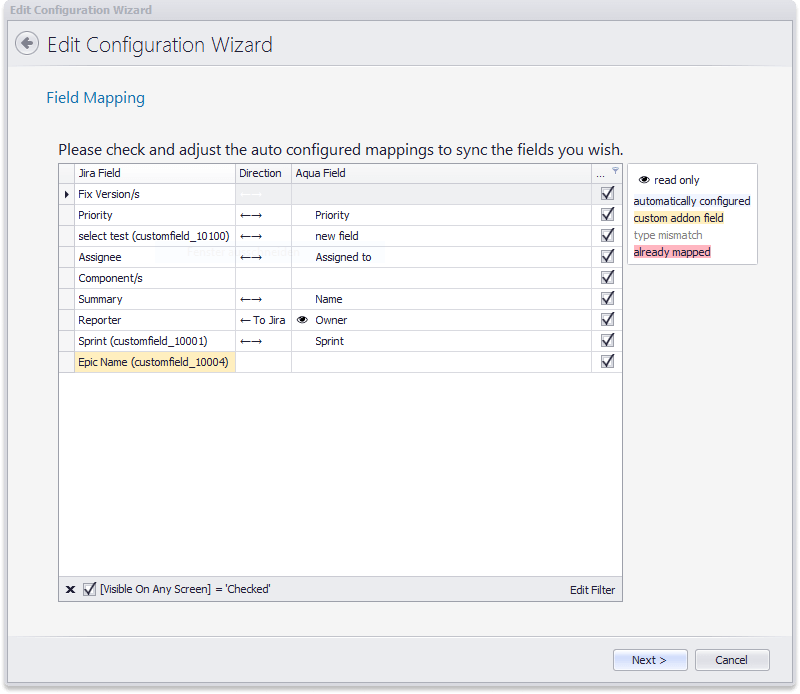
Eliminate manual effort with real-time updates
No more redundant data entry. With fields and values syncing, changes like priority, status, or custom attributes are automatically mirrored between aqua and Jira. Focus on actual work, not updating tools
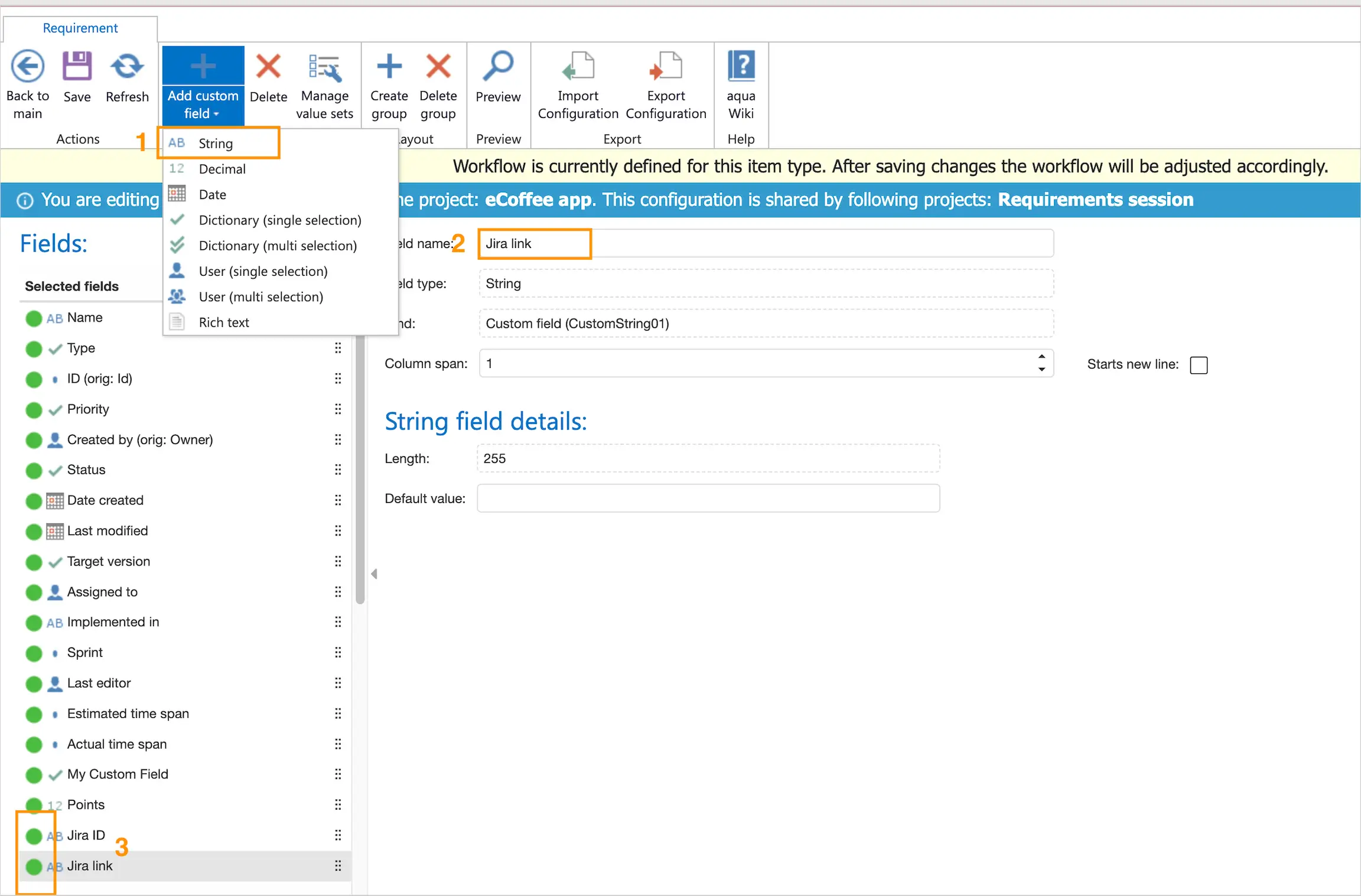
Clear accountability with User Mapping
Never wonder who did what. With aqua’s user mapping, actions and updates are correctly attributed, leaving no room for confusion and boosting trust between teams. Every action has a clear owner, no matter which tool they use
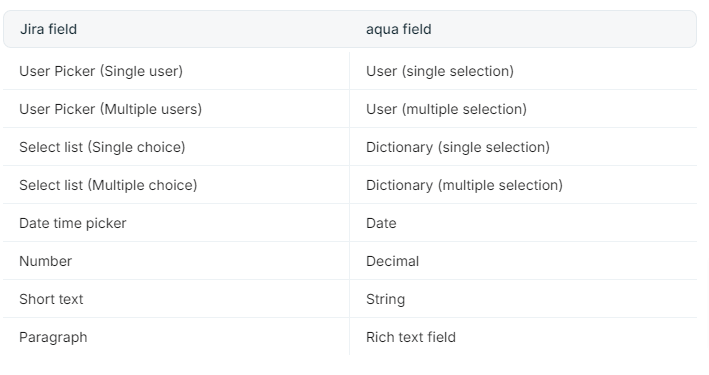
Achieve 100% sync and beyond: attachments and context
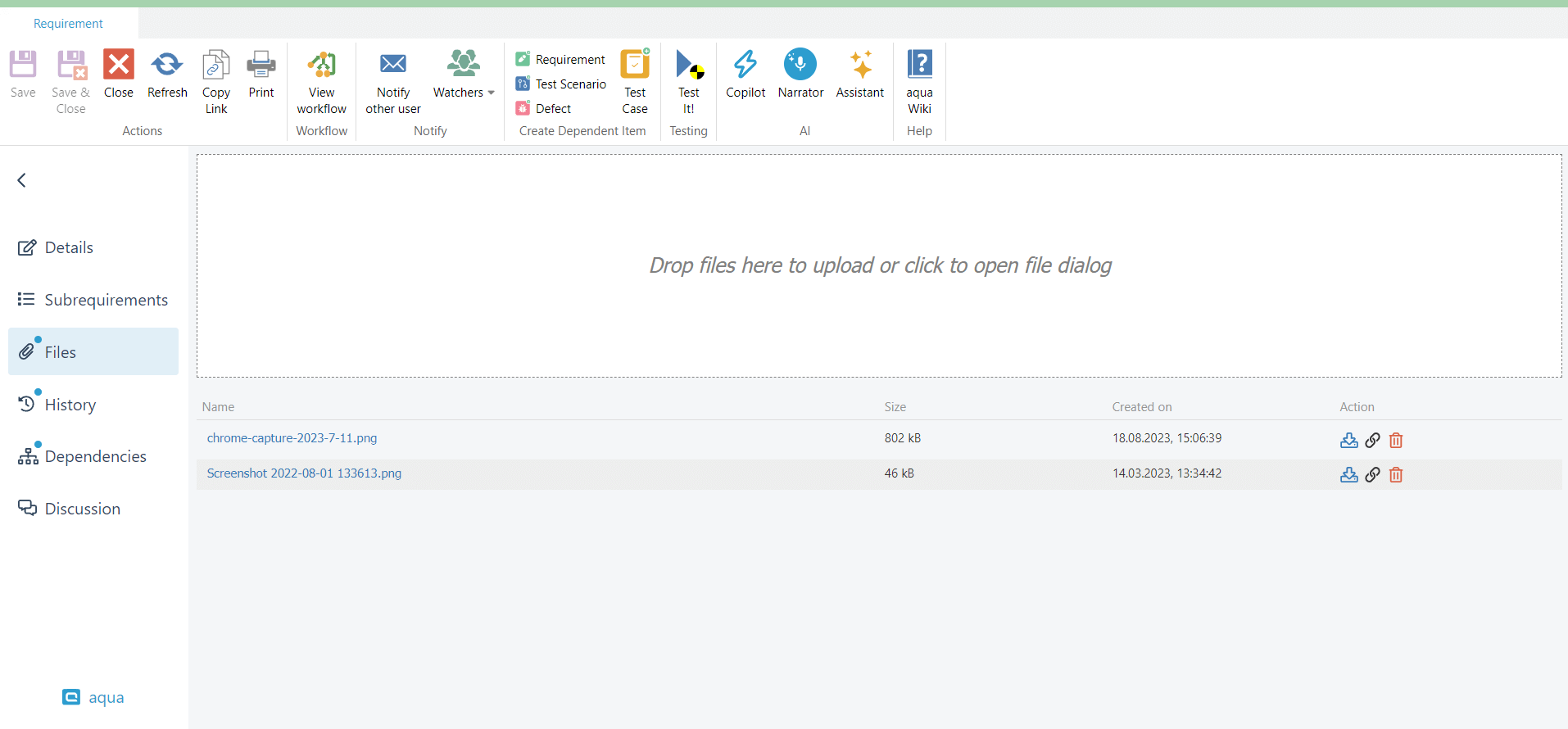
Stay efficient and stress-free with ticket content and attachment sync. Keep every conversation on track by syncing descriptions, comments, and updates consistently across aqua and Jira. That is not is: attached files are also synced, so you have the right resources at your fingertips without endless back-and-forth
Try test case management tool with Jira integration for free
Integrations for 100% test coverage
aqua bug reporting tool has 12+ integrations out of the box. You can use REST API to connect any other tool, including UAT testing software


Read up on 12+ integrations
aqua is the ALM for all your needs

Infinite scaling
Unlimited number of test cases. aqua works fast even with millions of items and doesn’t face the performance limitations that test management tools for Jira do
Unlimited number of test cases. aqua works fast even with millions of items and doesn’t face the performance limitations that test management tools for Jira do

Manual & automated tests
Don’t be limited to Jira's integrations only. Power up your testing with our 10+ native automation integrations. Manage automation test runs' results along with manual findings
Don’t be limited to Jira's integrations only. Power up your testing with our 10+ native automation integrations. Manage automation test runs' results along with manual findings

Reusability
Utilise test scenarios to run as many test cases during Jira testing as you need. Use bulk edits to update thousands of tests at once
Utilise test scenarios to run as many test cases during Jira testing as you need. Use bulk edits to update thousands of tests at once

Variety of integrations
REST API helps link any software to aqua. The documentation is over 600 pages, and our support is ready to help as well
REST API helps link any software to aqua. The documentation is over 600 pages, and our support is ready to help as well

Cloud & On-Premise
aqua on-premise meets all the regulatory requirements. Cloud servers are in the EU
aqua on-premise meets all the regulatory requirements. Cloud servers are in the EU

Simple migration
Moving to aqua takes one day on average. Our migration tool makes it cheap
Moving to aqua takes one day on average. Our migration tool makes it cheap
Give your Jira QA the boost it deserves
FAQ
How can I integrate test cases with Jira for tracking?
With Jira test management integration, you can link and sync test cases between test management systems and Jira. This allows real-time updates and traceability. Using a dedicated test management tool enhances coverage and ensures information is always current in your Jira environment.
Does Jira include built-in test management features?
Jira does not have native test management features, but integrates with test management systems via plugins or APIs. This enables managing test cases, results, and traceability within Jira using integration tools.
Can I sync defects found in a test management tool with Jira issues?
With Jira test management integration, defects raised during test execution can be created or synced directly as Jira issues. This helps streamline workflows and ensures defects are tracked in both systems.
What data is synchronized between a test management tool and Jira?
Jira test management integration can sync issues, statuses, attachments, comments, requirements, and test case links. This ensures consistent, up-to-date data across both platforms for traceability and reporting.
Notifications