
We use cookies to help you navigate efficiently and perform certain functions. You will find detailed information about all cookies under each consent category below.
The cookies that are categorised as "Necessary" are stored on your browser as they are essential for enabling the basic functionalities of the site. ...
Necessary cookies are required to enable the basic features of this site, such as providing secure log-in or adjusting your consent preferences. These cookies do not store any personally identifiable data.
Functional cookies help perform certain functionalities like sharing the content of the website on social media platforms, collecting feedback, and other third-party features.
Analytical cookies are used to understand how visitors interact with the website. These cookies help provide information on metrics such as the number of visitors, bounce rate, traffic source, etc.
Performance cookies are used to understand and analyse the key performance indexes of the website which helps in delivering a better user experience for the visitors.
Advertisement cookies are used to provide visitors with customised advertisements based on the pages you visited previously and to analyse the effectiveness of the ad campaigns.
Other uncategorised cookies are those that are being analysed and have not been classified into a category as yet.

-
Product
-
Solutions
 Bankingaqua ALM helps banks increase testing productivity by over 50%
InsuranceConsistent testing with aqua ensures robust insurance software that increases retention
ManufacturingUsing aqua helps an IoT manufacturer save 3% of revenue by reducing production defects
Governmentaqua paves the way for digital transformation with a portfolio of 7 government organisations
Tech companiesaqua helps reach a defect detection ratio of 98% with thorough and efficient testing
Medicalaqua proudly serves 10+ enterprise medical companies to level up their QA
-
Resources
BlogTips & tricks on how to manage testing process effectively and speed up releases
aqua wikiDetailed information on aqua capabilities, functionality and features
Product updatesDescription of our newest features and their value to QA teams
Success storiesCompanies that want to keep up with digital change trust in aqua
Product FAQFast answers to the most important product questions
Data centersExplore our infrastructure & global locations


AI bug tracking with aqua: Speed up defect-free releases
Quickly spot, report, and resolve bugs. Assign fixes, track progress, and collaborate seamlessly—all from one Kanban view, in almost no time
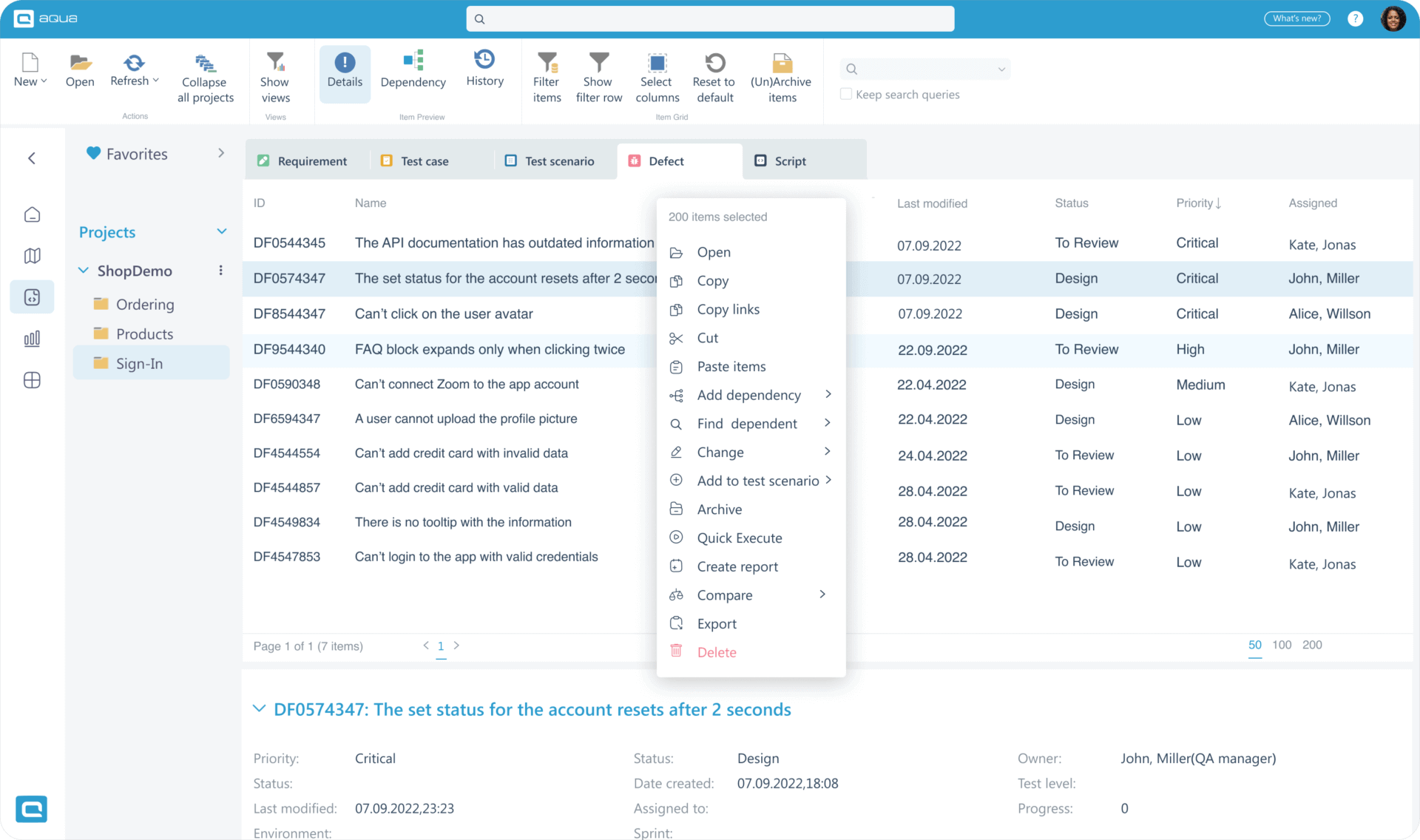
Why choose aqua as your bug tracker software
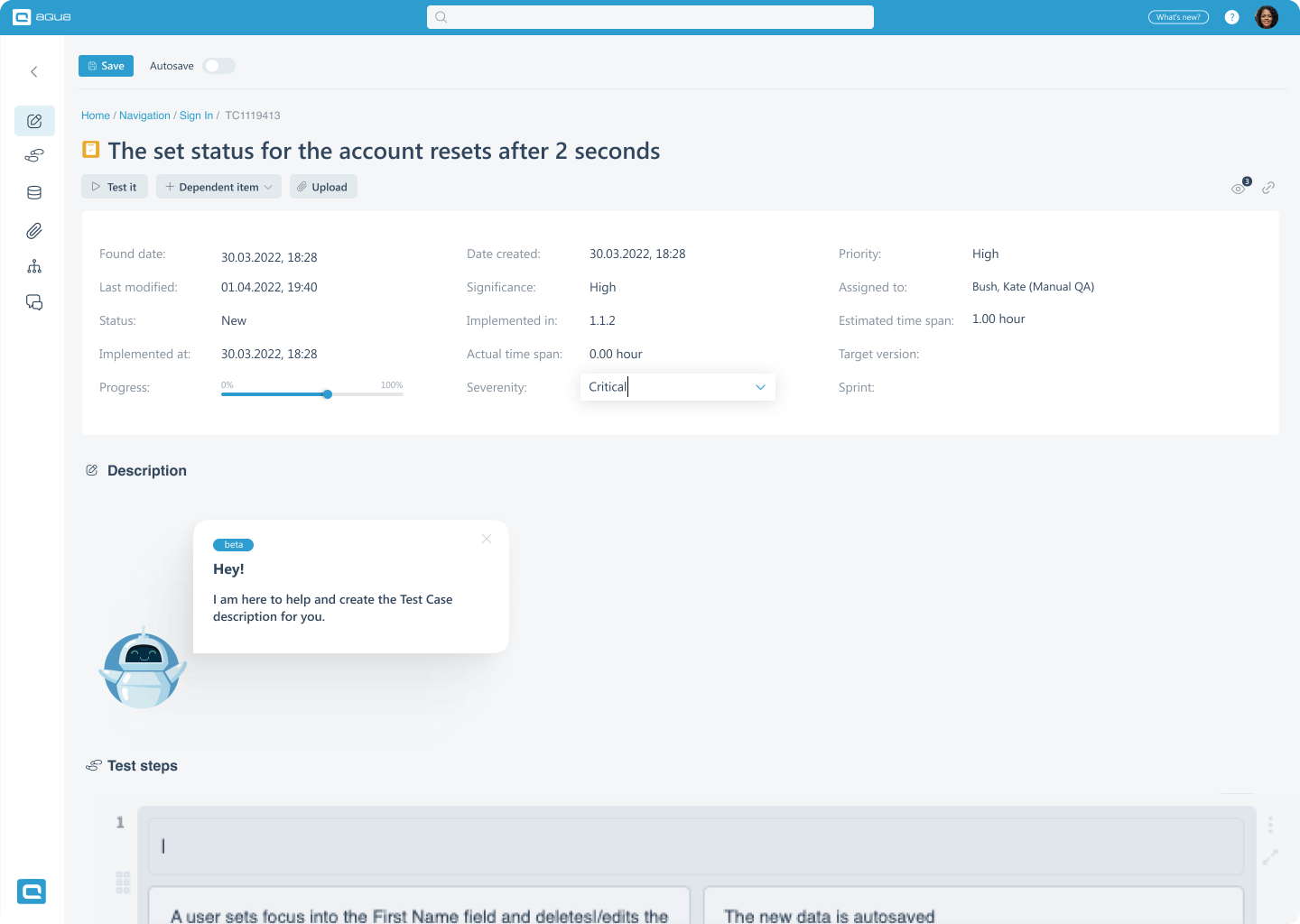
Let AI do the heavy lifting: get rid of repetitive
Generate detailed test cases, user stories, and test data from any input—brief notes, BDDs, or visuals—in seconds. Link tests to bugs seamlessly, and track fixes with clear accountability. With AI, spot issues, update tests, and keep everything in sync, saving hours while delivering faster, defect-free releases
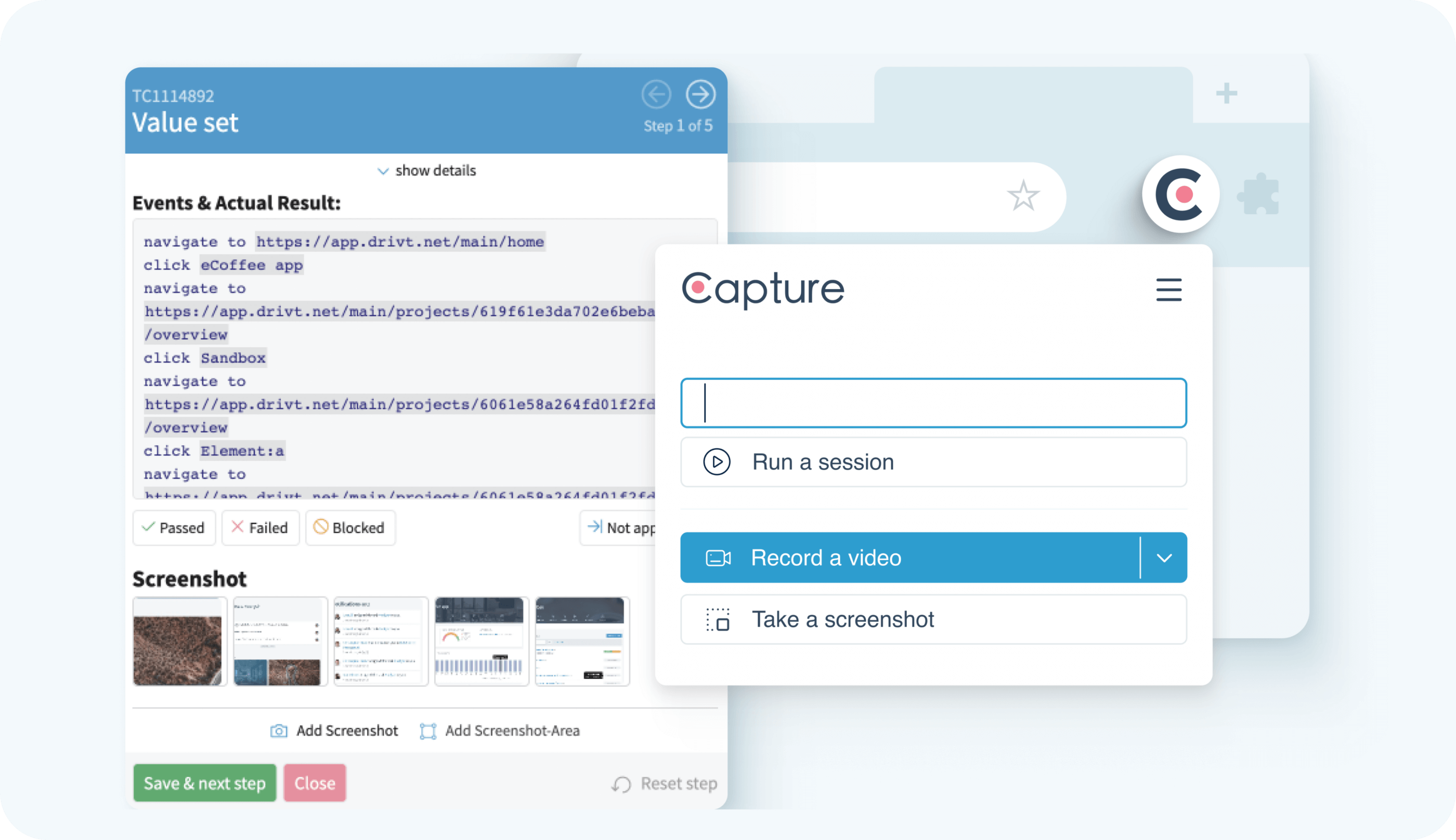
Create 100% visual bug reports with Capture
Record all your interactions on the page in 1 click and streamline your defect reporting. Document all your steps and provide developers with a comprehensive bug report with time-stamped video and environment information.
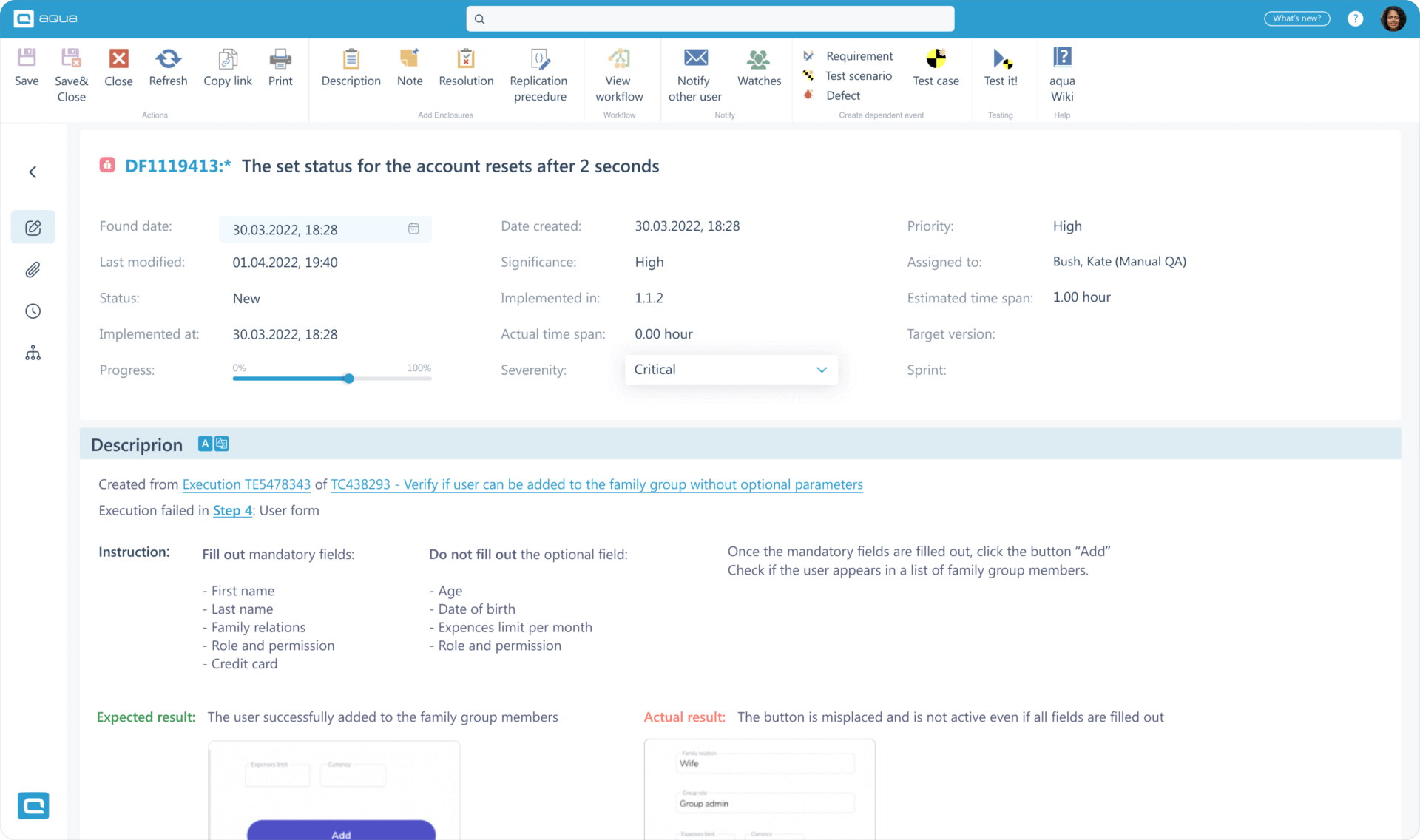
Create defect templates with custom data
Set up templates with pre-filled default fields and custom fields to keep all the relevant information inside tickets
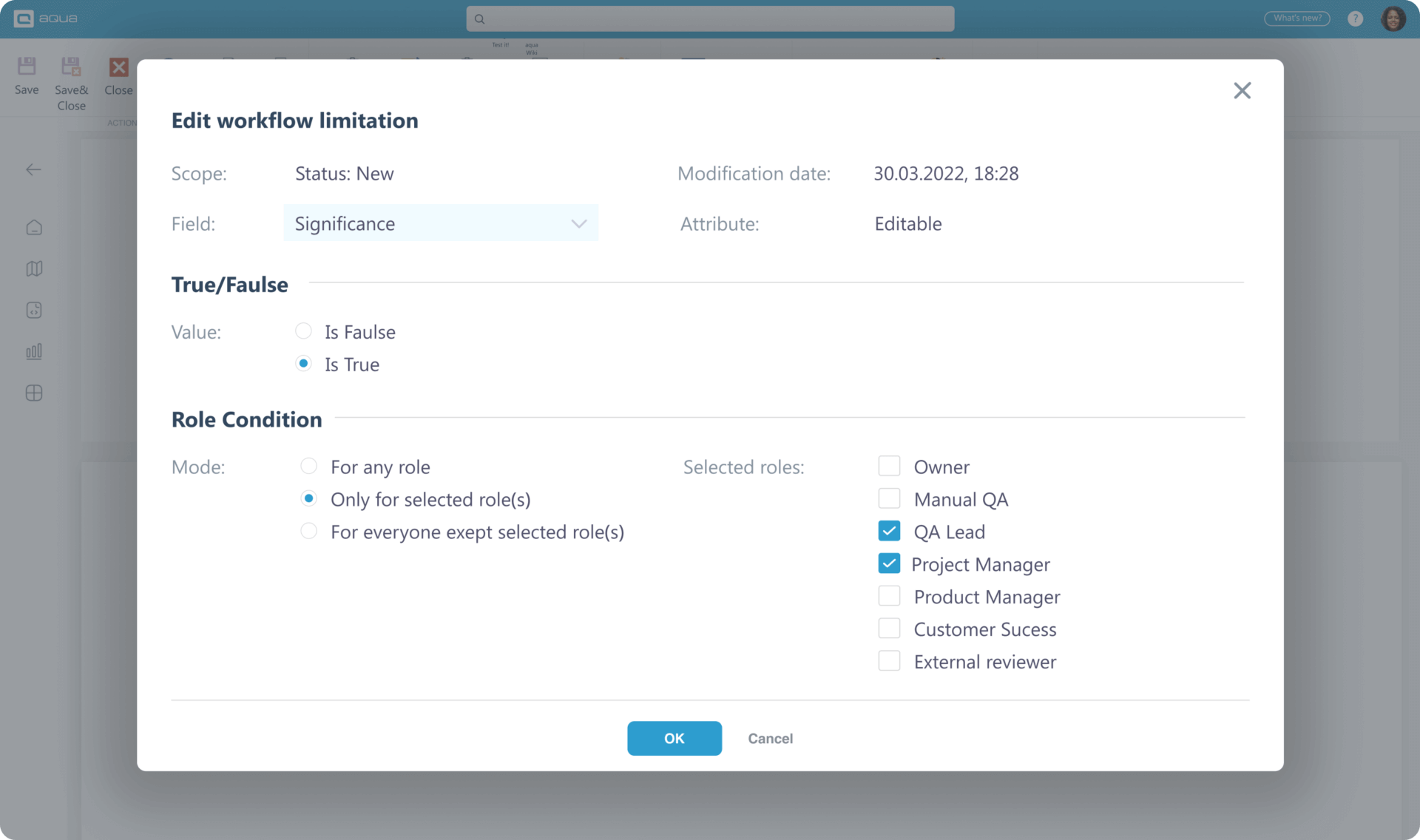
Set up workflows to govern defect handling
Configure workflows to set up the sequence of tasks/actions required to fill out the information specific to the project. Limit key status changes to senior specialists only and impose field rules to require extra defect context where relevant
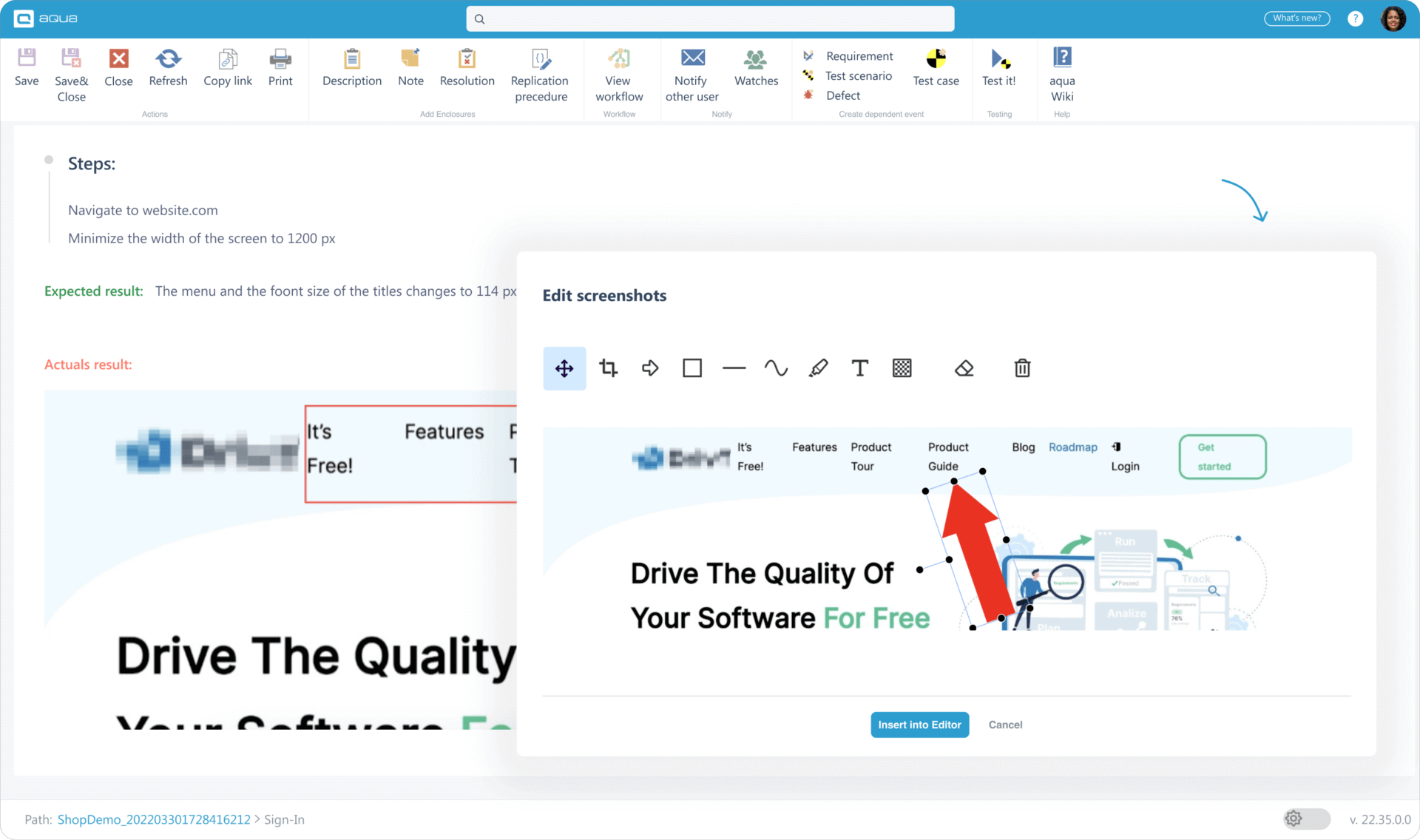
Create detailed defect tickets
Use rich descriptions, attach documents/videos/pdfs or leave links to external files, and paste screenshots straight to aqua to describe issues in detail
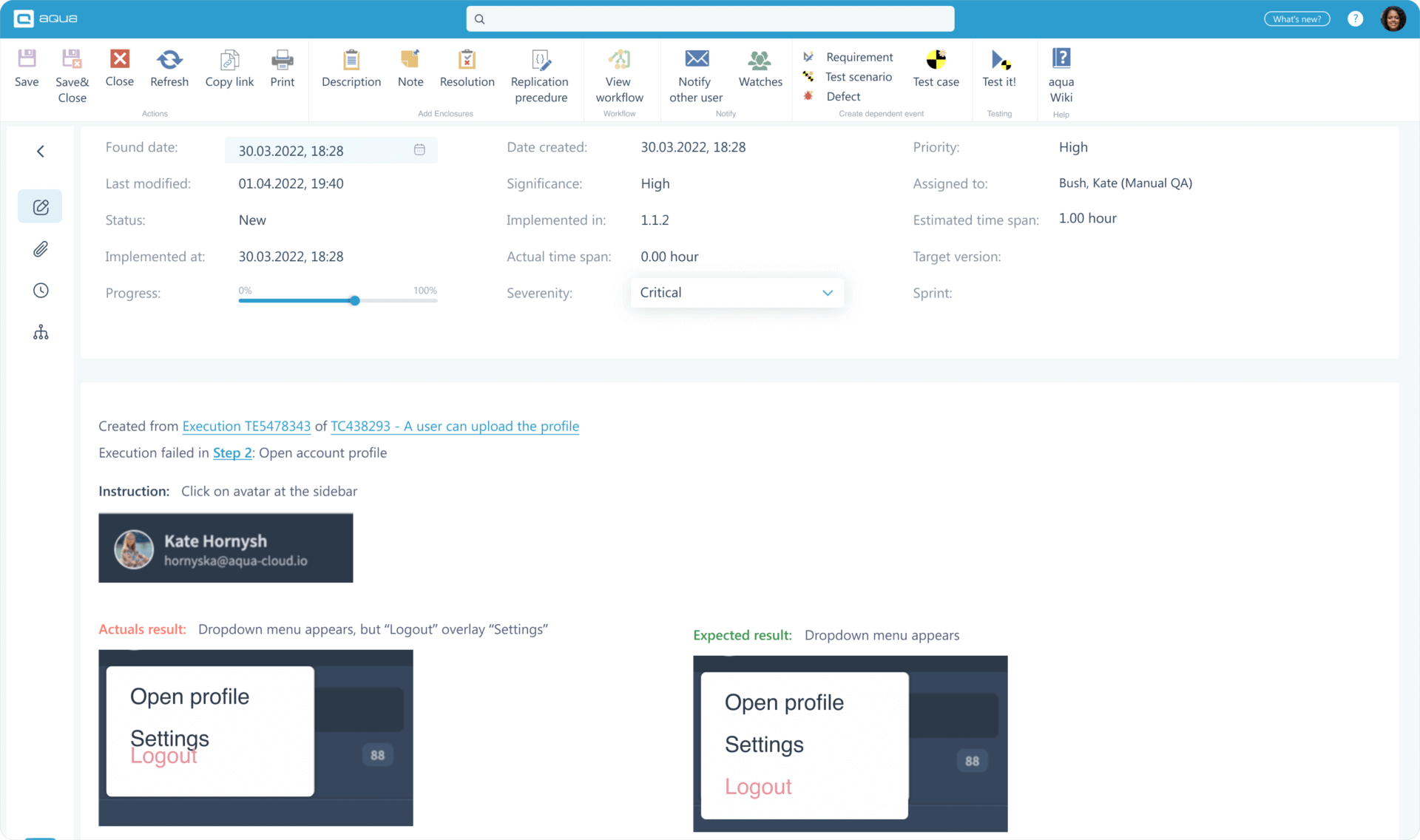
Quickly add defects during test execution
Create defects with instructions, expected results, and actual results autofilled from the test execution
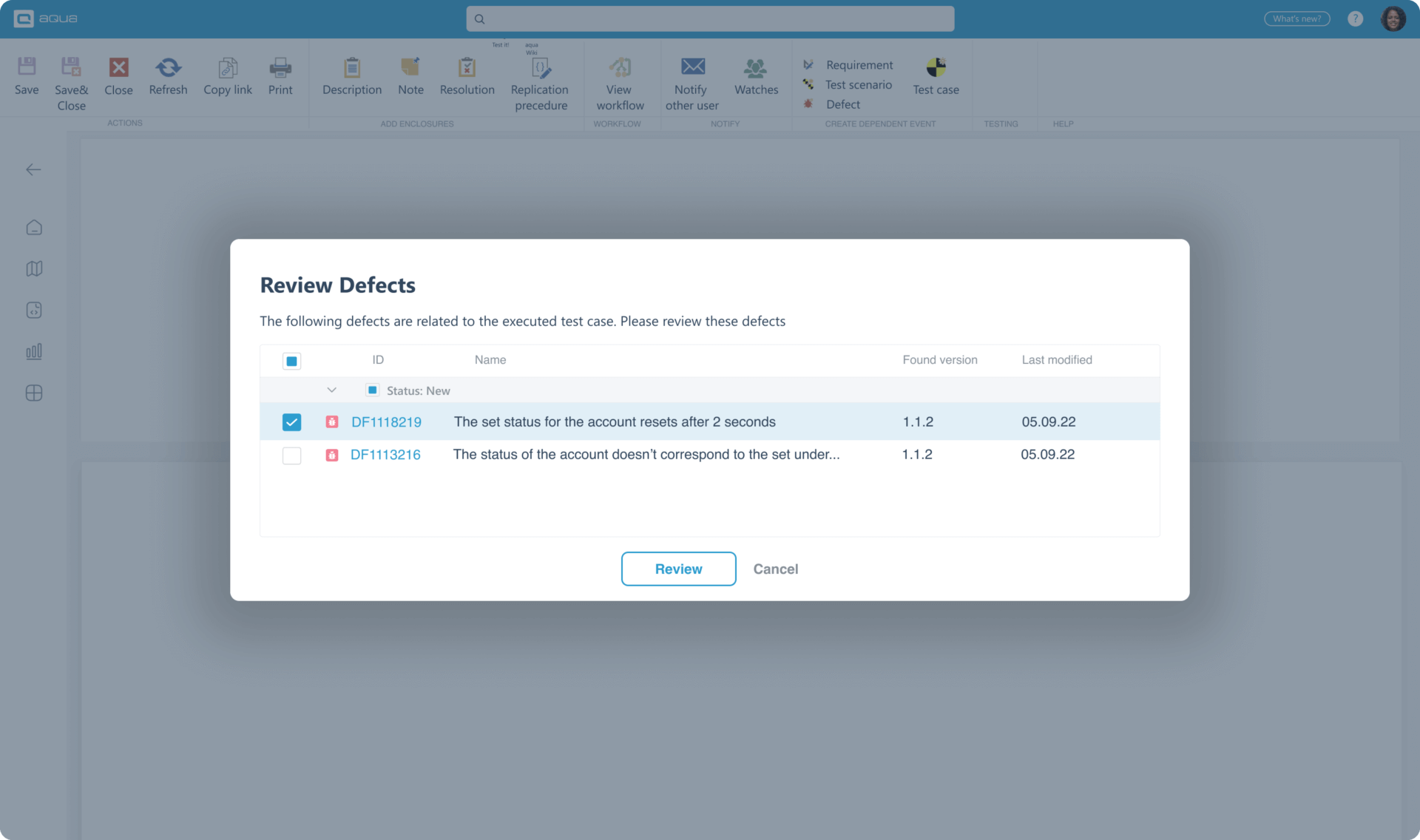
See unresolved defects while re-running a test case
Defects found during the execution of a test case are automatically shown the next time you run it. You can quickly mark these defects as resolved or add new details if you are still not getting the expected results
Speed up releases x2 with aqua
Get much more than just QA bug tracking tool

Banking-grade traceability

Vast regulatory compliance

Unlimited number of free basic licences (perfect for manual QA)


1-day migration

Unlimited ticket capacity

High test reusability

Solid QA-Developer communication

Frequent feature updates
Enjoy extra value no matter the job title
Give your engineers the tool they deserve — with plenty of value for non-tech colleagues as well
Hi, tester
- Scale up to any volume Use test scenarios with as many test cases as you need
- Reduce excessive clicking Update test cases in bulk to save hours
- Mix-and-match your tools Connect any QA tool to get data from aqua and into aqua with REST API. Use 12+ native integrations

Hi, QA Lead
- Replace four tools with just one Utilise aqua for test management, defect management, requirements management, and project management
- Shape aqua to your needs Set up custom project hierarchy and automated workflows
- Optimise delivery and avoid bottlenecks Help your team deliver every couple of weeks if not days with a feature-rich yet simple bug tracking tool

Hi, upper management
- Eliminate the bus factor Futureproof your IT infrastructure with solid documentation, traceability, and an established bug tracking tool in software testing space
- Stay compliant with little effort Breeze past regulatory audits with simplified & automated compliance
- Reclaim your profits Improve the bottom line by up to 5% with superior and efficient quality assurance
Used by the world’s most innovative teams















Our clients speak for us
Companies that want to keep up with digital change trust in aqua


“The reporting is meaningful and provides a good basis for decisions. After the employees have used aqua, they recognize the added value very quickly.”



“The reporting is meaningful and provides a good basis for decisions. After the employees have used aqua, they recognize the added value very quickly.”
Cut your testing expenses by 32%
FAQ
What is bug tracking vs issue tracking?
The term “bug tracking” focuses specifically on tracking and resolving software defects or bugs, while “issue tracking” has a broader scope and can include more: feature requests, enhancements, documentation issues, etc.
What is the bug tracking lifecycle?
The bug tracking lifecycle is the entire range of the steps involved in managing and resolving a reported bug. This includes bug identification, bug reporting, bug triaging, bug assignment, bug fixing, bug verification, and bug closure.
How do you track bugs in Agile?
In Agile, bugs are tracked and managed using a centralised bug tracking system, where they are logged, assigned to team members, and prioritised for resolution.
Which tool is the best for bug tracking?
aqua is the best tool for bug tracking. It has a great defect template, unlimited customisation, and the feature set for your entire QA and beyond. aqua also has a native integration with Capture, a solution to automatically record and transcribe web test executions.
How to perform bug tracking?
Bug tracking requires a dedicated solution where testers and potentially others will be adding discovered defects. These defects are sent to development so they can reproduce the issue, fix it, and request validation from QA. This process continues until the issue is resolved.
What is the difference between bug tracking and issue tracking?
They are essentially the same, although some sources may use the term issue tracking to describe requirements management solutions rather than QA-oriented tools.
How does aqua support bug tracking workflows compared to Jira?
aqua offers integrated bug tracking within its test management system, supporting traceability across tests and defects. Compared to Jira, aqua includes native tools for linking bugs to test cases and requirements. This streamlines handling defects in agile projects using the test management system.
Can aqua integrate bug tracking with requirements management?
aqua’s test management system enables integration between bug tracking and requirements management. Bugs can be linked to specific requirements, providing clear traceability for quality assurance. This connection enhances project visibility and traceability across testing and defect management processes.
Does aqua support bug tracking in agile environments?
aqua supports bug tracking workflows suitable for agile teams within its test management system. Users can log, prioritize, and manage defects alongside sprints and testing activities, allowing seamless collaboration between quality assurance and development in agile environments.
A bug-tracking tool is an application to help software development teams track, report, and resolve issues and bugs in development and QA. These tools provide a centralised platform for capturing, organising, and monitoring issues. They typically offer features such as:
- Bug capturing
- Issue tracking
- Workflow management
- Communication and collaboration
- Reporting and analytics
- Integration capabilities
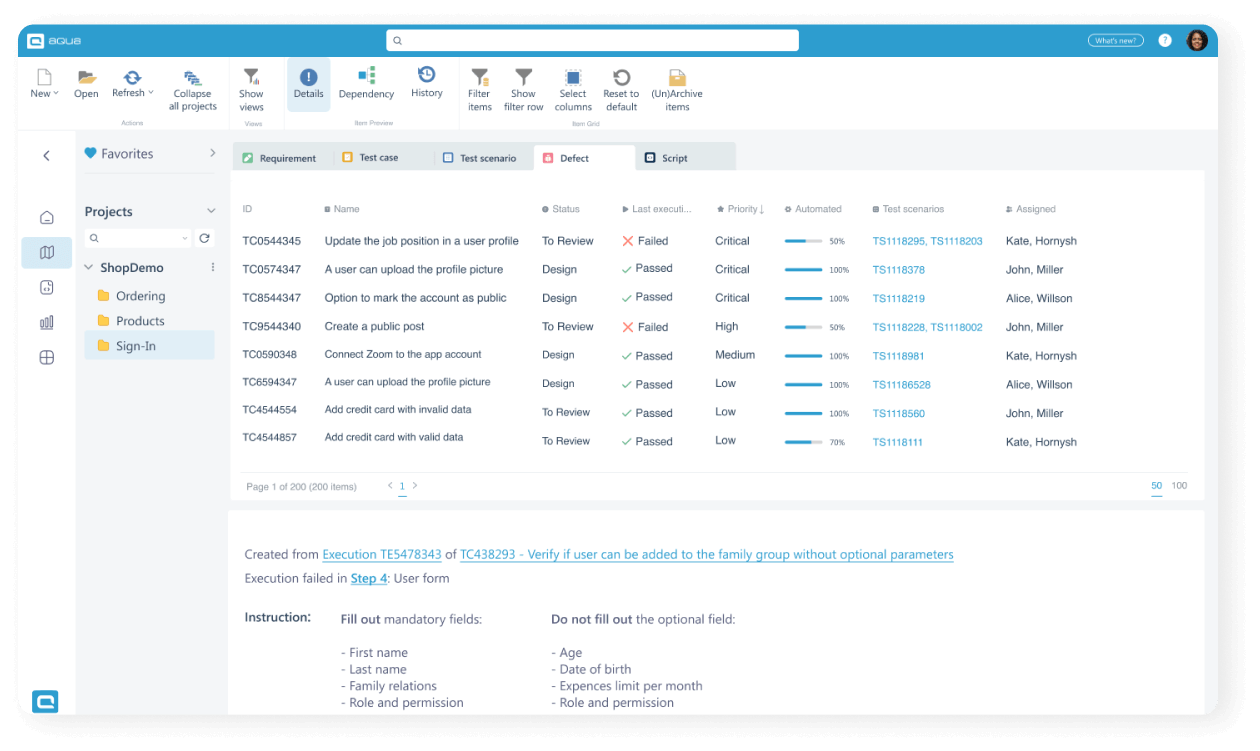
Here are some best practices for issue tracking to manage and resolve issues:
- Standardise issue tracking by establishing clear guidelines, necessary information, format, and severity levels.
- Use a centralised system to provide visibility to your team and avoid issues getting lost in emails or across different platforms.
- Provide clear and detailed descriptions, including steps to reproduce the bug, screenshots or error messages.
- Prioritise bugs based on severity, user impact, or business priorities.
- Assign issues and set realistic deadlines to maintain accountability and keep the team focused.
- Regularly update progress as your bugs go through different stages (e.g., open, in progress, resolved) for transparency.
- Foster collaboration and communication to ask questions, provide updates, and share insights using project management tools.
- Perform regular reviews to assess the status of open issues, prioritise new ones, and decide on issue resolution.
- Analyse and learn from each bug by evaluating the resolution process to identify opportunities for improvement.


Notifications