
We use cookies to help you navigate efficiently and perform certain functions. You will find detailed information about all cookies under each consent category below.
The cookies that are categorised as "Necessary" are stored on your browser as they are essential for enabling the basic functionalities of the site. ...
Necessary cookies are required to enable the basic features of this site, such as providing secure log-in or adjusting your consent preferences. These cookies do not store any personally identifiable data.
Functional cookies help perform certain functionalities like sharing the content of the website on social media platforms, collecting feedback, and other third-party features.
Analytical cookies are used to understand how visitors interact with the website. These cookies help provide information on metrics such as the number of visitors, bounce rate, traffic source, etc.
Performance cookies are used to understand and analyse the key performance indexes of the website which helps in delivering a better user experience for the visitors.
Advertisement cookies are used to provide visitors with customised advertisements based on the pages you visited previously and to analyse the effectiveness of the ad campaigns.
Other uncategorised cookies are those that are being analysed and have not been classified into a category as yet.

-
Product
-
Solutions
 Bankingaqua ALM helps banks increase testing productivity by over 50%
InsuranceConsistent testing with aqua ensures robust insurance software that increases retention
ManufacturingUsing aqua helps an IoT manufacturer save 3% of revenue by reducing production defects
Governmentaqua paves the way for digital transformation with a portfolio of 7 government organisations
Tech companiesaqua helps reach a defect detection ratio of 98% with thorough and efficient testing
Medicalaqua proudly serves 10+ enterprise medical companies to level up their QA
-
Resources
BlogTips & tricks on how to manage testing process effectively and speed up releases
aqua wikiDetailed information on aqua capabilities, functionality and features
Product updatesDescription of our newest features and their value to QA teams
Success storiesCompanies that want to keep up with digital change trust in aqua
Product FAQFast answers to the most important product questions
Data centersExplore our infrastructure & global locations


Jira testing tool:
the good and the bad
If your company uses Jira to keep track of software development, you may also be tempted to run Quality Assurance there. After all, you are probably paying for Jira already, so why not add the extra licences? Let’s dive into why you should and should not do that.
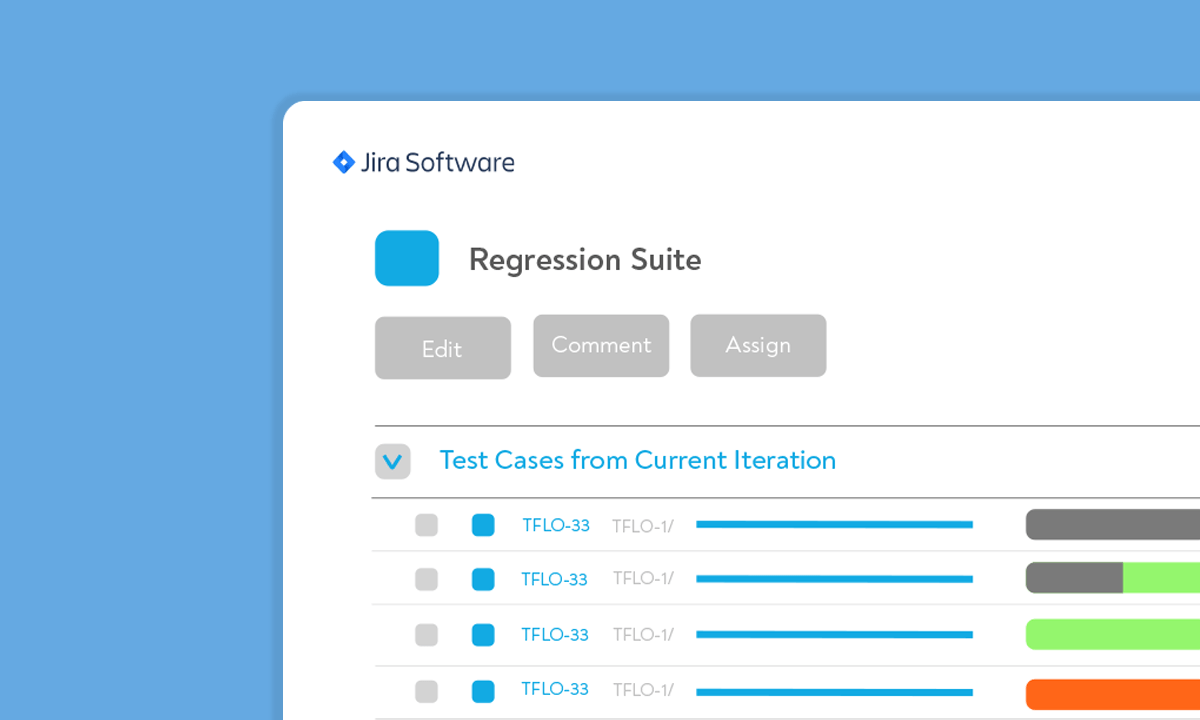
What is Jira tool in testing good for
Here are the perks of using Jira as your test management solution
Free tier
Small teams with up to 10 users can use Jira at no cost. The free tier also supports integrations that you may want to use for Jira testing tool. The pricing page currently says that this option will be “always free”

All-in-one hub
Keeping things in one place is just easier. It makes even more sense when we talk about development & QA. Testers use dev’s Jira anyway, so they might as well explore Jira’s test management options

Plugin library
Best test management tools for Jira are all available on the Atlassian marketplace. These can be Jira-exclusive solutions or Jira plugins from providers of standalone test management solutions

Simple start
Test management solutions come with a learning curve. Mastering it takes time, and not all companies can afford to spend it. On the other hand, practically every tech person in IT has experience using Jira

What is lacking in Jira’s test management tools
Alas, not every universal tool is universally good at what it does

Jira itself does not facilitate test management. You mostly reuse the software development functionality for QA purposes. Anything else is at the mercy of third-party devs creating Jira plugins

Jira offers a way to customise your server into a test management solution. You will, however, need a Continuous Integration server alongside Jira to make this work. This route is neither free nor quick to start.

While Jira’s manual testing options are serviceable, automated tests are not. Going the customisation route about Jira test management means that you supply your own test automation solution

Atlassian has announced that they will stop maintaining their on-premise offering by 2024. Also, even before 2024, some of the newest Cloud functionality will never make it to the On-Premise. Alas, Cloud is a no go for sensitive industries
Why pick dedicated solution over Jira test management
Here are some reasons to use a separate solution for QA

Manual & automated QA options
Testing software provides more variety compared to the Jira test management route. Dedicated tools organise and enhance manual testing, and also enable or entirely handle automated QA
Testing software provides more variety compared to the Jira test management route. Dedicated tools organise and enhance manual testing, and also enable or entirely handle automated QA

Future-proof security
Test management solutions seek to run both Cloud and On-Premise versions. You would sometimes run into situations where On-Premise lags behind Cloud in features, but it’s the same with Jira
Test management solutions seek to run both Cloud and On-Premise versions. You would sometimes run into situations where On-Premise lags behind Cloud in features, but it’s the same with Jira

QA-ready reporting
Testing tools are designed around key QA items. You may want to visualise whether the new build passed essential test cases or whether there are no critical bugs left. Jira’s reporting won’t be as specific here
Testing tools are designed around key QA items. You may want to visualise whether the new build passed essential test cases or whether there are no critical bugs left. Jira’s reporting won’t be as specific here

Traceability
General issue trackers like Jira may not be geared to meet strict traceability requirements. Testing with them will result in either extra effort for compliance or potentially failed audits
General issue trackers like Jira may not be geared to meet strict traceability requirements. Testing with them will result in either extra effort for compliance or potentially failed audits

Scope & scaling
Jira lacks test plan features. Tests plans both provide an actual plan on covering all potential issues but also chain test cases together. Imagine Jira test cases management with no test plans
Jira lacks test plan features. Tests plans both provide an actual plan on covering all potential issues but also chain test cases together. Imagine Jira test cases management with no test plans

Risk management
Jira, like any other service, can go down and does that. Developers can just keep doing their current tasks, but QA specialists need their tests. Relying on a single tool created a single point of failure
Jira, like any other service, can go down and does that. Developers can just keep doing their current tasks, but QA specialists need their tests. Relying on a single tool created a single point of failure
Why choose aqua as your test management tool
Jira & automated QA integrations
aqua has over 12 integrations with leading test automation solutions. It also comes with a Jira integration: you can either access individual items or fully sync aqua & Jira projects. No extra cost attached

Cloud & On-Premise offerings
aqua offers both cloud and on-premise versions with virtually identical functionality. On-Premise is not an afterthought for us: we have plenty of clients in banking insurance, and government.
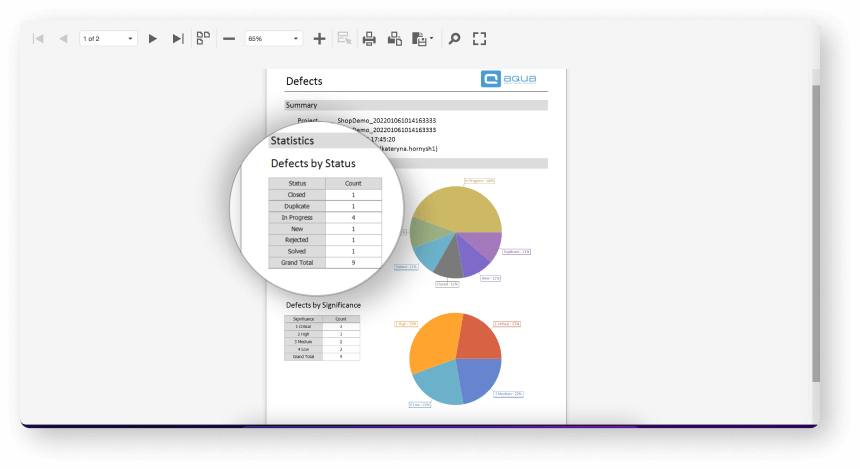
Reporting wizard & dashboards
aqua’s reporting wizard is quick to set up yet comes with quite some depth. You can even execute custom scripts inside the report. Dashboards help visualise progress and support KPI alerts for emergencies
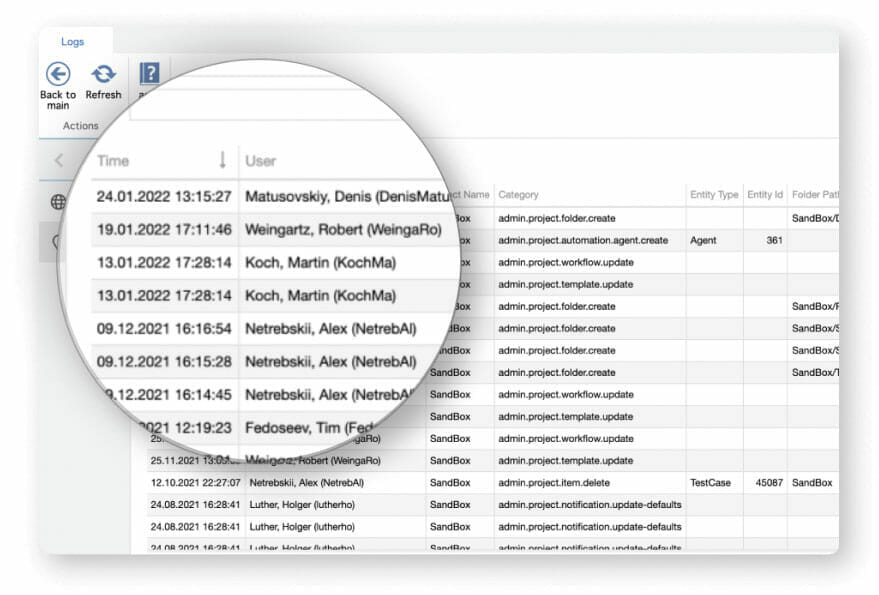
Traceability as a feature
aqua is fully compliant with traceability requirements, proven by our banking and government portfolio. This traceability, however, helps in any industry. You can see all changes to tests and revert if needed
Robust foundation & infrastructure
aqua works fast and doesn’t slow down even if you have millions of test cases. We have such clients using both Cloud & On-Premise versions without hiccups. Test execution doesn’t throttle for them either
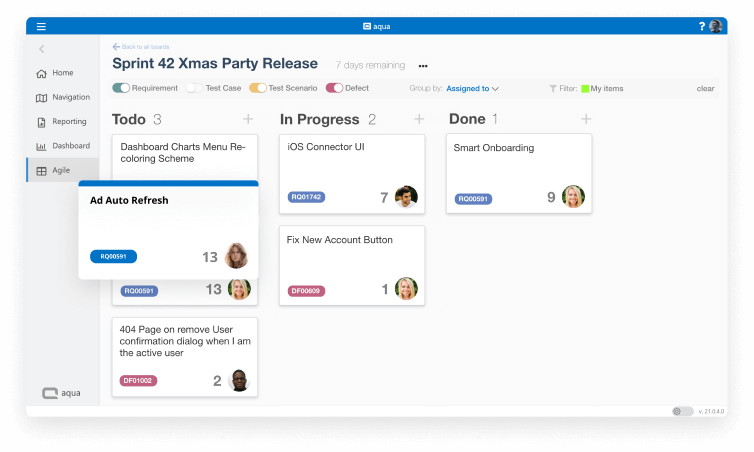
Agile
aqua comes with native support of the Agile methodology. The sprint’s Scrum Board, a project-wide Planning Board, and Burn-Down Chart will all make your work more efficient. Waterfall is also available
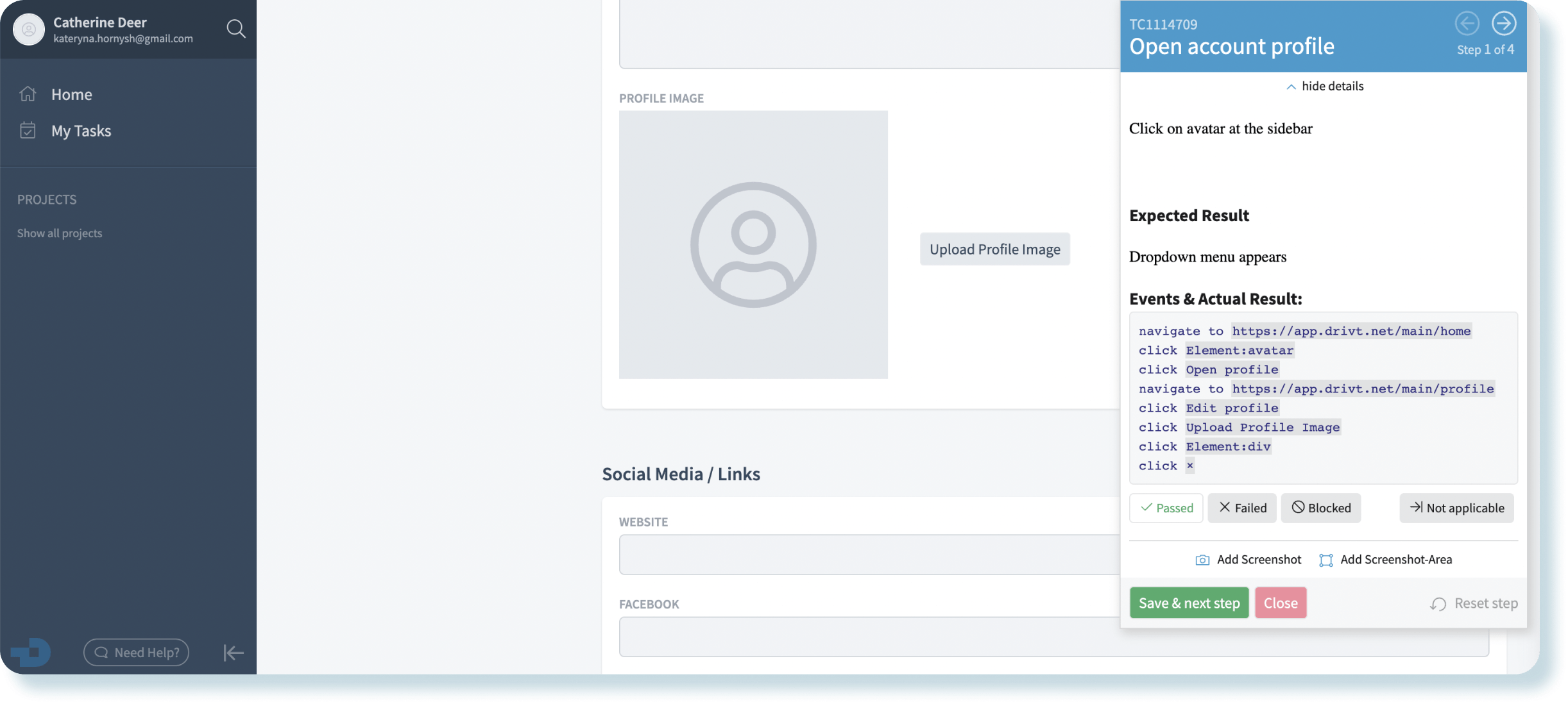
Chrome Extension
aqua Test Recorder takes web QA to the next level: your specialists can run tests and document results in the same Chrome window. Record interactions, edit captured data, leave comments, annotate screenshots — these are just some features of our Chrome extension
Try it yourself — 7-day trial
More than a bug
reporting tool
aqua is an Application Lifecycle Management solution. You can use it for all stages of your project
Planning, development, and testing in one tool
aqua has a proven track record in heavily regulated industries, but we are not limited to them
Popular
Banking
aqua TMS helps banks increase testing productivity by over 50%
Popular
Insurance
Consistent testing with aqua makes for robust insurance software that brings retention up
Government
aqua paves the way for digital transformation with a portfolio of 20+ government organisations
IT
aqua helps reach a defect ratio of 98% with thorough and efficient testing
Medical
aqua cloud provides all industry standard features for full compliance in the EU, US, and beyond
Popular
Manufacturing
Using aqua helps an IoT manufacturer save 3% of revenue by reducing production defects
Trusted by









Our clients speak for us
Companies that want to keep up with digital change trust in aqua


“The reporting is meaningful and provides a good basis for decisions. After the employees have used aqua, they recognize the added value very quickly.”



“The reporting is meaningful and provides a good basis for decisions. After the employees have used aqua, they recognize the added value very quickly.”
Migration
Moving to aqua takes 1 day on average. We have our own migration tool to make the process smooth, secure, and cost effective
Even millions of items can be moved to aqua without hassle
Let’s talk how aqua will help your business
FAQ
What are the Jira testing tools?
There are no native software testing features in Jira. There are solutions that add an extra layer of QA to Jira, but they are still hindered by Jira’s limitations and general policies (e.g. sunsetting On-Premise from 2024).
Is Jira a test management tool?
No, Jira is primarily a requirements management tool with a serviceable defect tracking suite. You can’t realistically create, upgrade, execute, and track manual software tests there. Automated tests are out of the question, too.
What are the benefits and disadvantages of Jira testing tool?
There are no tangible advantages to using Jira as a testing tool.
The disadvantages include:
- Lack of actual test cases
- Non-existent test automation potential
- No On-Premise since 2024
- Reliance on third-party plugins to get anything resembling QA done
Does Jira have a test management tool?
Jira does not include native test management features. Test management in Jira relies on third-party plugins, which still have notable limitations.
What is Jira used for in testing?
Jira is mainly used for requirements management and defect tracking, not for creating or executing structured software tests.
Can we write test cases in Jira?
You can’t realistically create, execute, or track detailed test cases in Jira without third-party plugins, and even then with limits.
What plugin is used for test management in Jira?
Jira relies on plugins from the Atlassian marketplace for test management. These can be Jira-exclusive or integrations with standalone QA tools like aqua.
What are the alternatives to Jira for complete test management and traceability?
Dedicated tools like aqua provide full test management, traceability, compliance and both Cloud and On-Premise deployment options.
Does test case management in Jira support automation and advanced QA reporting?
Jira’s manual test management via plugins is limited. Automation and advanced QA reporting require separate solutions or integrations.
Notifications