We use cookies and third-party services that store or retrieve information on the end device of our visitors. This data is processed and used to optimize our website and continuously improve it. We require your consent fro the storage, retrieval, and processing of this data. You can revoke your consent at any time by clicking on a link in the bottom section of our website. Privacy Policy.
Customise Consent Preferences
We use cookies to help you navigate efficiently and perform certain functions. You will find detailed information about all cookies under each consent category below.
The cookies that are categorised as "Necessary" are stored on your browser as they are essential for enabling the basic functionalities of the site. ...
Always Active
Necessary cookies are required to enable the basic features of this site, such as providing secure log-in or adjusting your consent preferences. These cookies do not store any personally identifiable data.
Cookie
gf_email_otp_seed_3
Duration
2 hours
Description
Used to temporarily store the OTP verification seed required for secure form or email verification.
Cookie
gf_email_otp_seed_12
Duration
2 hours
Description
Used to temporarily store the OTP verification seed required for secure form or email verification.
Cookie
gf_email_otp_seed_6
Duration
2 hours
Description
Used to temporarily store the OTP verification seed required for secure form or email verification.
Cookie
gf_email_otp_seed_1
Duration
2 hours
Description
Used to temporarily store the OTP verification seed required for secure form or email verification.
Cookie
gf_email_otp_seed_4
Duration
2 hours
Description
Used to temporarily store the OTP verification seed required for secure form or email verification.
Cookie
gf_email_otp_seed_10
Duration
2 hours
Description
Used to temporarily store the OTP verification seed required for secure form or email verification.
Cookie
gf_email_otp_seed_5
Duration
2 hours
Description
Used to temporarily store the OTP verification seed required for secure form or email verification.
Cookie
VISITOR_PRIVACY_METADATA
Duration
6 months
Description
YouTube sets this cookie to store the user's cookie consent state for the current domain.
Cookie
GAESA
Duration
1 month
Description
Description is currently not available.
Cookie
aquaSessionId2
Duration
2 days
Description
Description is currently not available.
Cookie
aquaXAuthId2
Duration
2 days
Description
Description is currently not available.
Cookie
rc::a
Duration
Never Expires
Description
This cookie is set by the Google recaptcha service to identify bots to protect the website against malicious spam attacks.
Cookie
rc::c
Duration
session
Description
This cookie is set by the Google recaptcha service to identify bots to protect the website against malicious spam attacks.
Cookie
__Secure-ENID
Duration
1 year 1 month
Description
The __Secure-ENID cookie is a type of secure cookie used for authentication and to ensure the security of user sessions.
Cookie
LS_CSRF_TOKEN
Duration
session
Description
Cloudflare sets this cookie to track users’ activities across multiple websites. It expires once the browser is closed.
Cookie
zalb_*
Duration
session
Description
Zoho sets this cookie for load balancing and session stickiness. It ensures that user requests are consistently directed to the same server during a session, helping maintain session integrity and improving website performance.
Cookie
GCLB
Duration
session
Description
This cookie is known as Google Cloud Load Balancer set by the provider Google. This cookie is used for external HTTPS load balancing of the cloud infrastructure with Google.
Cookie
cookieyes-*
Duration
1 year
Description
CookieYes sets this cookie for consent solution management.
Cookie
__cf_bm
Duration
1 hour
Description
This cookie, set by Cloudflare, is used to support Cloudflare Bot Management.
Functional cookies help perform certain functionalities like sharing the content of the website on social media platforms, collecting feedback, and other third-party features.
Cookie
VISITOR_INFO1_LIVE
Duration
6 months
Description
A cookie set by YouTube to measure bandwidth that determines whether the user gets the new or old player interface.
Cookie
ytidb::LAST_RESULT_ENTRY_KEY
Duration
Never Expires
Description
The cookie ytidb::LAST_RESULT_ENTRY_KEY is used by YouTube to store the last search result entry that was clicked by the user. This information is used to improve the user experience by providing more relevant search results in the future.
Cookie
__session
Duration
1 year 1 month 4 days
Description
GitBook sets this cookie for logging in.
Cookie
uesign
Duration
1 month
Description
Zoho sets this cookie for the Visitor Live Chat.
Cookie
_tldtest_*
Duration
session
Description
Amplitude sets this cookie to determine the highest-level domain where cookies can be set. Deleted after testing.
Cookie
lidc
Duration
1 day
Description
LinkedIn sets the lidc cookie to facilitate data center selection.
Cookie
li_gc
Duration
6 months
Description
Linkedin set this cookie for storing visitor's consent regarding using cookies for non-essential purposes.
Analytical cookies are used to understand how visitors interact with the website. These cookies help provide information on metrics such as the number of visitors, bounce rate, traffic source, etc.
Cookie
gf_visitor_source
Duration
7 days
Description
Stores visitor attribution data such as source, medium, campaign, content, term, and location for analytics and lead attribution.
Cookie
gf_visitor_medium
Duration
7 days
Description
Stores visitor attribution data such as source, medium, campaign, content, term, and location for analytics and lead attribution.
Cookie
gf_visitor_campaign
Duration
7 days
Description
Stores visitor attribution data such as source, medium, campaign, content, term, and location for analytics and lead attribution.
Cookie
gf_visitor_content
Duration
7 days
Description
Stores visitor attribution data such as source, medium, campaign, content, term, and location for analytics and lead attribution.
Cookie
gf_visitor_term
Duration
7 days
Description
Stores visitor attribution data such as source, medium, campaign, content, term, and location for analytics and lead attribution.
Cookie
gf_visitor_location
Duration
7 days
Description
Stores visitor attribution data such as source, medium, campaign, content, term, and location for analytics and lead attribution.
Cookie
ga_session_duration
Duration
1 hour
Description
Stores visitor attribution data such as source, medium, campaign, content, term, and location for analytics and lead attribution.
Cookie
_ga_*
Duration
1 year 1 month 4 days
Description
Google Analytics sets this cookie to store and count page views.
Cookie
_ga
Duration
1 year 1 month 4 days
Description
Google Analytics sets this cookie to calculate visitor, session and campaign data and track site usage for the site's analytics report. The cookie stores information anonymously and assigns a randomly generated number to recognise unique visitors.
Cookie
amp_*
Duration
1 year
Description
Amplitude sets this cookie for session tracking for analytics purposes.
Cookie
YSC
Duration
session
Description
YSC cookie is set by Youtube and is used to track the views of embedded videos on Youtube pages.
Cookie
amplitude_device_id
Duration
session
Description
No description available.
Cookie
loom_anon_comment
Duration
1 year
Description
No description available.
Cookie
loom_referral_video
Duration
session
Description
Description is currently not available.
Cookie
__Host-psifi.analyticsTrace
Duration
6 hours
Description
Description is currently not available.
Cookie
__Host-psifi.analyticsTraceV2
Duration
6 hours
Description
Description is currently not available.
Cookie
_cs_id
Duration
1 year 1 month
Description
This cookie is used to store the ContentSquare's user identifier ID. This is a persistent cookie and expires after 13 months.
Cookie
_cs_s
Duration
1 hour
Description
This cookie is used to store the number of page's viewed by a visitor within the session for ContentSquare's solution.
Cookie
ai_session
Duration
1 hour
Description
This is a unique anonymous session identifier cookie set by Microsoft Application Insights software to gather statistical usage and telemetry data for apps built on the Azure cloud platform.
Cookie
_hjSessionUser_*
Duration
1 year
Description
Hotjar sets this cookie to ensure data from subsequent visits to the same site is attributed to the same user ID, which persists in the Hotjar User ID, which is unique to that site.
Cookie
_hjSession_*
Duration
1 hour
Description
Hotjar sets this cookie to ensure data from subsequent visits to the same site is attributed to the same user ID, which persists in the Hotjar User ID, which is unique to that site.
Cookie
ajs_anonymous_id
Duration
1 year
Description
This cookie is set by Segment to count the number of people who visit a certain site by tracking if they have visited before.
Cookie
_cs_c
Duration
1 year 1 month
Description
This cookie is used by Contentsquare to store the user's consent preference for analytics and session replay tracking.
Cookie
utm_medium
Duration
7 days
Description
This cookie is used to record from where the visitor came to the website orginally. This information is used by the website operator to know the efficiency of their marketing.
Cookie
utm_source
Duration
7 days
Description
This cookie is used to record from where the visitor came to the website orginally. This information is used by the website operator to know the efficiency of their marketing.
Cookie
utm_campaign
Duration
7 days
Description
Google Ad Services sets this cookie to store session campaign value if present.
Cookie
utm_content
Duration
7 days
Description
This cookie is used for storing the session content value if present.
Cookie
utm_term
Duration
7 days
Description
This cookie is used to record from where the visitor came to the website orginally. This information is used by the website operator to know the efficiency of their marketing.
Cookie
amp_cookie_test*
Duration
session
Description
Amplitude sets this cookie to test if cookies are enabled in the user’s browser. It is used during SDK initialisation and is automatically removed after the check.
Cookie
utsdb
Duration
session
Description
Zoho SalesIQ sets this cookie to register data on visitor's website behaviour.
Performance cookies are used to understand and analyse the key performance indexes of the website which helps in delivering a better user experience for the visitors.
Cookie
_uetsid
Duration
1 day
Description
Bing Ads sets this cookie to engage with a user that has previously visited the website.
Cookie
_uetvid
Duration
1 year 24 days
Description
Bing Ads sets this cookie to engage with a user that has previously visited the website.
Advertisement cookies are used to provide visitors with customised advertisements based on the pages you visited previously and to analyse the effectiveness of the ad campaigns.
Cookie
_gcl_au
Duration
3 months
Description
Google Tag Manager sets this cookie to experiment advertisement efficiency of websites using their services.
Cookie
__Secure-ROLLOUT_TOKEN
Duration
6 months
Description
YouTube sets this cookie to manage feature rollout and experimentation. It helps Google control which new features or interface changes are shown to users as part of testing and staged rollouts, ensuring consistent experience for a given user during an experiment.
Cookie
__Secure-YEC
Duration
past
Description
Description is currently not available.
Cookie
__Secure-YNID
Duration
6 months
Description
YouTube cookie used to protect user security and prevent fraud, especially during the login process.
Cookie
test_cookie
Duration
15 minutes
Description
doubleclick.net sets this cookie to determine if the user's browser supports cookies.
Cookie
MUID
Duration
1 year 24 days
Description
Bing sets this cookie to recognise unique web browsers visiting Microsoft sites. This cookie is used for advertising, site analytics, and other operations.
Cookie
ai_user
Duration
1 year
Description
Microsoft Azure sets this cookie as a unique user identifier cookie, enabling counting of the number of users accessing the application over time.
Cookie
NID
Duration
6 months
Description
Google sets the cookie for advertising purposes; to limit the number of times the user sees an ad, to unwanted mute ads, and to measure the effectiveness of ads.
Cookie
__Host-GAPS
Duration
2 years
Description
This cookie allows the website to identify a user and provide enhanced functionality and personalisation.
Cookie
bcookie
Duration
1 year
Description
LinkedIn sets this cookie from LinkedIn share buttons and ad tags to recognize browser IDs.
Cookie
IDE
Duration
1 year 24 days 1 minute
Description
Google DoubleClick IDE cookies store information about how the user uses the website to present them with relevant ads according to the user profile.
Cookie
guest_id_marketing
Duration
1 year 1 month 4 days
Description
Twitter sets this cookie to identify and track the website visitor.
Cookie
guest_id_ads
Duration
1 year 1 month 4 days
Description
Twitter sets this cookie to identify and track the website visitor.
Cookie
personalization_id
Duration
1 year 1 month 4 days
Description
Twitter sets this cookie to integrate and share features for social media and also store information about how the user uses the website, for tracking and targeting.
Cookie
guest_id
Duration
1 year 1 month 4 days
Description
Twitter sets this cookie to identify and track the website visitor. It registers if a user is signed in to the Twitter platform and collects information about ad preferences.
Other uncategorised cookies are those that are being analysed and have not been classified into a category as yet.
Cookie
_cs_root-domain
Duration
session
Description
Description is currently not available.
Cookie
aquacloudio-_zldp
Duration
1 year 1 month 4 days
Description
Description is currently not available.
Cookie
aquacloudio-_zldt
Duration
1 year 1 month 4 days
Description
Description is currently not available.
Cookie
amplitude_testaqua-cloud.io
Duration
1 year
Description
Description is currently not available.
X
🤖 Exciting new updates to aqua Intelligence are now available! 🎉
User Acceptance Testing (UAT): Entry and Exit Criteria Explained
Your development team just finished coding a major feature. QA found some bugs but fixed the critical ones. Now someone asks: "Is this ready for UAT?" Without clear criteria, you're guessing. Maybe the software works, but it crashes under normal load. Maybe core functionality is solid, but the user interface confuses everyone who touches it. UAT entry and exit criteria eliminate this guesswork by defining exactly when software is ready for user testing and when it's ready for production. These criteria prevent teams from wasting time testing unfinished software and ensure they don't ship products that fail basic user requirements. Here's how to set UAT boundaries that actually protect your project and your users.
The entry criteria for UAT testing define the minimum conditions a build must meet before business users invest any time in it. Without them, testers burn hours on a system that was never ready.
A UAT entry criteria checklist covers eight areas: previous testing completion, bug severity thresholds, environment readiness, test data availability, documentation, approved test cases, user preparation, and stakeholder sign-off.
Exit criteria do the same job at the other end of UAT. They define when testing is finished and the software is safe to ship, preventing both premature releases and endless testing loops.
UAT is not a substitute for system testing or integration testing. It validates business fit, not technical correctness. The two are complementary, not interchangeable.
The most common reason UAT criteria fail in practice is vague language. “System should be stable” is not a criterion. “System must run for 8 consecutive hours under simulated load with zero critical crashes” is.
Tracking UAT progress against defined criteria manually in spreadsheets is what causes most reporting failures. A test management tool with real-time dashboards solves this at scale.
What is an Entry Criteria in User Acceptance Testing?
Entry criteria define the minimum conditions your software must meet before UAT begins. They act as quality gates that prevent teams from testing unstable or incomplete software.
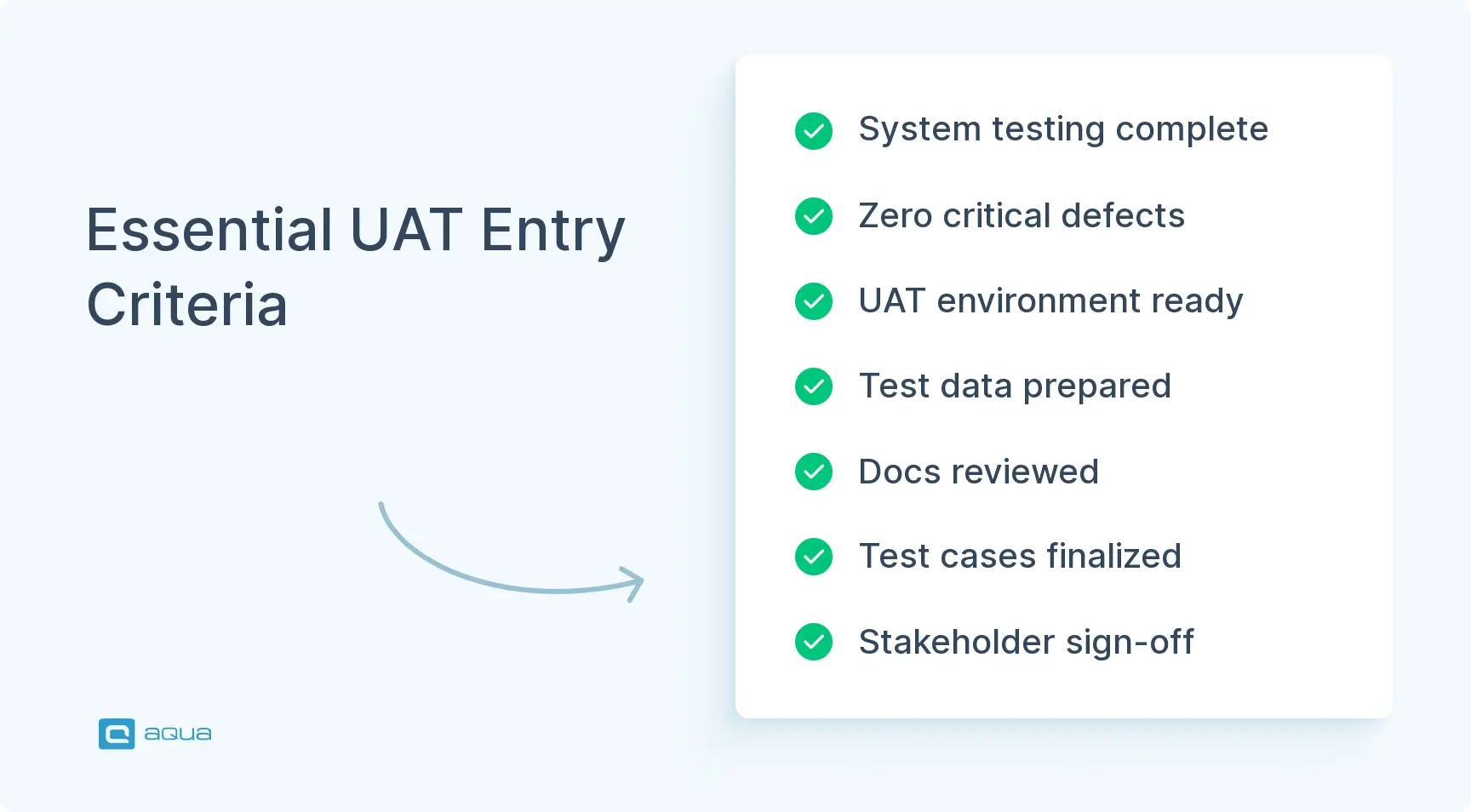
Essential UAT Entry Criteria
Previous Testing Completion: System testing, integration testing, and functional testing should be finished with acceptable pass rates. Define specific thresholds like “95% of test cases must pass.”
Bug Severity Limits: All critical and high-severity defects must be resolved. Set clear numbers such as “zero Priority 1 bugs and fewer than five Priority 2 bugs remaining.”
Test Environment Readiness: UAT environment should mirror production conditions, including similar hardware, network configurations, and integration points.
Test Data Preparation: Realistic test data representing actual user scenarios must be available, covering normal operations and edge cases.
Documentation Availability: User manuals, help files, and supporting documentation should be complete and reviewed.
UAT Plan and Test Cases Ready: Documented test cases covering all user requirements must be prepared and reviewed by stakeholders.
User Preparation Complete: Testers must understand their roles and receive necessary training on the system and testing processes.
Stakeholder Sign-offs Obtained: Formal approval from project stakeholders confirms the product meets entry criteria and is ready for user validation.
These criteria prevent wasted time testing software that isn’t ready and ensure UAT focuses on meaningful user validation rather than basic functionality issues.
What is an Exit Criteria in User Acceptance Testing?
Exit criteria define when UAT is complete and the software can move to production. They create objective standards for determining when testing is sufficient and prevent both endless testing cycles and premature releases.
Essential UAT Exit Criteria
Test Execution Coverage: A predetermined percentage of test cases must be executed, typically 95-100%. This ensures comprehensive validation of system functionality.
Defect Resolution Rate: All critical and high-priority defects must be fixed and verified. Define specific targets like “100% of Priority 1 defects resolved, 95% of Priority 2 defects resolved.”
Open Defect Thresholds: Set limits on remaining defects by severity. For example: “No critical defects, maximum of 3 high-severity defects with documented workarounds.”
User Sign-off: Formal acceptance from user representatives confirming the system meets their business needs and requirements.
Performance Requirements: Confirmation that the system meets specified performance standards under expected user loads and usage patterns.
Documentation Completion: All user documentation must be complete, accurate, and approved by stakeholders.
Training Completion: All necessary end-user training has been conducted, and users are prepared for system deployment.
Regression Testing Results: Verification that defect fixes haven’t broken previously working functionality through systematic regression testing.
Compliance Verification: Confirmation that the system meets all regulatory, security, and organisational compliance requirements.
These criteria prevent projects from releasing prematurely or getting stuck in endless testing loops by providing clear, measurable standards for UAT completion.
As you’re developing your UAT strategy with clear entry and exit criteria, consider how the right test management solution can transform this critical process. aqua cloud provides a structured framework to define, track, and manage your UAT criteria effectively. With aqua’s comprehensive requirements management, you can easily establish traceability between business needs and test cases, ensuring nothing falls through the cracks. The platform’s customisable reporting dashboards give real-time visibility into your UAT progress against defined criteria, while AI-powered test case generation helps you achieve thorough coverage in a fraction of the time. To enhance your toolkit and turn aqua’s test management capabilities into superpower, aqua integrates with Jira, Confluence, Azure DevOps, Selenium, Jenkins, Ranorex and many more. Instead of struggling with spreadsheets and disconnected tools to track UAT completion, aqua centralises everything in one intuitive platform, making it simple to determine when your software is truly ready for release.
Transform your UAT process with structured entry/exit criteria tracking
The Importance of Entry and Exit Criteria for User Acceptance Testing
Clear UAT criteria aren’t bureaucratic overhead. They solve real problems that derail testing efforts and create expensive post-release surprises.
Benefits of Entry Criteria
Prevents Wasted Testing Effort: Entry criteria ensure the system is actually ready before users invest their time. This prevents frustrated testers from encountering obvious bugs that should have been caught earlier.
Sets Clear Expectations: Everyone understands what must be accomplished before UAT begins, eliminating confusion about project readiness and reducing finger-pointing when delays occur.
Improves Resource Utilization: Testing resources get used efficiently when systems are in genuinely testable states rather than being wasted on premature validation attempts.
Creates Quality Accountability: Establishes clear quality gates that hold teams accountable for completing work properly before moving to the next phase.
Benefits of Exit Criteria
Enables Objective Release Decisions: Removes emotional or schedule-driven pressure to release before the software is ready by providing measurable standards for completion.
Manages Stakeholder Expectations: Creates transparency around what “done” actually means, preventing disputes about whether the system is ready for production.
Reduces Production Issues: Ensures critical problems are addressed before deployment, preventing expensive emergency fixes and user frustration.
Provides Documentation Trail: Creates evidence of due diligence for compliance, governance, and post-release issue analysis.
Builds Team Confidence: Teams and stakeholders gain confidence that released products meet established quality standards rather than hoping for the best. The benefits compound over time as teams develop discipline around quality gates and avoid the costly cycle of releasing inadequately tested software.
Make sure you have a test approach document that outlines entry/exit criteria, the test scope, how issues are managed and what will be presented for acceptance by the customer (you) - that is, assuming your role has that kind of authority.
UAT is the final gate before production, but it is often confused with the testing types that come before it. Understanding the differences helps teams set the right entry criteria for UAT testing and avoid asking business users to do work that QA should have already done.
Unit testing
Done by developers in isolation. Checks that individual functions or components work correctly at the code level. Passing unit tests does not mean a system is ready for UAT.
Integration testing
Verifies that components work together correctly. Confirms that services communicate, data flows between modules, and APIs respond as expected. Does not verify that the combined system does what users actually need it to do.
System testing
Runs the complete application against functional and non-functional requirements. Typically owned by QA. Covers performance, security, regression, and overall functionality. Passing system testing is a standard requirement in the UAT entry criteria checklist before business users are brought in.
UAT
Sits above all of these. Asks one question: does this software do what the business actually needs it to do, in conditions that reflect how real users will use it? It is not about finding bugs. It is about confirming fitness for purpose.
The practical implication for entry criteria:
UAT should never start before system testing is signed off.
Any critical or high-severity defect found in system testing must be resolved before the entry criteria for UAT testing are considered met.
Presenting an untested or partially tested build to business users erodes their trust and wastes the limited time they have allocated for validation.
Common UAT Metrics and KPIs to Track
Tracking the right metrics turns UAT from a subjective process into a measurable one. These are the KPIs that give teams and stakeholders a clear picture of UAT progress and quality.
Test execution rate
The percentage of planned test cases that have been executed. A target of 95 to 100 percent for critical path cases is standard in most exit criteria. If execution rate is lagging, it signals a scheduling or resource problem that needs addressing before UAT closes.
Defect detection rate
The number of defects found per test case executed. A high rate early in UAT is expected. A high rate late in UAT, after multiple fix cycles, indicates that the underlying quality from system testing was not sufficient to meet the entry criteria for UAT testing.
Defect resolution rate
The percentage of open defects that have been fixed and verified within UAT. This is a direct exit criteria metric. Most teams require 100 percent resolution of critical and high severity defects before sign-off.
Defect aging
How long open defects have been unresolved. Defects sitting unactioned for more than two to three days in an active UAT cycle are a warning sign. They typically indicate development resource constraints or unclear priority decisions.
UAT entry criteria checklist completion rate
How many checklist items were confirmed as met before UAT started. If teams regularly start UAT with incomplete checklist items, the entry gate is not being enforced and needs escalation protocols.
Test coverage by requirement
The percentage of documented business requirements covered by at least one executed UAT test case. Any requirement with zero coverage at UAT close is a release risk, even if all other metrics look healthy.
User sign-off rate
The proportion of business users who have formally signed off on the scenarios they were responsible for. A low sign-off rate at the end of UAT is a governance issue, not just a testing issue.
aqua cloud tracks all of these metrics in real time through customisable dashboards, so stakeholders always have a current view of UAT status against defined entry and exit criteria without waiting for status reports.
Common Challenges in Establishing Entry and Exit Criteria
Teams frequently stumble when implementing UAT criteria, even with good intentions. Recognizing these challenges helps you avoid the most common pitfalls.
Stakeholder Alignment Issues
Without clear, documented criteria for ‘ready for testing’ or ‘ready for production,’ conflicts inevitably arise between business priorities and technical reality. Business stakeholders focus on features and deadlines while technical teams emphasize stability and performance.
A financial application team faced this when business users wanted to start UAT despite known database integration issues because of quarterly reporting deadlines.
Solution: Their approach involved phased UAT, testing stable modules first while resolving critical integration problems in parallel.
Balancing Thoroughness with Timelines
Pressure to move faster leads to criteria that are either too lenient or impossibly strict, both of which create problems.
A healthcare software team initially required 100% test execution with zero open defects. After multiple delayed releases, they focused exit criteria on critical patient safety scenarios with zero defects while allowing minor UI issues to be addressed post-release.
Solution: Focus exit criteria on critical scenarios with zero tolerance while allowing non-critical issues to be addressed in future releases.
Vague Criteria Definitions
Unclear criteria lead to subjective interpretations and disagreements about readiness. Instead of “system should be stable enough for testing,” specify measurable conditions like “system must remain operational for 8 consecutive hours under simulated user load with no critical crashes.”
Solution: Replace subjective language with specific, measurable requirements that eliminate interpretation differences.
Resistance to Formal Processes
Teams new to structured testing may view formal criteria as bureaucratic overhead that contradicts agile principles.
Solution: Frame criteria as quality enablers rather than bureaucratic checkpoints. Show how clear standards actually support agile by preventing waste, rework, and failed iterations.
Documentation and Tracking Difficulties
Monitoring criteria status across multiple releases and projects becomes unwieldy without proper systems and tools.
Solution: Many teams find success using test management tools that integrate with issue tracking systems to automatically monitor and report criteria status across projects.
The key is recognising these challenges early and building solutions into your process rather than hoping they won’t appear in your project.
Best Practices for UAT Criteria Management
Understanding challenges is just the first step. There are ways to create and implement criteria that actually work for your team and project. Let’s look at the best practices.
Creating Effective Entry Criteria
Keep It Relevant: Include only criteria that genuinely impact effective testing. Avoid adding requirements that sound important but don’t affect UAT quality.
Make It Measurable: “All critical defects resolved” beats “system is stable enough.” Specific numbers eliminate interpretation disputes.
Right-Size for Your Project: A two-week mobile app update needs different criteria than a major enterprise system upgrade. Match criteria complexity to project scope.
Get Early Buy-In: Involve stakeholders in criteria definition at project start, not when approaching UAT. Early agreement prevents last-minute conflicts.
Developing Robust Exit Criteria
Focus on User Acceptance, Not Perfection: Zero defects is rarely realistic. Focus on what actually impacts user success and business operations.
Include Non-Functional Requirements: Performance, security, and usability should have specific acceptance thresholds, not just functional requirements.
Plan for Exceptions Define approval processes for rare situations when exceptions to exit criteria might be necessary.
Document Business Impact For criteria that might not be met, document potential business impact to aid decision-making.
Sample UAT Criteria Templates
Entry Criteria for UAT Checklist:
Criteria Category
Requirements
Status
Previous Testing
System testing complete with >90% pass rate
✔
Defect Status
Zero open P1 defects; <5 open P2 defects
✔
Environment
UAT environment configured and stable
✔
Test Assets
UAT test cases reviewed and approved
✔
Documentation
User guides and training materials available
✔
Team Readiness
UAT testers identified and trained
✔
UAT Exit Criteria Template:
Criteria Category
Requirements
Status
Test Execution
100% of critical path test cases executed
✔
Defect Resolution
All P1/P2 defects resolved; <10 P3 defects
✔
Performance
Response times meet SLAs under expected load
✔
User Feedback
>90% of users confirm requirements are met
✔
Documentation
All known issues documented with workarounds
✔
Compliance
Security scan completed with no critical findings
✔
Industry-Specific Examples
Financial Sector: All security vulnerability tests pass with no high or critical findings, 100% of regulatory compliance test cases executed with 100% pass rate.
E-commerce Platform: System sustains peak load of 10,000 concurrent users with response times under 2 seconds, all payment processing test cases pass with 100% accuracy.
Healthcare Application: All patient data handling functions verified with zero defects, HIPAA compliance confirmed through specialized test scenarios.
Continuous Improvement
The most effective teams treat UAT criteria as living documents that evolve based on experience and results.
Conduct post-UAT retrospectives to identify criteria that were too strict, too lenient, or missing entirely. Analyse production issues to identify gaps in exit criteria. Refine criteria based on customer feedback and changing business priorities.
According to a Quality Assurance whitepaper by Capgemini, organisations that regularly review and update their testing criteria show a 37% improvement in defect detection rates over time.
Regular refinement ensures your criteria remain relevant and effective as your projects and organisation mature.
As you implement robust entry and exit criteria for your UAT process, having the right acceptance testing tools can make all the difference between chaotic testing and structured validation. aqua cloud offers a complete ecosystem for managing every aspect of your UAT workflow, from defining clear criteria to tracking progress and ensuring comprehensive test coverage. With aqua’s AI-powered test case generation, you can develop thorough test scenarios that address all your requirements in seconds rather than hours. The platform’s built-in traceability ensures that every requirement is covered, while customizable dashboards give stakeholders immediate visibility into UAT progress against defined exit criteria. Integration with tools like Jira, Confluence, Azure DevOps keeps everything synchronised, and the intuitive defect management system helps you track issues until resolution. Why struggle with makeshift solutions when you can leverage a purpose-built platform that transforms your UAT from a subjective process into a structured, measurable activity that delivers software users truly love?
Achieve 100% structured and traceable UAT processes with comprehensive criteria management
UAT entry and exit criteria transform chaotic testing processes into structured validation that protects both your team and your users. These standards prevent wasted effort on unfinished software while ensuring completed products actually meet user requirements. The most effective criteria evolve with your team’s experience and product complexity, focusing on what genuinely impacts user success rather than bureaucratic compliance. Implement criteria that matter to your specific context and business needs. The goal isn’t perfect documentation but delivering real software that users can trust and adopt successfully.
Exit criteria for UAT are the conditions that must be met before the UAT phase can be considered complete and the software can move to production. Common UAT exit criteria examples include the completion of all critical test cases, resolution of high-priority defects, formal user sign-off, documentation completion, and meeting performance requirements. The specific thresholds (e.g., “100% of critical path test cases passed”) should be defined at the project’s start and agreed upon by all stakeholders.
What are the UAT entry criteria?
Entry criteria for UAT testing have prerequisites that must be fulfilled before User Acceptance Testing can begin. These typically include: completion of system and integration testing, resolution of critical defects from previous testing phases, availability of a stable test environment that mirrors production, readiness of test data and test cases, availability of user documentation, and confirmation that UAT participants are trained and available. Meeting these criteria ensures that UAT time is used efficiently and users aren’t frustrated by testing an obviously incomplete system.
What is the success criteria for UAT?
Success criteria for UAT define what constitutes a successful User Acceptance Testing phase. These include: verification that the software meets all documented business requirements, user confirmation that the system fulfills their needs (usually through formal sign-off), completion of all critical test scenarios with acceptable results, resolution of high-priority defects, acceptable performance under expected load conditions, and completion of any regulatory compliance requirements. These criteria should be measurable and agreed upon by all stakeholders before UAT begins to provide an objective basis for determining when the software is ready for production release.
Who is responsible for defining UAT entry and exit criteria?
Defining the entry criteria for UAT testing is a shared responsibility with a clear owner. Responsibility typically breaks down like this:
Product owner or business analyst: leads the process, translates business requirements into measurable entry and exit conditions.
QA lead: works with the BA to make criteria technically precise and testable.
Development team: provides input on environment readiness and feasible defect resolution thresholds.
Business users: review and agree to criteria before UAT starts, since they are the ones who sign off at the end.
Project or programme manager: ensures criteria are documented, communicated, and enforced.
Criteria defined by QA alone, without business input, consistently produce disagreements at exit time.
What happens if UAT exit criteria are not met before a release deadline?
This is one of the most common pressure points in software delivery. When exit criteria are not met and a deadline is approaching, teams have four realistic options:
Defer the release until criteria are met. The right answer when unmet criteria represent genuine user risk or compliance failure.
Negotiate a partial release. If only non-critical exit criteria are unmet, a controlled release to a subset of users with a documented remediation plan may be acceptable.
Obtain a formal exception. In regulated industries, unmet criteria can sometimes be waived with documented stakeholder sign-off, explicit risk acceptance, and a committed fix timeline.
Renegotiate the deadline. If criteria cannot be met and no exception is acceptable, the deadline moves.
What is not an option is releasing software that fails critical exit criteria without any formal decision or documentation. That removes accountability, creates traceability gaps, and in regulated industries can trigger compliance findings. A pre-agreed escalation process, defined before UAT starts, is the cleanest way to handle this situation when it arises.
Enhancement of the aqua product is Martin’s main responsibility and biggest mission. His expertise covers ITIL Process Consulting, Change Management, Quality Assurance, Quality Management, and Requirements Management. Martin works in QA services for regulated industries for more than 18 years being an irreplaceable leader at…
Nurlan, a QA Coordinator & Quality Standards Officer, takes pride in orchestrating seamless QA operations. His expertise in coordinating QA-focused projects and integrating QA solutions has consistently yielded top-tier client satisfaction. Aside from a full-time QA coordinator, Nurlan's role involves creating compelling content that educates…
Home » Best practices » User Acceptance Testing (UAT): Entry and Exit Criteria Explained
Do you love testing as we do?
Join our community of enthusiastic experts! Get new posts from the aqua blog directly in your inbox. QA trends, community discussion overviews, insightful tips — you’ll love it!
We're committed to your privacy. Aqua uses the information you provide to us to contact you about our relevant content, products, and services. You may unsubscribe from these communications at any time. For more information, check out our Privacy policy.