We use cookies and third-party services that store or retrieve information on the end device of our visitors. This data is processed and used to optimize our website and continuously improve it. We require your consent fro the storage, retrieval, and processing of this data. You can revoke your consent at any time by clicking on a link in the bottom section of our website. Privacy Policy.
Customise Consent Preferences
We use cookies to help you navigate efficiently and perform certain functions. You will find detailed information about all cookies under each consent category below.
The cookies that are categorised as "Necessary" are stored on your browser as they are essential for enabling the basic functionalities of the site. ...
Always Active
Necessary cookies are required to enable the basic features of this site, such as providing secure log-in or adjusting your consent preferences. These cookies do not store any personally identifiable data.
Cookie
gf_email_otp_seed_3
Duration
2 hours
Description
Used to temporarily store the OTP verification seed required for secure form or email verification.
Cookie
gf_email_otp_seed_12
Duration
2 hours
Description
Used to temporarily store the OTP verification seed required for secure form or email verification.
Cookie
gf_email_otp_seed_6
Duration
2 hours
Description
Used to temporarily store the OTP verification seed required for secure form or email verification.
Cookie
gf_email_otp_seed_1
Duration
2 hours
Description
Used to temporarily store the OTP verification seed required for secure form or email verification.
Cookie
gf_email_otp_seed_4
Duration
2 hours
Description
Used to temporarily store the OTP verification seed required for secure form or email verification.
Cookie
gf_email_otp_seed_10
Duration
2 hours
Description
Used to temporarily store the OTP verification seed required for secure form or email verification.
Cookie
gf_email_otp_seed_5
Duration
2 hours
Description
Used to temporarily store the OTP verification seed required for secure form or email verification.
Cookie
VISITOR_PRIVACY_METADATA
Duration
6 months
Description
YouTube sets this cookie to store the user's cookie consent state for the current domain.
Cookie
GAESA
Duration
1 month
Description
Description is currently not available.
Cookie
aquaSessionId2
Duration
2 days
Description
Description is currently not available.
Cookie
aquaXAuthId2
Duration
2 days
Description
Description is currently not available.
Cookie
rc::a
Duration
Never Expires
Description
This cookie is set by the Google recaptcha service to identify bots to protect the website against malicious spam attacks.
Cookie
rc::c
Duration
session
Description
This cookie is set by the Google recaptcha service to identify bots to protect the website against malicious spam attacks.
Cookie
__Secure-ENID
Duration
1 year 1 month
Description
The __Secure-ENID cookie is a type of secure cookie used for authentication and to ensure the security of user sessions.
Cookie
LS_CSRF_TOKEN
Duration
session
Description
Cloudflare sets this cookie to track users’ activities across multiple websites. It expires once the browser is closed.
Cookie
zalb_*
Duration
session
Description
Zoho sets this cookie for load balancing and session stickiness. It ensures that user requests are consistently directed to the same server during a session, helping maintain session integrity and improving website performance.
Cookie
GCLB
Duration
session
Description
This cookie is known as Google Cloud Load Balancer set by the provider Google. This cookie is used for external HTTPS load balancing of the cloud infrastructure with Google.
Cookie
cookieyes-*
Duration
1 year
Description
CookieYes sets this cookie for consent solution management.
Cookie
__cf_bm
Duration
1 hour
Description
This cookie, set by Cloudflare, is used to support Cloudflare Bot Management.
Functional cookies help perform certain functionalities like sharing the content of the website on social media platforms, collecting feedback, and other third-party features.
Cookie
VISITOR_INFO1_LIVE
Duration
6 months
Description
A cookie set by YouTube to measure bandwidth that determines whether the user gets the new or old player interface.
Cookie
ytidb::LAST_RESULT_ENTRY_KEY
Duration
Never Expires
Description
The cookie ytidb::LAST_RESULT_ENTRY_KEY is used by YouTube to store the last search result entry that was clicked by the user. This information is used to improve the user experience by providing more relevant search results in the future.
Cookie
__session
Duration
1 year 1 month 4 days
Description
GitBook sets this cookie for logging in.
Cookie
uesign
Duration
1 month
Description
Zoho sets this cookie for the Visitor Live Chat.
Cookie
_tldtest_*
Duration
session
Description
Amplitude sets this cookie to determine the highest-level domain where cookies can be set. Deleted after testing.
Cookie
lidc
Duration
1 day
Description
LinkedIn sets the lidc cookie to facilitate data center selection.
Cookie
li_gc
Duration
6 months
Description
Linkedin set this cookie for storing visitor's consent regarding using cookies for non-essential purposes.
Analytical cookies are used to understand how visitors interact with the website. These cookies help provide information on metrics such as the number of visitors, bounce rate, traffic source, etc.
Cookie
gf_visitor_source
Duration
7 days
Description
Stores visitor attribution data such as source, medium, campaign, content, term, and location for analytics and lead attribution.
Cookie
gf_visitor_medium
Duration
7 days
Description
Stores visitor attribution data such as source, medium, campaign, content, term, and location for analytics and lead attribution.
Cookie
gf_visitor_campaign
Duration
7 days
Description
Stores visitor attribution data such as source, medium, campaign, content, term, and location for analytics and lead attribution.
Cookie
gf_visitor_content
Duration
7 days
Description
Stores visitor attribution data such as source, medium, campaign, content, term, and location for analytics and lead attribution.
Cookie
gf_visitor_term
Duration
7 days
Description
Stores visitor attribution data such as source, medium, campaign, content, term, and location for analytics and lead attribution.
Cookie
gf_visitor_location
Duration
7 days
Description
Stores visitor attribution data such as source, medium, campaign, content, term, and location for analytics and lead attribution.
Cookie
ga_session_duration
Duration
1 hour
Description
Stores visitor attribution data such as source, medium, campaign, content, term, and location for analytics and lead attribution.
Cookie
_ga_*
Duration
1 year 1 month 4 days
Description
Google Analytics sets this cookie to store and count page views.
Cookie
_ga
Duration
1 year 1 month 4 days
Description
Google Analytics sets this cookie to calculate visitor, session and campaign data and track site usage for the site's analytics report. The cookie stores information anonymously and assigns a randomly generated number to recognise unique visitors.
Cookie
amp_*
Duration
1 year
Description
Amplitude sets this cookie for session tracking for analytics purposes.
Cookie
YSC
Duration
session
Description
YSC cookie is set by Youtube and is used to track the views of embedded videos on Youtube pages.
Cookie
amplitude_device_id
Duration
session
Description
No description available.
Cookie
loom_anon_comment
Duration
1 year
Description
No description available.
Cookie
loom_referral_video
Duration
session
Description
Description is currently not available.
Cookie
__Host-psifi.analyticsTrace
Duration
6 hours
Description
Description is currently not available.
Cookie
__Host-psifi.analyticsTraceV2
Duration
6 hours
Description
Description is currently not available.
Cookie
_cs_id
Duration
1 year 1 month
Description
This cookie is used to store the ContentSquare's user identifier ID. This is a persistent cookie and expires after 13 months.
Cookie
_cs_s
Duration
1 hour
Description
This cookie is used to store the number of page's viewed by a visitor within the session for ContentSquare's solution.
Cookie
ai_session
Duration
1 hour
Description
This is a unique anonymous session identifier cookie set by Microsoft Application Insights software to gather statistical usage and telemetry data for apps built on the Azure cloud platform.
Cookie
_hjSessionUser_*
Duration
1 year
Description
Hotjar sets this cookie to ensure data from subsequent visits to the same site is attributed to the same user ID, which persists in the Hotjar User ID, which is unique to that site.
Cookie
_hjSession_*
Duration
1 hour
Description
Hotjar sets this cookie to ensure data from subsequent visits to the same site is attributed to the same user ID, which persists in the Hotjar User ID, which is unique to that site.
Cookie
ajs_anonymous_id
Duration
1 year
Description
This cookie is set by Segment to count the number of people who visit a certain site by tracking if they have visited before.
Cookie
_cs_c
Duration
1 year 1 month
Description
This cookie is used by Contentsquare to store the user's consent preference for analytics and session replay tracking.
Cookie
utm_medium
Duration
7 days
Description
This cookie is used to record from where the visitor came to the website orginally. This information is used by the website operator to know the efficiency of their marketing.
Cookie
utm_source
Duration
7 days
Description
This cookie is used to record from where the visitor came to the website orginally. This information is used by the website operator to know the efficiency of their marketing.
Cookie
utm_campaign
Duration
7 days
Description
Google Ad Services sets this cookie to store session campaign value if present.
Cookie
utm_content
Duration
7 days
Description
This cookie is used for storing the session content value if present.
Cookie
utm_term
Duration
7 days
Description
This cookie is used to record from where the visitor came to the website orginally. This information is used by the website operator to know the efficiency of their marketing.
Cookie
amp_cookie_test*
Duration
session
Description
Amplitude sets this cookie to test if cookies are enabled in the user’s browser. It is used during SDK initialisation and is automatically removed after the check.
Cookie
utsdb
Duration
session
Description
Zoho SalesIQ sets this cookie to register data on visitor's website behaviour.
Performance cookies are used to understand and analyse the key performance indexes of the website which helps in delivering a better user experience for the visitors.
Cookie
_uetsid
Duration
1 day
Description
Bing Ads sets this cookie to engage with a user that has previously visited the website.
Cookie
_uetvid
Duration
1 year 24 days
Description
Bing Ads sets this cookie to engage with a user that has previously visited the website.
Advertisement cookies are used to provide visitors with customised advertisements based on the pages you visited previously and to analyse the effectiveness of the ad campaigns.
Cookie
_gcl_au
Duration
3 months
Description
Google Tag Manager sets this cookie to experiment advertisement efficiency of websites using their services.
Cookie
__Secure-ROLLOUT_TOKEN
Duration
6 months
Description
YouTube sets this cookie to manage feature rollout and experimentation. It helps Google control which new features or interface changes are shown to users as part of testing and staged rollouts, ensuring consistent experience for a given user during an experiment.
Cookie
__Secure-YEC
Duration
past
Description
Description is currently not available.
Cookie
__Secure-YNID
Duration
6 months
Description
YouTube cookie used to protect user security and prevent fraud, especially during the login process.
Cookie
test_cookie
Duration
15 minutes
Description
doubleclick.net sets this cookie to determine if the user's browser supports cookies.
Cookie
MUID
Duration
1 year 24 days
Description
Bing sets this cookie to recognise unique web browsers visiting Microsoft sites. This cookie is used for advertising, site analytics, and other operations.
Cookie
ai_user
Duration
1 year
Description
Microsoft Azure sets this cookie as a unique user identifier cookie, enabling counting of the number of users accessing the application over time.
Cookie
NID
Duration
6 months
Description
Google sets the cookie for advertising purposes; to limit the number of times the user sees an ad, to unwanted mute ads, and to measure the effectiveness of ads.
Cookie
__Host-GAPS
Duration
2 years
Description
This cookie allows the website to identify a user and provide enhanced functionality and personalisation.
Cookie
bcookie
Duration
1 year
Description
LinkedIn sets this cookie from LinkedIn share buttons and ad tags to recognize browser IDs.
Cookie
IDE
Duration
1 year 24 days 1 minute
Description
Google DoubleClick IDE cookies store information about how the user uses the website to present them with relevant ads according to the user profile.
Cookie
guest_id_marketing
Duration
1 year 1 month 4 days
Description
Twitter sets this cookie to identify and track the website visitor.
Cookie
guest_id_ads
Duration
1 year 1 month 4 days
Description
Twitter sets this cookie to identify and track the website visitor.
Cookie
personalization_id
Duration
1 year 1 month 4 days
Description
Twitter sets this cookie to integrate and share features for social media and also store information about how the user uses the website, for tracking and targeting.
Cookie
guest_id
Duration
1 year 1 month 4 days
Description
Twitter sets this cookie to identify and track the website visitor. It registers if a user is signed in to the Twitter platform and collects information about ad preferences.
Other uncategorised cookies are those that are being analysed and have not been classified into a category as yet.
Cookie
_cs_root-domain
Duration
session
Description
Description is currently not available.
Cookie
aquacloudio-_zldp
Duration
1 year 1 month 4 days
Description
Description is currently not available.
Cookie
aquacloudio-_zldt
Duration
1 year 1 month 4 days
Description
Description is currently not available.
Cookie
amplitude_testaqua-cloud.io
Duration
1 year
Description
Description is currently not available.
X
🤖 Exciting new updates to aqua Intelligence are now available! 🎉
Test Scenarios: Complete Library with Templates & Examples
You are staring at a feature that needs testing and a blank document where your test plan should be. Test scenarios are where you start. Not test cases, not scripts, not automation code. Scenarios first. They tell you what needs validating before you figure out how to validate it. This library gives you ready-to-use test scenarios across every major industry and scenario type, plus the templates and guidance to build your own.
Test scenarios are high-level descriptions of functionality to verify, focusing on user goals and business requirements without detailed test steps.
The four main types of test scenarios include functional, non-functional, user story-based, and exploratory scenarios, each serving different testing purposes.
Effective test scenarios improve execution planning, enhance test coverage, provide clarity for stakeholders, and support agile workflows with quick adaptability.
A well-maintained test scenario library should be modular, aligned with real-world usage, consistently formatted, regularly updated, and properly tagged with metadata.
When writing scenarios, use action verbs like “Verify” or “Check” and keep descriptions between 5-15 words for maximum clarity and reusability.
Jumping straight into test cases without proper scenarios is like building without blueprints; you’ll miss critical requirements and waste time on rework. Learn how to create strategic test scenarios that keep everyone aligned 👇
What Are Test Scenarios in Software Testing
A test scenario is a single statement describing a piece of functionality that needs verification. It answers one question: what am I testing? Not how, not which steps, not what data. Just what.
Where a test case spells out every click and expected result, a test scenario stays intentionally broad. “Verify user can reset password via email” is a scenario. The test cases underneath it cover a valid email, an expired link, an already-used link, and a wrong email format. One scenario, multiple test cases.
Test scenarios and test cases work together, not in competition. Scenarios give you the strategic view. Test cases give you the execution detail. Get the scenarios right first and your test cases almost write themselves.
Good test scenarios are:
One sentence or close to it
Tied to a specific requirement or user story
Written from the user’s perspective
Free of implementation details
Test scenarios are indeed the foundation of quality assurance, but how do you efficiently manage them as projects scale? Enter aqua cloud, a comprehensive test management platform designed to transform your scenario planning into a streamlined process. With aqua, you can create, organize, and link test scenarios directly to requirements, and ensure complete traceability across your testing lifecycle. What truly sets aqua apart is its domain-trained AI Copilot, which uses your project’s own documentation as intelligence, generating highly relevant test scenarios and test cases in seconds rather than hours. Unlike generic AI tools, aqua’s technology understands your project’s context, producing scenarios that reflect your specific application’s workflows and business rules, while reducing editing time by up to 42%.
Transform test scenario planning from hours to seconds with AI that understands your project
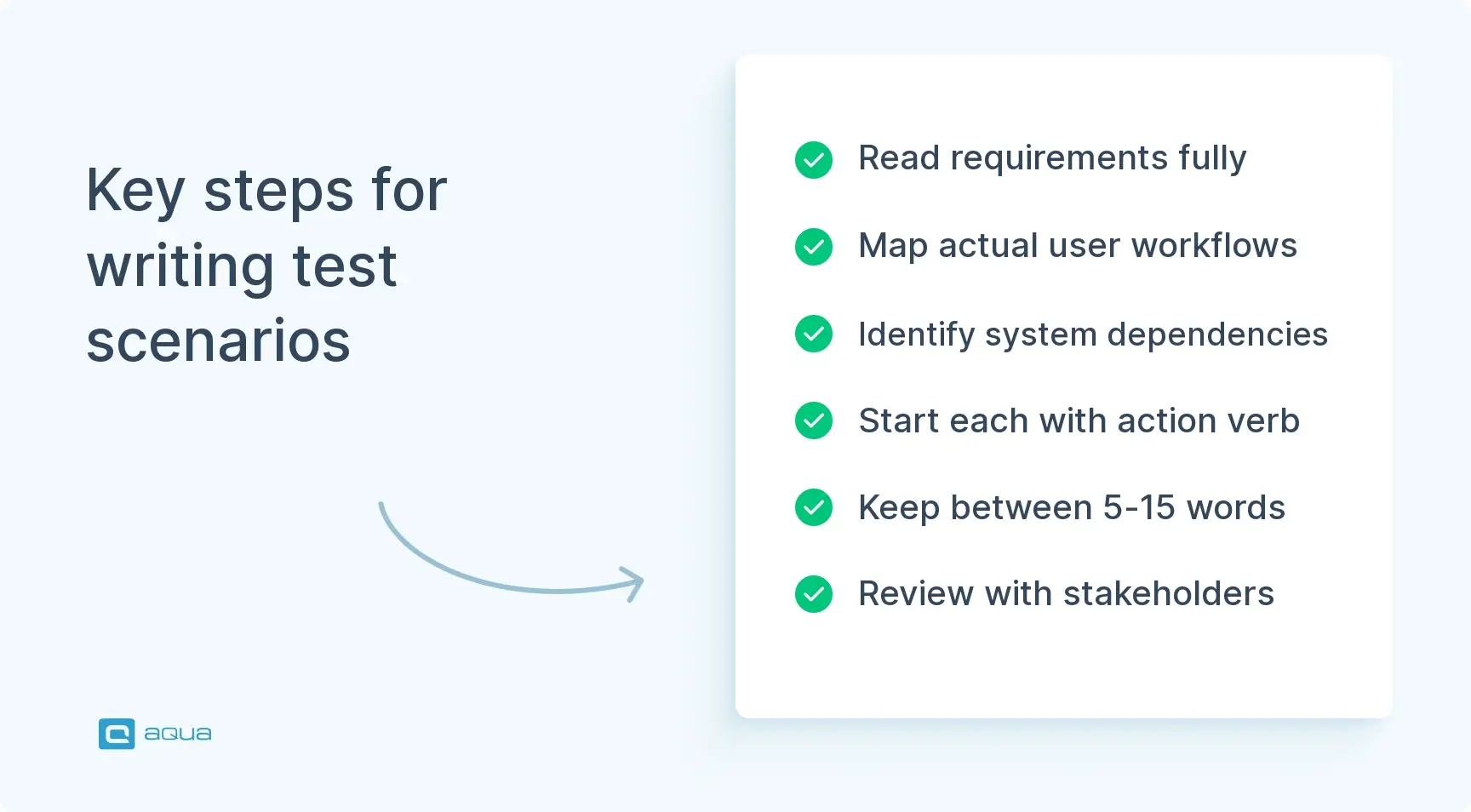
1. Read the requirements properly. Not a skim. Dig into user stories, acceptance criteria, and business rules. Flag anything ambiguous and get it clarified before you write a single scenario. Your scenarios are only as good as your understanding of what the feature is supposed to do.
2. Map out user workflows. What does a real user actually do with this feature? What is the happy path? What are the alternative flows? What can go wrong? Each meaningful workflow becomes a candidate scenario.
3. Identify dependencies. Does the feature touch third-party APIs, payment gateways, databases, or other modules? Call those out early. A scenario like “Verify order confirmation via payment gateway” signals you need test data and a sandbox environment before execution starts.
4. Write with action verbs. Start every scenario with Verify, Confirm, Check, or Validate. Avoid vague language. “Test login” tells you nothing. “Verify successful login with valid credentials” tells you exactly what to test.
5. Keep it between 5 and 15 words. If you need more than that, you are writing a test case, not a scenario.
6. Review with stakeholders. Run your scenario list past a product owner or developer before finalising. They will catch gaps you missed and confirm what is actually in scope.
Test Scenario Template
Use this for every scenario you document. It captures enough context without becoming a burden.
Field
Description
Example
Module / Feature
The part of the application this covers
User Authentication
Requirement ID
Link to user story or spec
REQ-101
Scenario ID
Unique reference
TS-AUTH-001
Scenario Description
What you are validating
Verify successful login with valid credentials
Priority
High / Medium / Low
High
Test Type
Functional / Regression / UAT / Negative
Functional
Preconditions
Setup required before testing
User account exists in system
Expected Outcome
High-level result
User is redirected to dashboard
Functional Test Scenarios
Authentication & User Management
Verify successful login with valid credentials
Verify login failure with incorrect password
Verify login failure with unregistered email
Verify account lockout after multiple failed login attempts
Verify successful password reset via email link
Verify password reset link expiry after 24 hours
Verify successful registration with valid user details
Verify registration failure with duplicate email address
Verify email verification flow after registration
Verify successful logout clears session data
Verify remember me functionality persists session across browser restart
Verify two-factor authentication code acceptance
Verify two-factor authentication code rejection after expiry
Verify form data is saved correctly to the database
Notifications & Emails
Verify welcome email is sent after successful registration
Verify password reset email arrives within five minutes
Verify order confirmation email contains correct order details
Verify notification preferences save and apply correctly
Verify unsubscribe link removes user from email list
Verify in-app notifications mark as read on click
Verify push notification is received when app is in background
Negative Test Scenarios
Negative test scenarios verify how the system handles invalid inputs, unexpected actions, and error conditions. These are where most teams have gaps.
Input Validation
Verify system rejects SQL injection in login fields
Verify system rejects script tags in text input fields
Verify system handles empty form submission gracefully
Verify system rejects input exceeding maximum field length
Verify system rejects negative values in quantity fields
Verify system rejects future dates in date of birth fields
Verify system rejects non-numeric input in numeric fields
Verify system handles copy-paste of formatted text without breaking layout
System Behaviour Under Failure
Verify system displays user-friendly error on database connection failure
Verify system handles API timeout without crashing
Verify system recovers gracefully after server restart
Verify session expiry redirects user to login without data corruption
Verify system behaviour when third-party payment gateway is unavailable
Verify system handles concurrent modification of the same record
Verify system prevents access to restricted URLs when not authenticated
Verify system handles file upload failure without losing form data
Verify error messages do not expose system or stack trace details
Edge Cases
Verify system handles maximum allowed concurrent users
Verify system behaviour with minimum and maximum field values simultaneously
Verify system handles user with no assigned role
Verify system processes zero-value transactions correctly
Verify system handles special characters in user names
Verify system behaviour when user has no internet connection mid-session
UAT Test Scenarios
UAT test scenarios focus on business processes and real user workflows. They confirm the system does what the business actually needs, not just what the spec says.
General UAT
Verify end-to-end business process completes without system intervention
Verify system output matches business-defined expected results
Verify user can complete primary workflow without training or documentation
Verify system handles peak business hours load without degradation
Verify data entered by users appears correctly in all dependent modules
Verify business rules are enforced consistently across all user roles
Verify audit trail captures all required actions for compliance
Verify system integrates correctly with existing business tools
UAT Test Scenarios Examples by Role
End User
Verify new user can complete onboarding without support assistance
Verify user can find and complete core task within three clicks
Verify error messages are clear enough for non-technical users to self-resolve
Manager / Admin
Verify manager can generate required business reports without IT assistance
Verify admin can configure system settings without breaking existing data
Verify bulk operations complete within acceptable time for business use
Finance / Billing
Verify invoice is generated correctly after transaction completion
Verify refund process updates account balance within expected timeframe
Verify tax calculation applies correct rate based on user location
E-Commerce Test Scenarios
Product & Catalogue
Verify product search returns accurate results by name and category
Verify product filters work correctly for price, brand, and rating
Verify parallel approval routes collect all required sign-offs before proceeding
Performance & Scalability
Verify system handles concurrent users at peak load without degradation
Verify large report generation completes within acceptable time
Verify batch processing job completes within defined maintenance window
Verify system recovers from unplanned downtime without data loss
Verify database query performance meets SLA under full data load
Exploratory Test Scenarios
Exploratory scenarios guide open-ended investigation. They give direction without scripting every step.
Explore search behaviour with special characters, emoji, and very long strings
Investigate edge cases in date and time inputs across time zones
Explore system behaviour when multiple users edit the same record simultaneously
Investigate how the system handles rapid repeated clicks on action buttons
Explore data display when records contain null or empty values
Investigate browser back button behaviour after form submission
Explore system response to unexpected session token manipulation
Investigate UI rendering with browser zoom levels above 150%
Explore system behaviour when local device storage is full
Investigate how the system handles interrupted file uploads
Test Scenarios and Test Cases: How They Work Together
Test scenarios and test cases serve different purposes and belong at different stages of planning.
A test scenario defines what to validate. A test case defines how. One scenario typically produces multiple test cases covering the positive flow, negative flows, edge cases, and boundary conditions.
For example, the scenario “Verify user can reset password via email” produces test cases for:
Valid email triggers reset link
Unregistered email shows appropriate message without revealing account existence
Reset link expires after 24 hours
Reset link cannot be used twice
New password must meet complexity requirements
This relationship is what makes test case management scalable. Update the scenario when requirements change, then trace which test cases need updating underneath it. Without scenarios, test case libraries grow without structure and become impossible to maintain.
How to Maintain a Test Scenarios Library
A library is only useful if it stays current. Here is what keeps it healthy.
Keep scenarios modular. Write scenarios that are not tied to a specific release or version. “Verify login with valid credentials” outlasts “Verify login for v3.2 release” by years.
Tag everything. Add tags for module, priority, test type, and automation status. This makes filtering fast when you are building a test plan under time pressure.
Review per release. Before each release, retire obsolete scenarios, add new ones for new functionality, and update any that have changed. A stale library actively misleads your team.
Store it in a proper tool. A shared spreadsheet works until it does not. A test management solution gives you version control, traceability, and the ability to link scenarios directly to requirements and test cases.
Make it the starting point for new testers. A well-structured scenario library is the fastest way to onboard someone to a new product. They can scan it and understand what the application does in an hour.
Effective test documentation starts with scenarios. Get those right and everything downstream, test cases, automation scripts, regression suites, becomes easier to build and maintain.
For teams building scenarios from sprint work, creating test scenarios from user stories keeps your library tightly aligned with what is actually being built rather than what was planned six months ago.
Conclusion
Test scenarios are the foundation of structured testing. They give your team a shared view of what needs validating before anyone writes a single test case or automation script. This library covers the scenarios that matter most across authentication, e-commerce, SaaS, banking, healthcare, mobile, and enterprise software. Use the templates to document them consistently, the best practices to keep them current, and the industry examples as a starting point you can adapt to your own product. The more complete your scenario library, the fewer gaps make it to production.
As you’ve seen, maintaining an effective test scenario library requires consistent formatting, regular updates, and alignment with real-world usage, all of which demand significant time and attention. aqua cloud eliminates these pain points by centralizing your test scenarios in an intelligent platform that grows with your application. With aqua’s nested test case structure, you can build modular, reusable scenarios that adapt as requirements change, while its powerful traceability features ensure every requirement is covered. The game-changer, however, is aqua’s AI Copilot; trained specifically for the QA domain and grounded in your project’s actual documentation. This means your AI-generated scenarios are valuable assets that speak your project’s language. Teams using aqua report saving up to 12.8 hours per tester weekly, with comprehensive test coverage that catches issues before they reach production.
Achieve 100% test coverage with 97% less effort using domain-trained AI test scenario generation
A test case scenario, sometimes called a test scenario, is a high-level statement that describes a specific piece of functionality that needs to be verified. It answers the question “what am I testing?” without getting into the step-by-step detail of how to test it. For example, “Verify user can complete checkout as a guest” is a test case scenario. The test cases underneath it handle the execution detail. Understanding what is test scenarios versus what is a test case is one of the most common points of confusion in QA, and the distinction matters because scenarios belong in planning while test cases belong in execution. Getting that separation right is what keeps your testing process structured rather than chaotic.
How can a test scenarios library improve test coverage and reuse?
A well-maintained test scenarios library gives your team a bird’s-eye view of everything that needs validating across the entire product. When you map every scenario to a requirement or user story, gaps in coverage become immediately visible. If a requirement has no associated scenario, you know you are about to miss something before a single test case is written. On the reuse side, a modular test scenarios template that is not tied to a specific release or feature version stays relevant across multiple sprints and product iterations. Instead of rebuilding your testing approach from scratch each cycle, you pull from the library, add what is new, retire what is obsolete, and move. Teams that invest in a structured library consistently find that test planning gets faster over time rather than slower as the product grows. Pair this with a solid test management solution and your library becomes a living asset rather than a document that gathers dust.
What tools integrate best with a test scenarios library for automation?
The tools that work best are the ones that let you link scenarios directly to automated test scripts and trace them back to requirements. aqua cloud does this natively, connecting your test scenarios to requirements, test cases, and automation results in one place. For automation frameworks, Selenium, Cypress, and Playwright all integrate well when your scenarios are documented in a structured format that maps cleanly to test functions. Jira integration matters too, especially for teams writing test case scenarios from user stories, because it keeps your scenarios aligned with what is actually in the sprint. The key is avoiding a setup where scenarios live in one tool, automation lives in another, and nobody maintains the connection between them. Effective test documentation and test case management tools that support this traceability are what separate teams with scalable automation from teams that keep rewriting the same tests every quarter.
Embodying the essence of a QA Coordination Maestro, Paul has excelled in curating and implementing quality strategies tailored to the nuances of each project. His expertise in the market of QA and Test Management solutions has contributed to a vast portfolio of successfully managed TMS…
Nurlan, a QA Coordinator & Quality Standards Officer, takes pride in orchestrating seamless QA operations. His expertise in coordinating QA-focused projects and integrating QA solutions has consistently yielded top-tier client satisfaction. Aside from a full-time QA coordinator, Nurlan's role involves creating compelling content that educates…
Home » 'How to' guides » Test Scenarios: Complete Library with Templates & Examples
Do you love testing as we do?
Join our community of enthusiastic experts! Get new posts from the aqua blog directly in your inbox. QA trends, community discussion overviews, insightful tips — you’ll love it!
We're committed to your privacy. Aqua uses the information you provide to us to contact you about our relevant content, products, and services. You may unsubscribe from these communications at any time. For more information, check out our Privacy policy.