We use cookies and third-party services that store or retrieve information on the end device of our visitors. This data is processed and used to optimize our website and continuously improve it. We require your consent fro the storage, retrieval, and processing of this data. You can revoke your consent at any time by clicking on a link in the bottom section of our website. Privacy Policy.
Customise Consent Preferences
We use cookies to help you navigate efficiently and perform certain functions. You will find detailed information about all cookies under each consent category below.
The cookies that are categorised as "Necessary" are stored on your browser as they are essential for enabling the basic functionalities of the site. ...
Always Active
Necessary cookies are required to enable the basic features of this site, such as providing secure log-in or adjusting your consent preferences. These cookies do not store any personally identifiable data.
Cookie
gf_email_otp_seed_3
Duration
2 hours
Description
Used to temporarily store the OTP verification seed required for secure form or email verification.
Cookie
gf_email_otp_seed_12
Duration
2 hours
Description
Used to temporarily store the OTP verification seed required for secure form or email verification.
Cookie
gf_email_otp_seed_6
Duration
2 hours
Description
Used to temporarily store the OTP verification seed required for secure form or email verification.
Cookie
gf_email_otp_seed_1
Duration
2 hours
Description
Used to temporarily store the OTP verification seed required for secure form or email verification.
Cookie
gf_email_otp_seed_4
Duration
2 hours
Description
Used to temporarily store the OTP verification seed required for secure form or email verification.
Cookie
gf_email_otp_seed_10
Duration
2 hours
Description
Used to temporarily store the OTP verification seed required for secure form or email verification.
Cookie
gf_email_otp_seed_5
Duration
2 hours
Description
Used to temporarily store the OTP verification seed required for secure form or email verification.
Cookie
VISITOR_PRIVACY_METADATA
Duration
6 months
Description
YouTube sets this cookie to store the user's cookie consent state for the current domain.
Cookie
GAESA
Duration
1 month
Description
Description is currently not available.
Cookie
aquaSessionId2
Duration
2 days
Description
Description is currently not available.
Cookie
aquaXAuthId2
Duration
2 days
Description
Description is currently not available.
Cookie
rc::a
Duration
Never Expires
Description
This cookie is set by the Google recaptcha service to identify bots to protect the website against malicious spam attacks.
Cookie
rc::c
Duration
session
Description
This cookie is set by the Google recaptcha service to identify bots to protect the website against malicious spam attacks.
Cookie
__Secure-ENID
Duration
1 year 1 month
Description
The __Secure-ENID cookie is a type of secure cookie used for authentication and to ensure the security of user sessions.
Cookie
LS_CSRF_TOKEN
Duration
session
Description
Cloudflare sets this cookie to track users’ activities across multiple websites. It expires once the browser is closed.
Cookie
zalb_*
Duration
session
Description
Zoho sets this cookie for load balancing and session stickiness. It ensures that user requests are consistently directed to the same server during a session, helping maintain session integrity and improving website performance.
Cookie
GCLB
Duration
session
Description
This cookie is known as Google Cloud Load Balancer set by the provider Google. This cookie is used for external HTTPS load balancing of the cloud infrastructure with Google.
Cookie
cookieyes-*
Duration
1 year
Description
CookieYes sets this cookie for consent solution management.
Cookie
__cf_bm
Duration
1 hour
Description
This cookie, set by Cloudflare, is used to support Cloudflare Bot Management.
Functional cookies help perform certain functionalities like sharing the content of the website on social media platforms, collecting feedback, and other third-party features.
Cookie
VISITOR_INFO1_LIVE
Duration
6 months
Description
A cookie set by YouTube to measure bandwidth that determines whether the user gets the new or old player interface.
Cookie
ytidb::LAST_RESULT_ENTRY_KEY
Duration
Never Expires
Description
The cookie ytidb::LAST_RESULT_ENTRY_KEY is used by YouTube to store the last search result entry that was clicked by the user. This information is used to improve the user experience by providing more relevant search results in the future.
Cookie
__session
Duration
1 year 1 month 4 days
Description
GitBook sets this cookie for logging in.
Cookie
uesign
Duration
1 month
Description
Zoho sets this cookie for the Visitor Live Chat.
Cookie
_tldtest_*
Duration
session
Description
Amplitude sets this cookie to determine the highest-level domain where cookies can be set. Deleted after testing.
Cookie
lidc
Duration
1 day
Description
LinkedIn sets the lidc cookie to facilitate data center selection.
Cookie
li_gc
Duration
6 months
Description
Linkedin set this cookie for storing visitor's consent regarding using cookies for non-essential purposes.
Analytical cookies are used to understand how visitors interact with the website. These cookies help provide information on metrics such as the number of visitors, bounce rate, traffic source, etc.
Cookie
gf_visitor_source
Duration
7 days
Description
Stores visitor attribution data such as source, medium, campaign, content, term, and location for analytics and lead attribution.
Cookie
gf_visitor_medium
Duration
7 days
Description
Stores visitor attribution data such as source, medium, campaign, content, term, and location for analytics and lead attribution.
Cookie
gf_visitor_campaign
Duration
7 days
Description
Stores visitor attribution data such as source, medium, campaign, content, term, and location for analytics and lead attribution.
Cookie
gf_visitor_content
Duration
7 days
Description
Stores visitor attribution data such as source, medium, campaign, content, term, and location for analytics and lead attribution.
Cookie
gf_visitor_term
Duration
7 days
Description
Stores visitor attribution data such as source, medium, campaign, content, term, and location for analytics and lead attribution.
Cookie
gf_visitor_location
Duration
7 days
Description
Stores visitor attribution data such as source, medium, campaign, content, term, and location for analytics and lead attribution.
Cookie
ga_session_duration
Duration
1 hour
Description
Stores visitor attribution data such as source, medium, campaign, content, term, and location for analytics and lead attribution.
Cookie
_ga_*
Duration
1 year 1 month 4 days
Description
Google Analytics sets this cookie to store and count page views.
Cookie
_ga
Duration
1 year 1 month 4 days
Description
Google Analytics sets this cookie to calculate visitor, session and campaign data and track site usage for the site's analytics report. The cookie stores information anonymously and assigns a randomly generated number to recognise unique visitors.
Cookie
amp_*
Duration
1 year
Description
Amplitude sets this cookie for session tracking for analytics purposes.
Cookie
YSC
Duration
session
Description
YSC cookie is set by Youtube and is used to track the views of embedded videos on Youtube pages.
Cookie
amplitude_device_id
Duration
session
Description
No description available.
Cookie
loom_anon_comment
Duration
1 year
Description
No description available.
Cookie
loom_referral_video
Duration
session
Description
Description is currently not available.
Cookie
__Host-psifi.analyticsTrace
Duration
6 hours
Description
Description is currently not available.
Cookie
__Host-psifi.analyticsTraceV2
Duration
6 hours
Description
Description is currently not available.
Cookie
_cs_id
Duration
1 year 1 month
Description
This cookie is used to store the ContentSquare's user identifier ID. This is a persistent cookie and expires after 13 months.
Cookie
_cs_s
Duration
1 hour
Description
This cookie is used to store the number of page's viewed by a visitor within the session for ContentSquare's solution.
Cookie
ai_session
Duration
1 hour
Description
This is a unique anonymous session identifier cookie set by Microsoft Application Insights software to gather statistical usage and telemetry data for apps built on the Azure cloud platform.
Cookie
_hjSessionUser_*
Duration
1 year
Description
Hotjar sets this cookie to ensure data from subsequent visits to the same site is attributed to the same user ID, which persists in the Hotjar User ID, which is unique to that site.
Cookie
_hjSession_*
Duration
1 hour
Description
Hotjar sets this cookie to ensure data from subsequent visits to the same site is attributed to the same user ID, which persists in the Hotjar User ID, which is unique to that site.
Cookie
ajs_anonymous_id
Duration
1 year
Description
This cookie is set by Segment to count the number of people who visit a certain site by tracking if they have visited before.
Cookie
_cs_c
Duration
1 year 1 month
Description
This cookie is used by Contentsquare to store the user's consent preference for analytics and session replay tracking.
Cookie
utm_medium
Duration
7 days
Description
This cookie is used to record from where the visitor came to the website orginally. This information is used by the website operator to know the efficiency of their marketing.
Cookie
utm_source
Duration
7 days
Description
This cookie is used to record from where the visitor came to the website orginally. This information is used by the website operator to know the efficiency of their marketing.
Cookie
utm_campaign
Duration
7 days
Description
Google Ad Services sets this cookie to store session campaign value if present.
Cookie
utm_content
Duration
7 days
Description
This cookie is used for storing the session content value if present.
Cookie
utm_term
Duration
7 days
Description
This cookie is used to record from where the visitor came to the website orginally. This information is used by the website operator to know the efficiency of their marketing.
Cookie
amp_cookie_test*
Duration
session
Description
Amplitude sets this cookie to test if cookies are enabled in the user’s browser. It is used during SDK initialisation and is automatically removed after the check.
Cookie
utsdb
Duration
session
Description
Zoho SalesIQ sets this cookie to register data on visitor's website behaviour.
Performance cookies are used to understand and analyse the key performance indexes of the website which helps in delivering a better user experience for the visitors.
Cookie
_uetsid
Duration
1 day
Description
Bing Ads sets this cookie to engage with a user that has previously visited the website.
Cookie
_uetvid
Duration
1 year 24 days
Description
Bing Ads sets this cookie to engage with a user that has previously visited the website.
Advertisement cookies are used to provide visitors with customised advertisements based on the pages you visited previously and to analyse the effectiveness of the ad campaigns.
Cookie
_gcl_au
Duration
3 months
Description
Google Tag Manager sets this cookie to experiment advertisement efficiency of websites using their services.
Cookie
__Secure-ROLLOUT_TOKEN
Duration
6 months
Description
YouTube sets this cookie to manage feature rollout and experimentation. It helps Google control which new features or interface changes are shown to users as part of testing and staged rollouts, ensuring consistent experience for a given user during an experiment.
Cookie
__Secure-YEC
Duration
past
Description
Description is currently not available.
Cookie
__Secure-YNID
Duration
6 months
Description
YouTube cookie used to protect user security and prevent fraud, especially during the login process.
Cookie
test_cookie
Duration
15 minutes
Description
doubleclick.net sets this cookie to determine if the user's browser supports cookies.
Cookie
MUID
Duration
1 year 24 days
Description
Bing sets this cookie to recognise unique web browsers visiting Microsoft sites. This cookie is used for advertising, site analytics, and other operations.
Cookie
ai_user
Duration
1 year
Description
Microsoft Azure sets this cookie as a unique user identifier cookie, enabling counting of the number of users accessing the application over time.
Cookie
NID
Duration
6 months
Description
Google sets the cookie for advertising purposes; to limit the number of times the user sees an ad, to unwanted mute ads, and to measure the effectiveness of ads.
Cookie
__Host-GAPS
Duration
2 years
Description
This cookie allows the website to identify a user and provide enhanced functionality and personalisation.
Cookie
bcookie
Duration
1 year
Description
LinkedIn sets this cookie from LinkedIn share buttons and ad tags to recognize browser IDs.
Cookie
IDE
Duration
1 year 24 days 1 minute
Description
Google DoubleClick IDE cookies store information about how the user uses the website to present them with relevant ads according to the user profile.
Cookie
guest_id_marketing
Duration
1 year 1 month 4 days
Description
Twitter sets this cookie to identify and track the website visitor.
Cookie
guest_id_ads
Duration
1 year 1 month 4 days
Description
Twitter sets this cookie to identify and track the website visitor.
Cookie
personalization_id
Duration
1 year 1 month 4 days
Description
Twitter sets this cookie to integrate and share features for social media and also store information about how the user uses the website, for tracking and targeting.
Cookie
guest_id
Duration
1 year 1 month 4 days
Description
Twitter sets this cookie to identify and track the website visitor. It registers if a user is signed in to the Twitter platform and collects information about ad preferences.
Other uncategorised cookies are those that are being analysed and have not been classified into a category as yet.
Cookie
_cs_root-domain
Duration
session
Description
Description is currently not available.
Cookie
aquacloudio-_zldp
Duration
1 year 1 month 4 days
Description
Description is currently not available.
Cookie
aquacloudio-_zldt
Duration
1 year 1 month 4 days
Description
Description is currently not available.
Cookie
amplitude_testaqua-cloud.io
Duration
1 year
Description
Description is currently not available.
X
🤖 Exciting new updates to aqua Intelligence are now available! 🎉
Test Automation in Agile: Advanced Strategies and Tools
Agile development moves fast. Your team ships features every sprint and responds to feedback in real time. But here's the problem: manual regression testing can't keep up. It becomes the bottleneck that lowers the project’s velocity. Most teams have adopted test automation to solve this. Yet flaky tests, slow CI pipelines, and maintenance overhead still plague their efforts. This guide shows you how to make test automation actually work in Agile.
An agile test automation framework only works if it follows the test pyramid: heavy unit test coverage, moderate integration testing, and light, targeted UI testing at the top.
The most effective agile test automation approach prioritizes fast, stable feedback over broad coverage. A flaky suite that blocks builds is worse than a smaller, reliable one.
Continuous integration changes test automation from a periodic activity into a continuous validation mechanism. Tests need to run on every commit, not once per sprint.
Scaling automation in Agile creates real challenges: test suite speed, flakiness at scale, cross-team coordination, and inconsistent frameworks. These need a deliberate strategy, not just more tests.
AI is becoming a core part of how teams maintain and scale test automation, particularly for test case generation, self-healing locators, and reducing the manual maintenance burden as suites grow.
Understanding Agile and Test Automation
Test automation and Agile depend on each other directly: Agile’s short, iterative cycles only work if regression testing keeps pace with them, and manual testing alone cannot move fast enough to validate a new build every two weeks.
Agile methodologies work through short cycles of iterative development and continuous feedback. Instead of six-month waterfall projects, teams work in two-week sprints or shorter. Requirements evolve, user stories shift mid-sprint, and teams adapt quickly. This rapid pace demands testing approaches that keep up without becoming bottlenecks.
Test automation provides the tight feedback loops Agile teams need. When developers merge pull requests, automated checks run in minutes and catch regressions before they reach staging. When product owners tweak user stories mid-sprint, teams can re-run suites to verify changes didn’t break adjacent features. Agile automated testing makes the continuous integration and continuous delivery pipelines work safely for frequent deployments.
Agile depends on rapid iteration, and automation testing in Agile prevents testing from becoming a bottleneck. Without it, teams either cut corners on quality or slow down until “Agile” becomes meaningless. Teams running Agile or hybrid methods increasingly rely on automated testing to maintain pace. Implementing Agile methodology in automation testing has become necessary for teams wanting to maintain both quality and velocity.
Challenges of Test Automation in Agile
The four challenges that derail most Agile test automation efforts are time pressure on short sprints, flaky tests that erode trust in the suite, dependency on test data that goes stale as APIs evolve, and the ongoing struggle to balance what should be automated against what still needs a human tester.
Key challenges in detail:
Time pressure and resource allocation. Agile sprints are short, typically two weeks. Teams often feel there’s no slack to build test frameworks or refactor existing suites. Automation tasks get deprioritized in favor of feature work. This creates a cycle where no tests mean more manual effort. Organizations often expect automation to pay off immediately and demand full ROI within a sprint or two. That’s unrealistic and sets teams up for frustration.
Flaky tests. Tests that pass one run, fail the next, and pass again without code changes erode trust in automation suites. When developers see red builds caused by unstable tests, they start ignoring failures. Common issues include timing problems like hard-coded sleeps instead of smart waits, environment instability such as shared test databases, and fragile UI locators that break when CSS classes change.
Dependency on up-to-date test data. As teams progress, data models evolve and APIs change. Tests relying on static fixtures break constantly. Privacy regulations like GDPR make it risky to use real user data for testing. Finding stable, representative, compliant test data is a puzzle many teams struggle to solve.
Balancing automation and manual testing. Agile doesn’t mean automating everything. Exploratory testing, usability checks, and edge-case hunting still require human judgment. The challenge is deciding what to automate and what to leave manual. Teams that try to script every acceptance criterion end up with bloated test suites. Teams that automate too little accumulate regression debt that eventually forces them to slow down or skip releases.
Test Data Management and Test Environment Strategy for Agile Automation
An agile test automation framework is only as reliable as the data and environments it runs against. The article’s own challenges section already flags this: static fixtures break as APIs evolve, and GDPR makes real user data risky to reuse. This is how to actually solve that problem rather than just naming it.
Test data needs to be provisioned on demand within a sprint, not requested from a shared team days in advance. Synthetic test data generation, where realistic but artificial data is created programmatically to match your schema, removes both the compliance risk of using production data and the dependency on a slow, manual request process. Pair this with data versioning, so when a test fails you know exactly what data state it ran against. Treating test data as a versioned artifact stored alongside your test scripts makes failures reproducible instead of mysterious.
On the environment side, three problems repeat across most Agile teams adopting an agile test automation approach: environment contention, where multiple squads compete for the same staging environment, environment drift, where staging slowly stops matching production, and slow provisioning, where teams wait hours or days for a clean environment. Containerization with Docker and orchestration with Kubernetes, both already mentioned in the article’s CI/CD section as technical enablers, solve most of this directly. Spinning up an isolated, disposable environment per test run or per feature branch removes contention and guarantees a clean state every time, without adding to the sprint’s manual overhead.
For teams not yet ready for fully containerized environments, a lighter interim step works: an environment booking calendar tied into the CI/CD pipeline, so conflicts are visible before they block a sprint rather than after.
The Role of AI in Agile Test Automation
AI is changing what an agile test automation framework can realistically maintain at scale, mostly by removing the manual overhead that used to cap how fast teams could grow their suites.
Test case generation from requirements is the highest-leverage use of AI in this context. Tools that read a user story or requirement document and generate a structured test case in seconds remove the bottleneck between “story is ready” and “tests exist,” a gap that used to consume hours per sprint exactly during the time-pressured planning phase the article’s challenges section already names as a recurring pain point.
Self-healing test automation addresses the flakiness problem the article raises directly. As UI elements shift between sprints, traditional tests break on a renamed button ID or a shifted form field, not because anything is actually wrong with the product. AI-powered self-healing frameworks detect these changes and update locators automatically, cutting the kind of routine maintenance that erodes trust in the suite over time.
Intelligent test selection lets teams run only the subset of tests likely affected by a given code change, rather than the entire suite on every commit. This keeps CI feedback fast even as test count grows into the hundreds or thousands, directly addressing the scaling challenge the article names in its FAQ.
Flaky test detection uses historical run data to identify tests failing intermittently for reasons unrelated to real defects, flagging them for review rather than letting them silently erode confidence in red builds.
None of this replaces the discipline the rest of the article emphasizes. The agile test automation approach that actually works is the one that uses AI to remove specific, named bottlenecks while keeping human judgment in the loop for risk prioritization, exploratory testing, and the kind of contextual decisions no model can make for you.
Integrating test automation into Agile requires an environment where quality supports speed rather than slowing it down. aqua cloud, an AI-driven requirement and test management platform, was designed to address this challenge. With aqua, you get CI/CD integration with Jenkins and Azure DevOps. The platform provides out-of-the-box support for automation frameworks like Selenium, Playwright, and Cypress. All tests are managed from a central repository where manual and automated tests live side-by-side. aqua’s domain-trained AI Copilot creates project-specific test cases grounded in your actual documentation and requirements. This ensures relevance and accuracy that generic AI tools simply can’t match. The platform connects with over 12 popular tools, including Jira, Ranorex, JMeter, and SoapUI. You can also use the REST API to integrate any other tool you need.
Save up to 12 hours per tester weekly with smart test management
Best Practices for Effective Test Automation in Agile
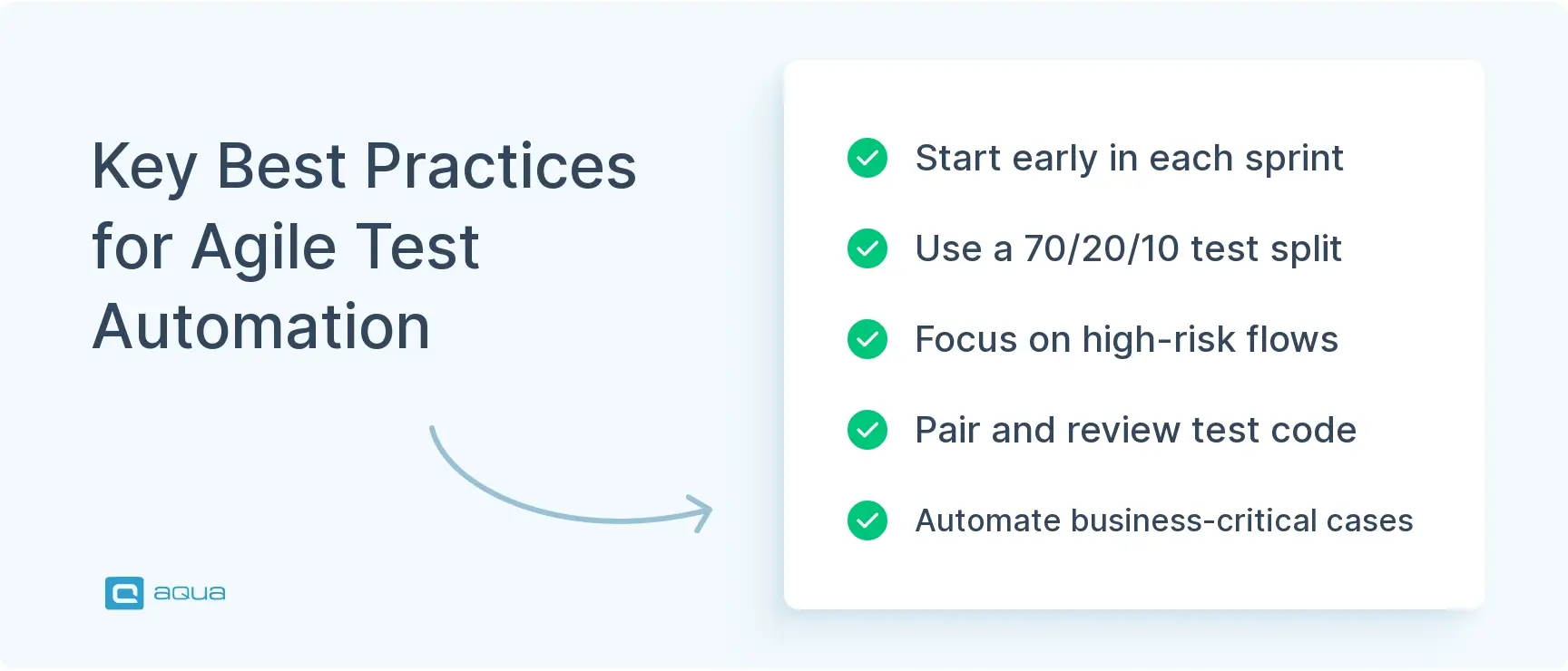
The practices that separate high-performing Agile teams from those stuck in maintenance mode are starting automation early, treating test code with the same rigor as production code, prioritizing by risk rather than chasing full coverage, and following the test automation pyramid.
Building an agile test automation strategy that supports velocity requires discipline and smart prioritization. Here are the practices that separate high-performing teams from those stuck in maintenance mode.
Start automation early in the development cycle
Don’t wait until a feature is done to think about tests. During backlog refinement and the Three Amigos conversation, map out acceptance criteria and identify which scenarios should be automated. When developers know a story will need automated coverage, they build it in a way that’s easy to test. Clean APIs, stable hooks in the UI, and clear separation of concerns all become natural outcomes. Teams that treat automation as an afterthought end up retrofitting tests onto brittle code, which multiplies effort and flakiness.
Maintain a solid automation framework that supports collaboration
Treat your test code like production code. Keep it clean, refactored, reviewed, and versioned. Use design patterns like Page Object Model to encapsulate UI interactions and keep tests readable. Avoid copy-paste duplication. Modern frameworks such as Playwright and Cypress support these patterns out of the box, but you need to enforce coding standards through reviews.
When only one or two people understand the test suite, you’ve created a knowledge silo. Make automation a team sport. Pair on writing tests. Rotate ownership of test suites.
I'm confused as to why you would not do automation 'in-sprint' and automate alongside code delivery in the same sprint-board. I worry every time someone makes it sound like fresh news that we should all be doing a thing. Because a lot of us are doing this already anyway I'll bet.
Not all features carry equal weight. A bug in the checkout flow costs you revenue. A typo in a help tooltip does not. Use a risk-based approach to decide what to automate first. Focus on business-critical user journeys that generate revenue, regression-prone areas that tend to break when you change nearby code, and high-frequency use cases where bugs surface immediately.
This ensures your automation delivers maximum value quickly rather than chasing 100% coverage across low-risk features. Start small. Automate the top five flows in your first sprint, then expand gradually. This forms the basis of a solid test automation strategy in Agile.
Embrace the test automation pyramid
This is probably the single most important architectural principle for Agile test automation. The classic 70-20-10 distribution provides a starting point: 70% unit tests, 20% integration tests, and 10% end-to-end tests. Unit tests are fast, stable, and pinpoint failures. UI tests are slow, brittle, and fail for vague reasons. If you invert the pyramid with lots of UI tests and few unit tests, you end up with a suite that takes hours to run. However, Agile teams need fast feedback. The pyramid delivers it. Understanding the continuous testing benefits helps teams make better decisions about their testing investment.
Choosing the Right Test Automation Tools
The right test automation tool is the one that matches your team’s existing language and skills, plugs cleanly into your CI/CD pipeline, and reports results into the test management system you already use, not necessarily the tool with the most features.
The best tool fits your team’s skills, tech stack, and Agile workflow. Here’s how to evaluate your options and what’s trending in 2025 to 2026.
1. Define clear selection criteria
Before you look at tools, define what you need. Can your team learn it quickly? Does it plug into your CI/CD pipeline like GitHub Actions or Jenkins? Can it report results into your test management system such as Jira with Xray? Do you need unit, API, UI, mobile, or performance testing? One tool might not cover everything. Just make sure your stack plays nicely together. If your team codes in TypeScript, a JavaScript-native tool makes sense.
2. Evaluate web UI automation options
Selenium is still the de facto standard. It’s mature, supports every major browser, and works in almost any language. But newer tools have gained traction. Playwright is the rising star with cross-browser support, built-in auto-waits that reduce flakiness, and parallelization out of the box. Many teams report that Playwright’s reliability has made it their go-to choice. Cypress remains strong for front-end-focused teams with its time-travel debugging and integrated test runner.
3. Consider mobile testing frameworks
For mobile testing, Appium is still the dominant cross-platform framework. It lets you write tests once and run them on iOS and Android. Native tools like Espresso for Android offer tighter integration but lock you into a single platform. Many Agile teams run mobile tests on cloud device farms like LambdaTest and BrowserStack. These platforms provide access to hundreds of real devices without the overhead of maintaining a physical lab.
4. Build out API and integration testing
This is where you build the middle of your test pyramid. Postman is ubiquitous for manual API testing and now supports automated collections that can run in CI. REST Assured for Java and Karate are popular for code-based API tests. Contract testing with tools like Pact works well for microservices. Instead of running full end-to-end tests for every service combination, you validate the contracts between services independently.
5. Implement test management and reporting tools
These help you organize test cases, link them to user stories, and track coverage trends. Jira with Xray or Zephyr are common in Agile teams already using Atlassian. TestRail and aqua are strong standalone options. Allure TestOps provides detailed reports and integrates with most automation frameworks. The key is traceability between requirements and tests.
Tool
Language Support
Browser Support
Auto-Wait
Parallel Execution
CI Integration
Selenium
Java, Python, C#, JS, etc.
Chrome, Firefox, Safari, Edge
No (manual)
Yes (via Grid)
Yes
Playwright
JS/TS, Python, Java, .NET
Chrome, Firefox, Safari, Edge
Yes
Yes (built-in)
Yes
Cypress
JavaScript
Chrome, Edge, Firefox (limited Safari)
Yes
Yes (paid tier)
Yes
Puppeteer
JavaScript
Chrome/Chromium only
Yes
Yes
Yes
AI-assisted and codeless tools are also trending. These can be useful for bootstrapping coverage or for teams with limited coding skills. Most high-performing Agile teams still rely on well-engineered code-based frameworks for flexibility. Finding the right Agile testing tools and Agile software testing tools requires understanding both your team’s needs and the rapidly evolving landscape. Our test automation tools guide covers this in more detail.
Pick tools that align with your team’s strengths and tech stack. Make sure they integrate cleanly into your CI/CD pipeline and provide the right balance of power and simplicity.
Choosing the right automation tools is one challenge. Managing them all in one place is another. aqua cloud, a dedicated, AI-powered platform, brings together test management, requirements management, defect tracking, and project management. This single platform is built specifically for Agile teams. aqua natively integrates with leading automation frameworks, including Selenium, Playwright, Cypress, Ranorex, JMeter, and SoapUI. You can manage both manual and automated test results side by side with full traceability to requirements. The AI Copilot generates test cases, requirements, and test data in seconds based on your project’s actual documentation. aqua platform scales to millions of test cases without performance issues. It connects seamlessly with your existing tools through native integrations for Jira, Jenkins, Azure DevOps, Confluence, and more. The comprehensive REST API handles any custom integrations you need.
Get a unified platform that covers all your Agile testing needs in one place
Implementing Continuous Integration and Continuous Testing
Continuous Integration and Continuous Testing drive test automation into Agile velocity. CI means merging code into a shared repository multiple times a day, with automated builds and tests running on every commit. CT means testing happens continuously throughout the pipeline as feedback is integrated into every step. Together, they let your Agile team ship fast without sacrificing quality.
How CI/CD enhances deployment efficacy
In a traditional workflow, you might run manual regression tests once at the end of a sprint before releasing. That creates a bottleneck. If tests find issues late, you either delay the release or ship with known bugs. CI/CD changes this. Automated tests run on every pull request and catch regressions within minutes of a code change. Fast feedback lets developers fix issues while the context is still fresh. When your main branch is always in a deployable state because tests validate it constantly, you can release whenever the business is ready.
The relationship between automated testing, CI/CD, and Agile success
Agile emphasizes working software and rapid iteration. CI/CD is the mechanism that makes those iterations safe. Automated tests are the safety net. Without automation, CI/CD pipelines become either too slow from waiting for manual checks or too risky from skipping checks to ship faster. Teams that treat automation as essential report higher deployment frequency and lower lead times. They embed tests into their Definition of Done, run them in parallel, and monitor metrics closely.
Here’s a typical CI/CD flow that integrates continuous testing:
On every commit or pull request: Run fast checks like linters, unit tests, and a small smoke suite covering API or critical UI flows. This should complete in under 10 minutes.
On main branch merge: Run a broader suite with more API tests, integration tests, and a subset of UI end-to-end tests. Use parallel execution to keep this under 30 minutes.
Nightly or scheduled runs: Execute the full regression suite, including slow end-to-end tests and security scans. These don’t block deployments but catch edge cases.
Deployment gates: Before promoting code to staging or production, require that essential test suites pass.
Technical enablers include parallel test execution with tools like Selenium Grid and Playwright’s built-in parallelization, infrastructure as code with Docker or Kubernetes to spin up test environments on demand, and feature flags to deploy code to production with features toggled off for safe testing.
Teams that excel at CI/CD and continuous testing ship faster with fewer escaped defects. Implementing test automation in Agile projects becomes more effective when integrated into a continuous testing strategy.
Automate what makes your dev teams' lives easier and gives you more confidence in your deployments. That's really what it comes down to: what can we automate to give our dev teams more confidence in making changes?
Case Studies: Success Stories of Test Automation in Agile Projects
Seeing how other teams have implemented automation in agile environments makes the strategies tangible. Here are real-world examples where organizations successfully transformed their testing approaches. Specific tool names and customer identities are withheld to maintain confidentiality.
Case study 1: Financial services company restructures test suite architecture
Imagine a team running Scrum struggled with a UI-heavy test suite that took excessive time to complete. Developers started skipping tests to meet sprint deadlines, which led to production bugs. They re-architected their suite around the test automation pyramid over several sprints, shifting coverage from UI tests to API and unit tests. They kept only essential UI flows automated end-to-end. Regression time dropped dramatically. Tests are now run on every pull request. Deployment frequency increased from weekly to daily.
Case study 2: E-commerce platform tackles flaky tests systematically
Picture this: a team using Kanban faced a flakiness crisis where a significant portion of tests failed intermittently. Developers stopped trusting the results. They introduced a systematic approach where any test that failed multiple times without code changes was automatically quarantined. The whole team dug into root causes and found that most flakiness came from timing issues, shared test data, and race conditions. After fixing those patterns, their flakiness rate dropped substantially.
Case study 3: SaaS company adopts contract testing for microservices
Imagine an organization running Scaled Agile Framework had multiple microservices owned by different squads. End-to-end tests across all services took hours and broke constantly as teams evolved their APIs. They adopted contract testing where each service published a contract defining what it expected from dependencies. Tests validated contracts independently without spinning up the full system. Deploy time shrank, and inter-team coordination friction eased.
Key takeaways: Focus automation on high-value areas rather than chasing complete coverage. Treat flakiness as a blocker because unstable tests undermine trust. Fix them proactively. Adapt tools to your architecture. These teams iterated on their automation strategy through retrospectives and metrics, following approaches detailed in our case studies on automation success.
Monitoring, Logging, and Continuous Improvement of Test Automation in Agile
Agile teams that excel at automation treat it as a living system that requires monitoring, logging, and regular tuning. Without visibility into how your tests perform, you’re flying blind. Without a culture of continuous improvement, your suite will slowly degrade.
Automated tests fail for many reasons. Code regressions, flaky logic, environment issues, or bad test design. If you only see red build in CI, you’re missing context. Monitoring and logging help you distinguish signal from noise.
1. Track essential metrics
Monitor key indicators. Are certain tests failing more often? What percentage of test failures are intermittent? Are tests getting slower? Are you testing the risky areas? Track pass/fail trends, flakiness rate, execution time, and test coverage gaps.
2. Implement comprehensive logging and reporting
Modern test frameworks provide built-in reporting, but you need to aggregate and analyze the data. Tools like Allure, ReportPortal, and TestRail offer dashboards that show trends over time and highlight flaky tests. Some teams feed test results into observability platforms like Grafana alongside application metrics. The key is making data actionable rather than showing raw pass/fail counts.
3. Conduct regular retrospectives focused on testing
Agile retrospectives are the perfect venue to inspect your automation strategy. What slowed us down this sprint? Which tests caused noise? Where did bugs escape? Use metrics to guide the conversation. If flakiness spiked, dig into root causes. If regression time crept up, profile the suite and identify bottlenecks.
4. Schedule regular health test audits
High-performing QA teams regularly review and refine their automation practices. They update frameworks, retire obsolete tests, and invest in stability fixes. Teams that neglect this see test debt pile up and maintenance consume all available time. Consider monthly or quarterly audits of suite performance, coverage, and ROI. For more insights, check our test automation ROI insights.
5. Build a sustainable improvement loop
Rotate ownership so different team members maintain different test areas each quarter. This spreads knowledge and prevents silos. Celebrate wins and learn from failures. When a test catches a bug in CI, share it. When a flaky test wastes time, do a blameless postmortem. Budget capacity for refactoring by reserving 10 to 20% of each sprint for improving test code.
By treating Agile automation testing as an evolving capability, you keep it aligned with Agile’s inspect-and-adapt principle. That mindset separates teams that sustain automation from those who give up.
Effective test automation in Agile requires a thoughtful strategy that balances speed, coverage, and sustainability. aqua cloud, an AI-powered requirement and test automation platform, delivers exceptional value for QA teams looking to optimize their testing workflows. It provides a unified solution where test management, automation, and AI-driven productivity work together seamlessly. With its powerful CI/CD integrations, you can run tests on every commit and ensure quality at every stage of development. aqua’s domain-trained AI Copilot with RAG grounding capabilities creates context-aware, project-specific tests by learning from your actual documentation. The result? Automated test suites that catch real issues earlier. Teams ship confidently. QA processes accelerate delivery instead of slowing it down. aqua integrates natively with Jenkins, Azure DevOps, Jira, Selenium, Ranorex, JMeter, SoapUI, and more. Plus, the comprehensive REST API lets you connect any other tool your team uses.
Achieve 98% faster test creation with aqua’s AI capabilities
Agile practices work when you treat automation as a team discipline, not a specialist’s side project. What’s can be recommended is to start early and build the right test mix using the pyramid. Prioritize ruthlessly based on risk and impact. Pick tools that integrate into your CI/CD pipeline and match your team’s skills. Don’t hesitate to monitor suite health. When automation fits naturally into your workflow and runs on every commit, testing stops being a bottleneck. The test automation benefits in Agile are substantial for teams committed to both speed and quality.
The test automation process in Agile involves continuously creating, executing, and maintaining automated tests throughout each sprint. Teams identify testable acceptance criteria during planning, develop automated tests alongside features, integrate them into CI/CD pipelines, and run them with every code change. This emphasizes early testing, continuous feedback, and iterative improvement rather than end-of-cycle validation.
Can automation testing fit in Agile?
Yes, automation testing fits perfectly in Agile and is necessary for maintaining velocity. Agile’s rapid iteration cycles make manual regression testing impractical. Automation provides the fast feedback loops needed for continuous integration and delivery. The key is starting small, prioritizing high-value tests, and treating test code with the same care as production code.
When to start automation testing in Agile?
Start automation testing as early as possible, ideally during sprint planning when defining acceptance criteria. For new features, consider automation during the Three Amigos discussion to ensure testability is built in from the start. Don’t wait until features are complete. Begin with essential flows and expand coverage incrementally each sprint.
What are the 5 C's of Agile?
The 5 C’s of Agile are Communication, Collaboration, Commitment, Courage, and Continuous Improvement. Communication ensures transparency across teams. Collaboration brings diverse perspectives to problem-solving. Commitment means dedicating to sprint goals. Courage involves making tough decisions and speaking up about issues. Continuous Improvement drives teams to inspect and adapt their processes regularly.
Is Jira a test automation tool?
No, Jira is not a test automation tool. It’s a project management and issue tracking platform. However, Jira integrates with test automation tools through plugins like Xray and Zephyr. These integrations let teams link automated test results to user stories, track test execution status, and maintain traceability between requirements and tests within the Jira ecosystem.
What is the QA process in Agile?
The QA process in Agile is continuous and collaborative rather than a separate phase. QA team members participate in sprint planning, collaborate on acceptance criteria definition, test features as they’re developed, automate regression tests, and work alongside developers throughout each sprint. Quality assurance becomes a shared team responsibility with testing activities distributed across the entire development cycle.
How does continuous integration influence test automation strategies in Agile?
Continuous integration fundamentally shapes test automation strategies by requiring fast, reliable test suites that run on every code commit. This influences teams to prioritize the test automation pyramid with heavy unit tests and light UI tests, implement parallel execution to reduce runtime, focus on test stability to avoid blocking builds, and create modular test architecture that scales efficiently. CI transforms agile testing agile from a periodic activity into a continuous validation mechanism.
What challenges do teams face when scaling test automation in Agile environments?
Scaling test automation in Agile presents several challenges. Maintaining test suite speed as coverage grows requires parallelization and smart test selection. Managing increased test flakiness across larger suites becomes harder. Coordinating automation efforts across multiple teams needs structure. Ensuring consistent frameworks and standards organization-wide takes discipline. Handling complex dependencies in microservices architectures adds complexity. Balancing automation investment with feature delivery pressure remains constant. Successful scaling requires deliberate architecture, clear governance, and ongoing maintenance prioritization.
What percentage of testing should be automated in an Agile project?
There is no universal number, but most mature Agile teams aim for somewhere between 70% and 90% automated coverage, following the same 70-20-10 pyramid distribution already covered in this article. The right percentage depends on risk. Business-critical flows like checkout or payments deserve close to full automation because the cost of a regression is high. Highly exploratory or frequently changing UI areas often stay closer to 50-60% automated, with manual and exploratory testing filling the rest. The goal of an agile test automation framework is not maximizing the automation percentage for its own sake. It is automating the tests that give the fastest, most reliable signal about whether the product works, and leaving the rest to human judgment.
Can testing be fully automated in Agile, or is manual testing still required?
Testing cannot be fully automated, and trying to do so usually produces worse outcomes, not better ones. Automated tests excel at catching regressions and running the same check thousands of times without fatigue. They are poor at catching what only a human notices: a confusing user flow, a layout that looks wrong on a specific device, an edge case nobody thought to script. The most effective agile test automation approach treats automation and manual testing as complementary rather than competing, exactly the balance the article’s challenges section already flags as something teams struggle to get right. Automation handles the well-defined regression suite. Manual and exploratory testing handles new features and the contextual judgment scripted tests cannot replicate.
Robert has several years of experience in process optimisation and test management. He is an expert in defining and implementing workflows by adapting aqua to the clients’ processes.
Pavel, a Quality Assurance Consultant and Author, brings deep expertise to solving complex testing challenges. His background in software development has helped organizations transform their QA practices from reactive to proactive. Beyond consulting, Pavel develops best practice guides and case studies for aqua cloud that…
Home » Test Automation » Test Automation in Agile: Advanced Strategies and Tools
Do you love testing as we do?
Join our community of enthusiastic experts! Get new posts from the aqua blog directly in your inbox. QA trends, community discussion overviews, insightful tips — you’ll love it!
We're committed to your privacy. Aqua uses the information you provide to us to contact you about our relevant content, products, and services. You may unsubscribe from these communications at any time. For more information, check out our Privacy policy.