We use cookies and third-party services that store or retrieve information on the end device of our visitors. This data is processed and used to optimize our website and continuously improve it. We require your consent fro the storage, retrieval, and processing of this data. You can revoke your consent at any time by clicking on a link in the bottom section of our website. Privacy Policy.
Customise Consent Preferences
We use cookies to help you navigate efficiently and perform certain functions. You will find detailed information about all cookies under each consent category below.
The cookies that are categorised as "Necessary" are stored on your browser as they are essential for enabling the basic functionalities of the site. ...
Always Active
Necessary cookies are required to enable the basic features of this site, such as providing secure log-in or adjusting your consent preferences. These cookies do not store any personally identifiable data.
Cookie
gf_email_otp_seed_3
Duration
2 hours
Description
Used to temporarily store the OTP verification seed required for secure form or email verification.
Cookie
gf_email_otp_seed_12
Duration
2 hours
Description
Used to temporarily store the OTP verification seed required for secure form or email verification.
Cookie
gf_email_otp_seed_6
Duration
2 hours
Description
Used to temporarily store the OTP verification seed required for secure form or email verification.
Cookie
gf_email_otp_seed_1
Duration
2 hours
Description
Used to temporarily store the OTP verification seed required for secure form or email verification.
Cookie
gf_email_otp_seed_4
Duration
2 hours
Description
Used to temporarily store the OTP verification seed required for secure form or email verification.
Cookie
gf_email_otp_seed_10
Duration
2 hours
Description
Used to temporarily store the OTP verification seed required for secure form or email verification.
Cookie
gf_email_otp_seed_5
Duration
2 hours
Description
Used to temporarily store the OTP verification seed required for secure form or email verification.
Cookie
VISITOR_PRIVACY_METADATA
Duration
6 months
Description
YouTube sets this cookie to store the user's cookie consent state for the current domain.
Cookie
GAESA
Duration
1 month
Description
Description is currently not available.
Cookie
aquaSessionId2
Duration
2 days
Description
Description is currently not available.
Cookie
aquaXAuthId2
Duration
2 days
Description
Description is currently not available.
Cookie
rc::a
Duration
Never Expires
Description
This cookie is set by the Google recaptcha service to identify bots to protect the website against malicious spam attacks.
Cookie
rc::c
Duration
session
Description
This cookie is set by the Google recaptcha service to identify bots to protect the website against malicious spam attacks.
Cookie
__Secure-ENID
Duration
1 year 1 month
Description
The __Secure-ENID cookie is a type of secure cookie used for authentication and to ensure the security of user sessions.
Cookie
LS_CSRF_TOKEN
Duration
session
Description
Cloudflare sets this cookie to track users’ activities across multiple websites. It expires once the browser is closed.
Cookie
zalb_*
Duration
session
Description
Zoho sets this cookie for load balancing and session stickiness. It ensures that user requests are consistently directed to the same server during a session, helping maintain session integrity and improving website performance.
Cookie
GCLB
Duration
session
Description
This cookie is known as Google Cloud Load Balancer set by the provider Google. This cookie is used for external HTTPS load balancing of the cloud infrastructure with Google.
Cookie
cookieyes-*
Duration
1 year
Description
CookieYes sets this cookie for consent solution management.
Cookie
__cf_bm
Duration
1 hour
Description
This cookie, set by Cloudflare, is used to support Cloudflare Bot Management.
Functional cookies help perform certain functionalities like sharing the content of the website on social media platforms, collecting feedback, and other third-party features.
Cookie
VISITOR_INFO1_LIVE
Duration
6 months
Description
A cookie set by YouTube to measure bandwidth that determines whether the user gets the new or old player interface.
Cookie
ytidb::LAST_RESULT_ENTRY_KEY
Duration
Never Expires
Description
The cookie ytidb::LAST_RESULT_ENTRY_KEY is used by YouTube to store the last search result entry that was clicked by the user. This information is used to improve the user experience by providing more relevant search results in the future.
Cookie
__session
Duration
1 year 1 month 4 days
Description
GitBook sets this cookie for logging in.
Cookie
uesign
Duration
1 month
Description
Zoho sets this cookie for the Visitor Live Chat.
Cookie
_tldtest_*
Duration
session
Description
Amplitude sets this cookie to determine the highest-level domain where cookies can be set. Deleted after testing.
Cookie
lidc
Duration
1 day
Description
LinkedIn sets the lidc cookie to facilitate data center selection.
Cookie
li_gc
Duration
6 months
Description
Linkedin set this cookie for storing visitor's consent regarding using cookies for non-essential purposes.
Analytical cookies are used to understand how visitors interact with the website. These cookies help provide information on metrics such as the number of visitors, bounce rate, traffic source, etc.
Cookie
gf_visitor_source
Duration
7 days
Description
Stores visitor attribution data such as source, medium, campaign, content, term, and location for analytics and lead attribution.
Cookie
gf_visitor_medium
Duration
7 days
Description
Stores visitor attribution data such as source, medium, campaign, content, term, and location for analytics and lead attribution.
Cookie
gf_visitor_campaign
Duration
7 days
Description
Stores visitor attribution data such as source, medium, campaign, content, term, and location for analytics and lead attribution.
Cookie
gf_visitor_content
Duration
7 days
Description
Stores visitor attribution data such as source, medium, campaign, content, term, and location for analytics and lead attribution.
Cookie
gf_visitor_term
Duration
7 days
Description
Stores visitor attribution data such as source, medium, campaign, content, term, and location for analytics and lead attribution.
Cookie
gf_visitor_location
Duration
7 days
Description
Stores visitor attribution data such as source, medium, campaign, content, term, and location for analytics and lead attribution.
Cookie
ga_session_duration
Duration
1 hour
Description
Stores visitor attribution data such as source, medium, campaign, content, term, and location for analytics and lead attribution.
Cookie
_ga_*
Duration
1 year 1 month 4 days
Description
Google Analytics sets this cookie to store and count page views.
Cookie
_ga
Duration
1 year 1 month 4 days
Description
Google Analytics sets this cookie to calculate visitor, session and campaign data and track site usage for the site's analytics report. The cookie stores information anonymously and assigns a randomly generated number to recognise unique visitors.
Cookie
amp_*
Duration
1 year
Description
Amplitude sets this cookie for session tracking for analytics purposes.
Cookie
YSC
Duration
session
Description
YSC cookie is set by Youtube and is used to track the views of embedded videos on Youtube pages.
Cookie
amplitude_device_id
Duration
session
Description
No description available.
Cookie
loom_anon_comment
Duration
1 year
Description
No description available.
Cookie
loom_referral_video
Duration
session
Description
Description is currently not available.
Cookie
__Host-psifi.analyticsTrace
Duration
6 hours
Description
Description is currently not available.
Cookie
__Host-psifi.analyticsTraceV2
Duration
6 hours
Description
Description is currently not available.
Cookie
_cs_id
Duration
1 year 1 month
Description
This cookie is used to store the ContentSquare's user identifier ID. This is a persistent cookie and expires after 13 months.
Cookie
_cs_s
Duration
1 hour
Description
This cookie is used to store the number of page's viewed by a visitor within the session for ContentSquare's solution.
Cookie
ai_session
Duration
1 hour
Description
This is a unique anonymous session identifier cookie set by Microsoft Application Insights software to gather statistical usage and telemetry data for apps built on the Azure cloud platform.
Cookie
_hjSessionUser_*
Duration
1 year
Description
Hotjar sets this cookie to ensure data from subsequent visits to the same site is attributed to the same user ID, which persists in the Hotjar User ID, which is unique to that site.
Cookie
_hjSession_*
Duration
1 hour
Description
Hotjar sets this cookie to ensure data from subsequent visits to the same site is attributed to the same user ID, which persists in the Hotjar User ID, which is unique to that site.
Cookie
ajs_anonymous_id
Duration
1 year
Description
This cookie is set by Segment to count the number of people who visit a certain site by tracking if they have visited before.
Cookie
_cs_c
Duration
1 year 1 month
Description
This cookie is used by Contentsquare to store the user's consent preference for analytics and session replay tracking.
Cookie
utm_medium
Duration
7 days
Description
This cookie is used to record from where the visitor came to the website orginally. This information is used by the website operator to know the efficiency of their marketing.
Cookie
utm_source
Duration
7 days
Description
This cookie is used to record from where the visitor came to the website orginally. This information is used by the website operator to know the efficiency of their marketing.
Cookie
utm_campaign
Duration
7 days
Description
Google Ad Services sets this cookie to store session campaign value if present.
Cookie
utm_content
Duration
7 days
Description
This cookie is used for storing the session content value if present.
Cookie
utm_term
Duration
7 days
Description
This cookie is used to record from where the visitor came to the website orginally. This information is used by the website operator to know the efficiency of their marketing.
Cookie
amp_cookie_test*
Duration
session
Description
Amplitude sets this cookie to test if cookies are enabled in the user’s browser. It is used during SDK initialisation and is automatically removed after the check.
Cookie
utsdb
Duration
session
Description
Zoho SalesIQ sets this cookie to register data on visitor's website behaviour.
Performance cookies are used to understand and analyse the key performance indexes of the website which helps in delivering a better user experience for the visitors.
Cookie
_uetsid
Duration
1 day
Description
Bing Ads sets this cookie to engage with a user that has previously visited the website.
Cookie
_uetvid
Duration
1 year 24 days
Description
Bing Ads sets this cookie to engage with a user that has previously visited the website.
Advertisement cookies are used to provide visitors with customised advertisements based on the pages you visited previously and to analyse the effectiveness of the ad campaigns.
Cookie
_gcl_au
Duration
3 months
Description
Google Tag Manager sets this cookie to experiment advertisement efficiency of websites using their services.
Cookie
__Secure-ROLLOUT_TOKEN
Duration
6 months
Description
YouTube sets this cookie to manage feature rollout and experimentation. It helps Google control which new features or interface changes are shown to users as part of testing and staged rollouts, ensuring consistent experience for a given user during an experiment.
Cookie
__Secure-YEC
Duration
past
Description
Description is currently not available.
Cookie
__Secure-YNID
Duration
6 months
Description
YouTube cookie used to protect user security and prevent fraud, especially during the login process.
Cookie
test_cookie
Duration
15 minutes
Description
doubleclick.net sets this cookie to determine if the user's browser supports cookies.
Cookie
MUID
Duration
1 year 24 days
Description
Bing sets this cookie to recognise unique web browsers visiting Microsoft sites. This cookie is used for advertising, site analytics, and other operations.
Cookie
ai_user
Duration
1 year
Description
Microsoft Azure sets this cookie as a unique user identifier cookie, enabling counting of the number of users accessing the application over time.
Cookie
NID
Duration
6 months
Description
Google sets the cookie for advertising purposes; to limit the number of times the user sees an ad, to unwanted mute ads, and to measure the effectiveness of ads.
Cookie
__Host-GAPS
Duration
2 years
Description
This cookie allows the website to identify a user and provide enhanced functionality and personalisation.
Cookie
bcookie
Duration
1 year
Description
LinkedIn sets this cookie from LinkedIn share buttons and ad tags to recognize browser IDs.
Cookie
IDE
Duration
1 year 24 days 1 minute
Description
Google DoubleClick IDE cookies store information about how the user uses the website to present them with relevant ads according to the user profile.
Cookie
guest_id_marketing
Duration
1 year 1 month 4 days
Description
Twitter sets this cookie to identify and track the website visitor.
Cookie
guest_id_ads
Duration
1 year 1 month 4 days
Description
Twitter sets this cookie to identify and track the website visitor.
Cookie
personalization_id
Duration
1 year 1 month 4 days
Description
Twitter sets this cookie to integrate and share features for social media and also store information about how the user uses the website, for tracking and targeting.
Cookie
guest_id
Duration
1 year 1 month 4 days
Description
Twitter sets this cookie to identify and track the website visitor. It registers if a user is signed in to the Twitter platform and collects information about ad preferences.
Other uncategorised cookies are those that are being analysed and have not been classified into a category as yet.
Cookie
_cs_root-domain
Duration
session
Description
Description is currently not available.
Cookie
aquacloudio-_zldp
Duration
1 year 1 month 4 days
Description
Description is currently not available.
Cookie
aquacloudio-_zldt
Duration
1 year 1 month 4 days
Description
Description is currently not available.
Cookie
amplitude_testaqua-cloud.io
Duration
1 year
Description
Description is currently not available.
X
🤖 Exciting new updates to aqua Intelligence are now available! 🎉
SaaS Requirements Management: How to Stop Rework Before It Starts
It doesn’t come as a surprise that your team's best effort is usually focused on valuable, timely updates. However, in SaaS development, vague release requirements tend to result in rework later on and undermine customer trust over time. Exactly the adverse effects you’d like to prevent. A solid requirements management process, backed by the right tools, is what keeps that from happening. This guide covers the practices, tools, and frameworks that help SaaS teams manage saas requirements management from traceability to AI-assisted analysis.
SaaS requirements management connects product strategy to engineering execution by collecting, defining, prioritizing, and tracking software requirements in continuous delivery environments. Vague requirements create rework cycles that reduce development velocity and erode customer trust, while structured processes prevent these failures before they start.
Core Requirements Management Practices
Traceability and Documentation – Link every requirement from customer pain points through deployment with clear acceptance criteria, technical specs, and API contracts that answer what, why, for whom, and how success is measured.
Centralized Repository Management – Unified backlogs in tools like Jira or Azure DevOps prevent duplicate work and maintain traceability, eliminating the chaos of scattered Google Docs and Slack threads.
Structured Prioritization Frameworks – RICE scoring and MoSCoW methodology force data-driven decisions on scope and effort, preventing feature bloat from customer requests that contradict each other.
Early Engineering Involvement – Feasibility validation before full PRDs prevents sprint-wrecking surprises and detects technical opportunities like reusable workflows or correct data model scaling.
AI-Augmented Analysis – Machine learning clusters customer feedback patterns, generates documentation drafts, maps hidden dependencies, and suggests prioritization based on retention and revenue correlation data.
aqua cloud provides AI-powered requirements and test management with complete traceability from requirements to deployment. The domain-trained AI Copilot generates test cases from requirements, documentation, or voice notes while maintaining context-specific relevance. Teams using aqua achieve 100% requirements traceability and reduce test creation time by 97%.
SaaS requirements management covers how your team collects, defines, prioritizes, and tracks what your software needs to do. It spans everything from big-picture features down to infrastructure behavior. It connects product strategy with engineering execution, so roadmap decisions stay tied to customer needs and technical constraints throughout delivery.
Traditional software projects could move through long requirement phases because the release model was slower. SaaS does not work that way. Requirements change while teams are already shipping, which means the process has to support constant revision without turning every sprint into rework.
The real complexity shows up in what you’re managing. Functional requirements are just the start. SaaS adds layers that traditional software never had to handle:
Multi-tenant architecture constraints
API integrations and contracts
Billing logic and subscription flows
Security and compliance requirements
Infrastructure scaling behavior
AI features and data pipelines
Each layer brings its own dependencies and potential failure points. Managing SaaS requirements means orchestrating all of these without letting release velocity drop.
Key Components of SaaS Requirements Management
Let’s proceed by figuring out exactly the components from which SaaS requirements are composed:
Traceability
Traceability means your team can follow any requirement from the initial customer pain point through to production deployment and back again. When an enterprise client questions why a feature works differently than expected, a traceable system lets you link it to all the following:
Original PRD
User stories
Acceptance criteria
The commits
Usage metrics.
When someone leaves the team, that context is lost. Respectively, billing system decisions lose their rationale, and customer dependencies on specific API endpoints become a guessing game. Lacking scope also becomes harder to prevent when requirements aren’t connected to prioritization decisions. For a deeper look at what this means in practice, see effective requirements management.
Stakeholder Involvement
Requirements that reflect reality need input from the right people. That includes:
Customers.
Support teams
Sales
Engineering
Security
Executives
The challenge is synthesizing all of this. Tight feedback loops help: customer interviews, usage analytics, support ticket analysis, feasibility reviews, and structured workshops where conflicts get resolved before anything hits the backlog.
Documentation Practices
A Slack thread is not documentation. Neither is a meeting where everyone nods but leaves with different interpretations.
Solid SaaS documentation covers several connected layers. At the top level, PRDs define business objectives and success metrics. Below that, user stories carry testable acceptance criteria that engineering and QA can act on. Technical specs address architecture and security controls. API contracts prevent integration disasters. Understanding the available requirements specification formats helps your team choose the right structure for all possible situations.
Good documentation answers: What are we building? Why? For whom? How do we know it works? What dependencies exist? Keep it concise enough that people actually read it, but complete enough that someone joining your team six months from now doesn’t have to reverse-engineer decisions from commit messages.
Managing SaaS requirements demands a unified system that provides traceability throughout your development lifecycle. This is where aqua cloud, an AI-powered test and requirement management solution, stands apart. With aqua, your requirements can be easily connected to test cases, defects, and real-world metrics. The platform’s domain-trained AI Copilot generates test cases directly from your requirements, documentation, chats, or even voice notes in seconds. This automatically establishes the critical links that many teams struggle to maintain manually. What makes this powerful is how the AI grounds its output in your project’s actual documentation and context, ensuring that generated test cases address specific edge cases that generic AI tools miss. aqua connects natively with the tools your team already uses: Jira (bidirectional sync), Confluence, Azure DevOps, Jenkins, JMeter, PowerShell, SoapUI, Ranorex, REST API, Database MSSQL, Database Oracle, UnixShell, and 10+ native automation integrations, plus Capture integration.
Achieve complete test coverage based on your specific requirements in seconds with aqua
Best Practices for Effective Requirements Management in SaaS
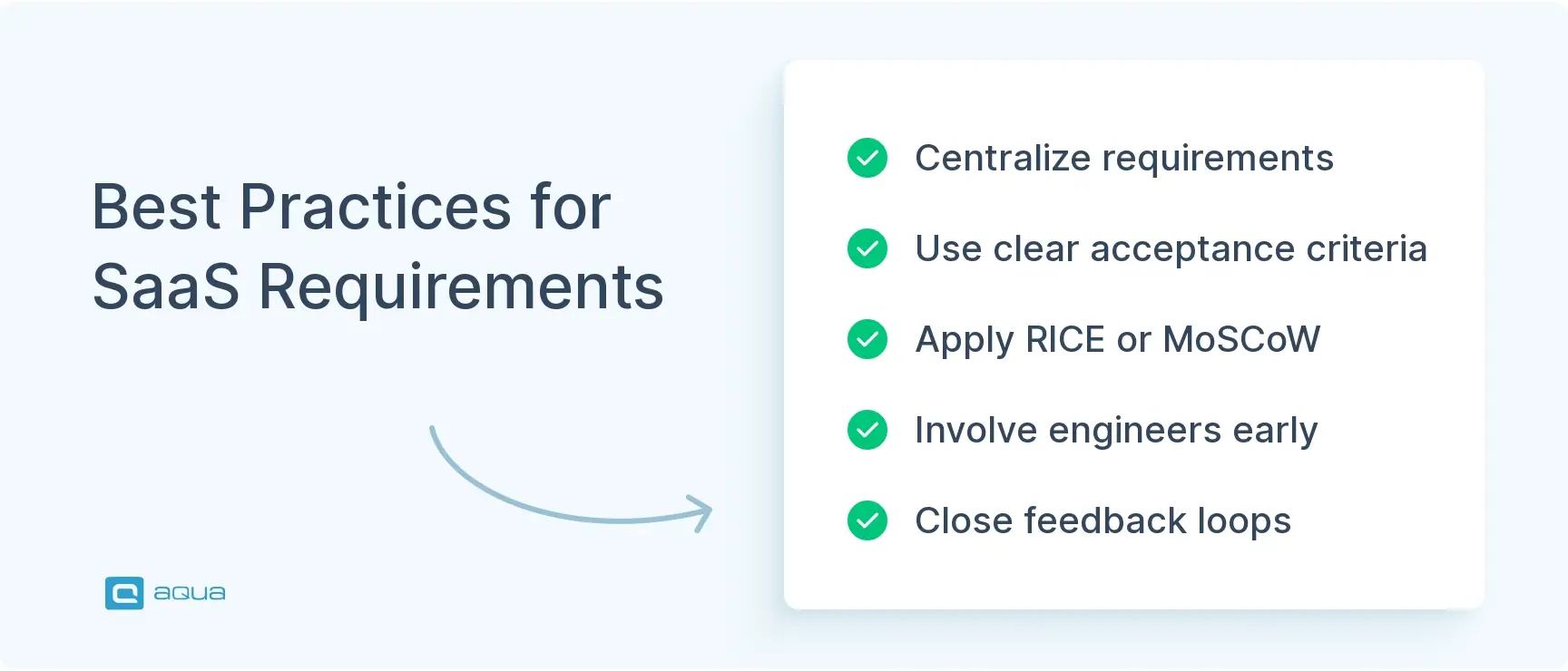
The difference between SaaS teams that ship confidently and those drowning in rework comes down to a handful of practices applied consistently. Consistency under pressure matters more than theoretical perfection. The process needs to hold up when priorities shift mid-sprint and when customers discover edge cases nobody anticipated.
1. Centralize Your Requirements
Requirements spread across Google Docs, Slack threads, and Jira tickets create invisible problems. Your team ends up duplicating work and losing traceability. Because of that, answering a basic status question requires hunting through multiple systems.
Tools like Jira, Linear, or Azure DevOps create structured backlogs where requirements connect to user stories, tasks, tests, and releases. When sales and support both request a report, a unified backlog should catch it. One source of truth means fewer surprises at the sprint review.
2. Define Measurable Acceptance Criteria
This is what a requirement should look like:
“Dashboard initial load completes within 2 seconds for tenants with up to 1 million records, measured at the 95th percentile.”
The specificity eliminates arguments later. Engineering knows what to build toward, QA has clear validation criteria, and the product can measure success without arguing over definitions. As per Garbage-In-Garbage-Out (GIGO) rules, bad requirements produce unsatisfactory results, which lead to rework and roadmap commitments that slip quarter after quarter.
3. Prioritize With Frameworks
Without structured prioritization, your team ends up building whatever has the loudest advocate, usually the enterprise deal that’s “definitely closing if we just add this one feature.” Two frameworks that work well in SaaS:
RICE scoring (Reach x Impact x Confidence / Effort) quantifies tradeoffs with data
MoSCoW (Must have, Should have, Could have, Won’t have) forces hard choices on scope
Value-versus-effort matrices also help visualize where to focus, especially when presenting tradeoff options to leadership. The goal is to make prioritization decisions that data can support, and stakeholders can trust.
4. Involve Engineering Early in Requirement Validation
By the time the product writes a full PRD, your engineers should already know the idea exists and have flagged technical risks. Late feasibility reviews wreck sprints and erode trust between teams.
A “simple” integration often requires OAuth implementation, rate limiting, webhook handling, and error retry logic. Early engineering input also detect opportunities your team can act on, like reusing an existing workflow engine or adjusting a data model before it gets baked into production at the wrong scale.
5. Build Feedback Loops From Production Back to Requirements
After a release, what matters is whether the feature actually gets used and whether it improves retention. Support ticket volume after release is equally telling. Adoption rates, error logs, performance metrics, and customer feedback all inform what the next iteration of a requirement should look like.
Treating requirements as upgradeable artifacts often necessitates revisiting them based on real-world data, which sometimes means deprecating features that sounded great on paper. This cyclical approach is what leads to success.
Agile and Scrum methodologies fit SaaS naturally because they embrace iteration. Agile only works, though, when paired with strong requirement hygiene. Sprint planning without clear acceptance criteria becomes chaos. Retrospectives without requirement metrics become venting sessions. See best practices in agile requirements management to make the integration work.
For me, the toughest part of all RM tools I've used has been keeping the change history and rationale understandable to engineers who didn't write the original requirement.
Choosing the Right SaaS Requirements Management Tools
Picking a requirements management tool requires more than comparing feature lists. The right fit depends on how your team actually works, what integrations your stack needs, and how much process overhead your team will realistically tolerate.
Core Criteria to Evaluate
Integration capabilities come first. Your requirements tool should connect to your issue tracker (such as Jira, Linear, or GitHub Issues), documentation system (such as Confluence or Notion), and ideally your CI/CD pipeline. Disconnected tools create manual sync work that breaks traceability over time.
Usability matters as much as features. When creating a requirement takes 15 fields and three approval workflows, teams work around the system. At that point, your “single source of truth” becomes fiction.
Reporting and visibility are the valuable properties of requirements. Visualizing requirement status, tracking cycle time, identifying bottlenecks, and generating stakeholder reports should be straightforward.
Tool Comparison
Tool
Best For
Key Strengths
Watch Out For
Jira
Engineering-heavy teams
Deep issue tracking, extensive integrations, customizable workflows
Steep learning curve, can become bloated, UI feels dated
Linear
Fast-moving startups
Fast UI, clean UX, modern keyboard shortcuts
Fewer third-party integrations, less enterprise-ready
Pricey, sometimes too much structure for agile teams
Smaller teams, say under 20 people, often do well with simpler tools like Notion or Coda paired with GitHub or Linear for issue tracking. You trade some specialized features for speed and flexibility. Past 50 people, that simplicity creates chaos: too many manual processes, weak reporting, and inconsistent structure across teams.
Start with your existing workflow and choose tools that enhance it. Abandoning a tool because nobody adopted it wastes money and credibility, so evaluating fit carefully upfront pays off. For more guidance on selection, see choosing the right requirements tool.
Challenges in SaaS Requirements Management
Even with solid processes and the right tools, SaaS requirements management hits predictable obstacles. Understanding where things typically break down helps teams prepare before a crisis, not after.
Rapidly Shifting Priorities
Your roadmap says “enhance reporting,” but an enterprise deal needs custom SSO by month-end, or it falls through. As a result, sales gets its feature, engineering absorbs technical debt, and reporting slides another quarter. This pattern repeats until your product becomes a bunch of half-finished initiatives.
Making scope changes explicit and visible is the core mitigation. When priorities shift, identifying what gets deprioritized and communicating it clearly keeps the cost of those decisions visible, both to engineering velocity and to strategic initiatives that keep getting bumped by tactical fires.
Feature Bloat
Feature bloat refers to the situation when customer requests flood in from support, sales, and product. While they all might be reasonable in isolation, they start contradicting each other when compared directly.
“Just add CSV export”
“Why can’t we filter by date?”
“Users want dark mode”
As a result, new customers may find it overwhelming, while existing customers resist simplification. Focus on core workflows, use APIs and integrations for niche capabilities, and recognize that not every request deserves implementation. Understanding the key benefits of requirements management makes the case for saying no more clearly.
Weak Requirement Clarity
Your team writes “allow bulk user import.” Engineering builds a CSV uploader with basic validation. It ships. Customers complain because it doesn’t handle duplicate emails, special characters, or their identity provider. Requirements get refined across three more sprints while the original two-day estimate balloons to three weeks.
Well-formed requirements address the main workflow and the edge cases around it. Error handling and integration points need explicit coverage, as do the validation rules around user input. Investing extra hours upfront in defining acceptance criteria consistently costs less than a rework cycle mid-sprint.
Technical Debt From Delivery Pressure
Ship fast now, clean it up later. Except “later” never comes because the backlog stays packed. The quick solution for an enterprise deal becomes permanent infrastructure. The temporary data structure gets baked into reports and integrations. Eventually, scaling becomes impossible without major refactoring that blocks new features for months.
Requirements management needs to account for technical debt explicitly:
Allocate sprint capacity for refactoring work
Make architectural requirements visible alongside feature requirements
Track technical debt the same way your team tracks feature delivery
Poor Traceability Between Requirements and Outcomes
Features get shipped based on customer requests, but without monitoring whether those features get used or improve retention. Six months later, half the roadmap served small customer segments while the core user experience stagnated. Requirements that connect to measurable business outcomes, with post-launch analysis feeding back into prioritization, close this loop. See requirements impact analysis techniques for structured approaches to making that connection.
If your project is incredibly simple, you don't know what you're doing, you don't have to maintain it, or you hate yourself: excel, word,
AI is showing up across SaaS tooling, and requirements management is no exception. The potential is real, but so are the limits. You’re not replacing your product team with a model anytime soon. AI can, however, meaningfully speed up how your team handles requirements at scale.
AI-Assisted Requirement Analysis
Tools like Productboard and Aha! use AI to cluster similar customer requests, identify emerging themes, and detect high-impact patterns buried in support tickets. Instead of your team manually reading 500 feedback items to spot trends, AI highlights that “export functionality” appears in 87 requests across 12 different contexts. That pattern recognition scales human judgment. Your team still decides what to build, but with a better signal.
Automated Documentation Generation
Feed AI a Slack discussion or meeting transcript, and it can draft initial requirement summaries and acceptance criteria, along with draft user stories. The output needs human review and refinement, but starting from a solid draft beats staring at a blank document. Some teams use AI to maintain technical specifications automatically from code changes, which works better for API documentation than complex business logic.
Dependency Mapping and Impact Analysis
Modern SaaS products have tangled webs of feature dependencies. A UI change touches the API, which affects mobile apps, which triggers billing recalculations, which then requires accounting system updates. AI tools can analyze codebases, data flows, and integration patterns to detect non-obvious dependencies before they cause problems mid-sprint. Engineers spend less time playing detective and more time building. For structured approaches to this problem, see requirements impact analysis techniques.
Predictive Prioritization
Machine learning applied to historical data can reveal patterns your team might miss. Which requirement types typically drive retention? What features correlate with expansion revenue? How accurately do effort estimates align with actual delivery time? AI models can suggest priority adjustments based on likely outcomes. Final prioritization still involves strategic judgment, but data-driven insights improve the starting point.
What AI Gets Wrong
AI in requirements management introduces real risks worth understanding:
Models trained on biased data perpetuate those biases in generated outputs
AI-generated requirements often miss context and non-functional concerns that human reviewers would catch
Over-reliance on AI recommendations can push your product strategy toward whatever the algorithm favors, which tends to converge toward competitors
Feeding customer feedback or internal requirements into external AI services may violate compliance obligations
Smart adoption means treating AI as an assistant, not a decision-maker. Use it to accelerate analysis and draft documentation from the output. Apply human judgment and domain expertise after. AI works best on high-volume, pattern-recognition tasks. It struggles with nuanced tradeoffs and the kind of creative problem-solving that detect unstated customer needs.
Effective SaaS requirements management largely depends on having a connected ecosystem that maintains traceability and quality across the full product lifecycle. This is where aqua cloud, an AI-powered test and requirements management platform, offers the most value. aqua provides an integrated platform for both requirements and test management, eliminating the gaps where requirements get lost in translation. The platform’s domain-trained AI Copilot generates comprehensive test cases from requirements, chats, documentation, or even voice notes. Detailed coverage metrics, customizable dashboards, and real-time reporting give your team immediate visibility into requirement status, gaps, and quality risks. Unlike generic AI solutions, aqua’s Copilot uses RAG grounding on your specific project documentation to ensure every generated artifact is relevant to your product context. aqua integrates natively with Jira, Confluence, Azure DevOps, and 12+ other tools you likely already use on a daily basis.
Achieve 100% requirements traceability and cut test creation time by 97% with aqua's AI
SaaS requirements management works best when product strategy and actual engineering conditions stay aligned across continuous releases. The core practices matter: centralized requirements, clear acceptance criteria, structured stakeholder input, and traceability from idea to production. Tools that fit how your team actually works will always outperform theoretically superior tools that nobody uses. Production data informing future requirements closes the loop that most teams leave open.
How can SaaS requirements management improve collaboration between distributed teams?
Distributed teams struggle with information gaps across time zones. Centralized requirements documentation and clear traceability give everyone access to the same context regardless of location. Well-documented requirements answer most questions without waiting for a colleague in another time zone to respond.
What are the key challenges in integrating SaaS requirements management tools with agile development workflows?
The friction usually shows up in two areas: process overhead when tracking requirements takes longer than discussing them, and cultural resistance when your team views requirements management as compliance work. The right tool reduces both by fitting naturally into sprint workflows.
How do you prevent scope creep in SaaS requirements management?
Scope creep happens when new requests get added without removing anything else. A prioritization framework like MoSCoW or RICE helps evaluate new requests against existing commitments, and making the cost of additions visible to stakeholders before approval keeps decisions grounded.
What is requirements traceability and why does it matter in SaaS?
Requirements traceability means that requirements should link to the customer pain point that created it and the tests that validate it. The release that delivered it completes the chain. In SaaS, this prevents institutional knowledge from disappearing when team members leave and makes post-release analysis actionable.
When should a SaaS team reconsider its requirements management tool?
Signs worth paying attention to include requirements stored in multiple disconnected systems, your team regularly working around the tool, and reporting that requires significant manual effort. Tool migrations are costly, so evaluating fit carefully before committing saves pain later.
Stefan is an entrepreneur who deeply believes in technology. With his company, andagon Group, he’s been empowering businesses around the world to build better software through their quality assurance services and products since 2001. Stefan has cultivated a knack for tailoring aqua to seamlessly integrate…
Nurlan, a QA Coordinator & Quality Standards Officer, takes pride in orchestrating seamless QA operations. His expertise in coordinating QA-focused projects and integrating QA solutions has consistently yielded top-tier client satisfaction. Aside from a full-time QA coordinator, Nurlan's role involves creating compelling content that educates…
Pavel, a Quality Assurance Consultant and Author, brings deep expertise to solving complex testing challenges. His background in software development has helped organizations transform their QA practices from reactive to proactive. Beyond consulting, Pavel develops best practice guides and case studies for aqua cloud that…
Home » Testing with AI » SaaS Requirements Management: How to Stop Rework Before It Starts
Do you love testing as we do?
Join our community of enthusiastic experts! Get new posts from the aqua blog directly in your inbox. QA trends, community discussion overviews, insightful tips — you’ll love it!
We're committed to your privacy. Aqua uses the information you provide to us to contact you about our relevant content, products, and services. You may unsubscribe from these communications at any time. For more information, check out our Privacy policy.