New UI
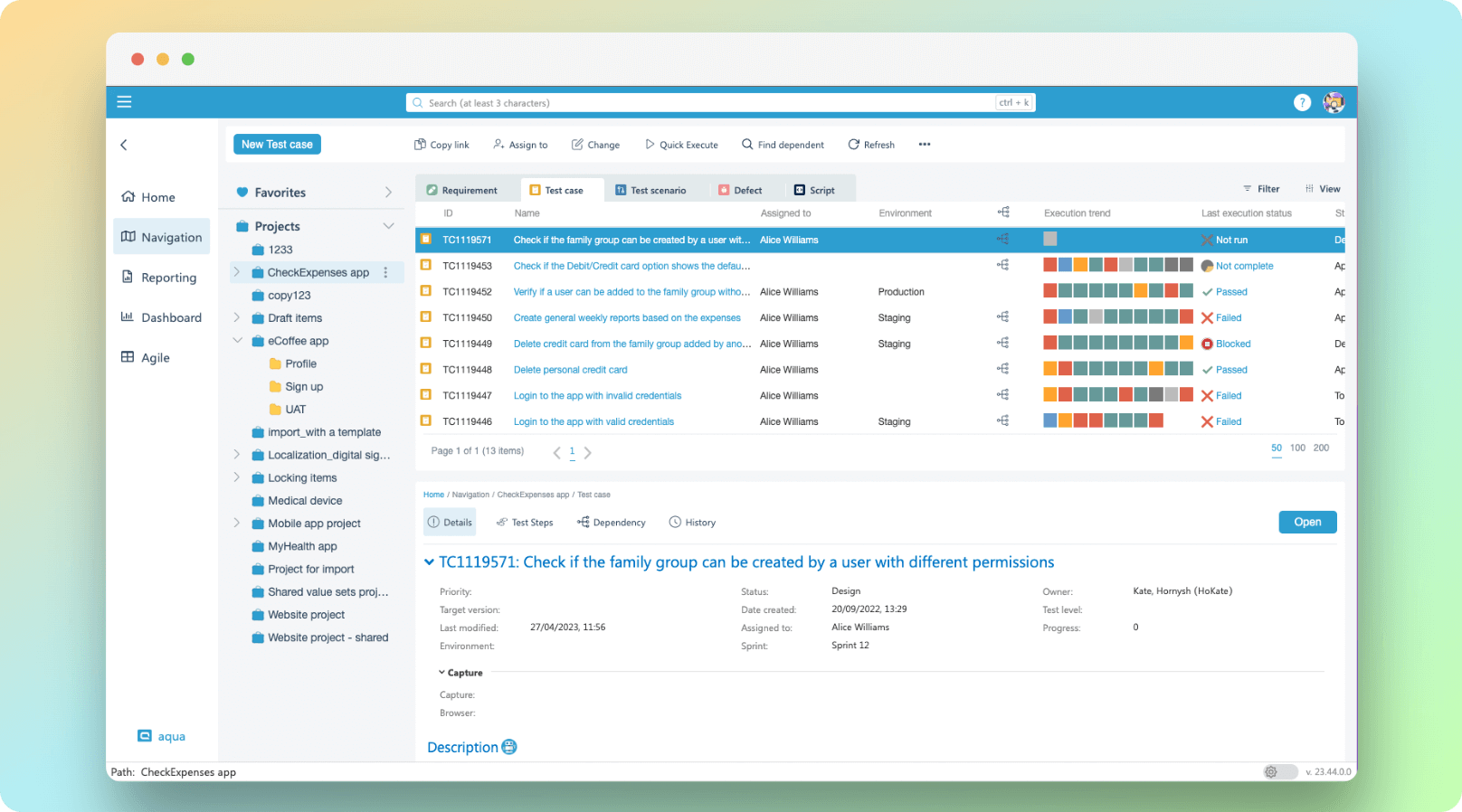
With a new clean interface and added quick actions menu, you can now access the most frequently used options such as ‘Copy link’, ‘Change items’, and ‘Find dependencies’ with ease. Plus, less frequently used options are now grouped and moved to corresponding page blocks, making your workflow smoother than ever before.
Not only is this new design incredibly user-friendly, but it’s also packed with new functionality that will make a significant difference to your workflow. By following our [guidelines], you’ll learn how to utilise these new powers to get the most out of aqua and fulfil your product’s potential.
Advanced search
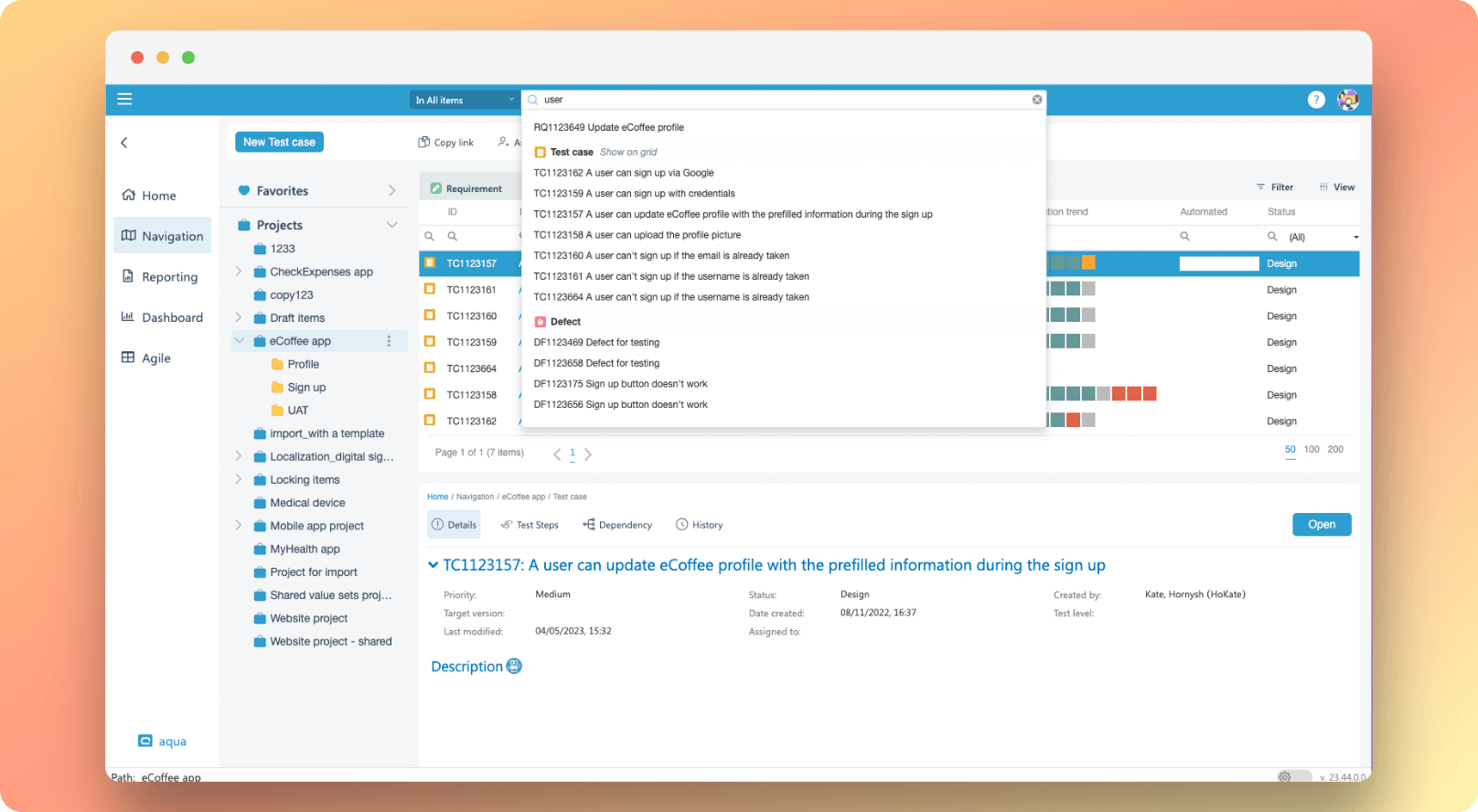
From now on, you can look for items on a project level, which means no more endless scrolling to find what you’re looking for!
Once you find the desired item(s), you can either open a specific one from the pop-up or take a step back and filter out the entire group with ease. Simply click on ‘Show on the grid’ and voila! The items will be filtered and displayed like magic.
Oh, and did we mention our new shortcut functionality? We’ve added a quick way to trigger search and included a list of your 5 most recent searches for your convenience. No more typing the same thing over and over again!
Filters
We’ve spruced things up and moved filters to their own little group, so they’re now easier to find than Waldo!
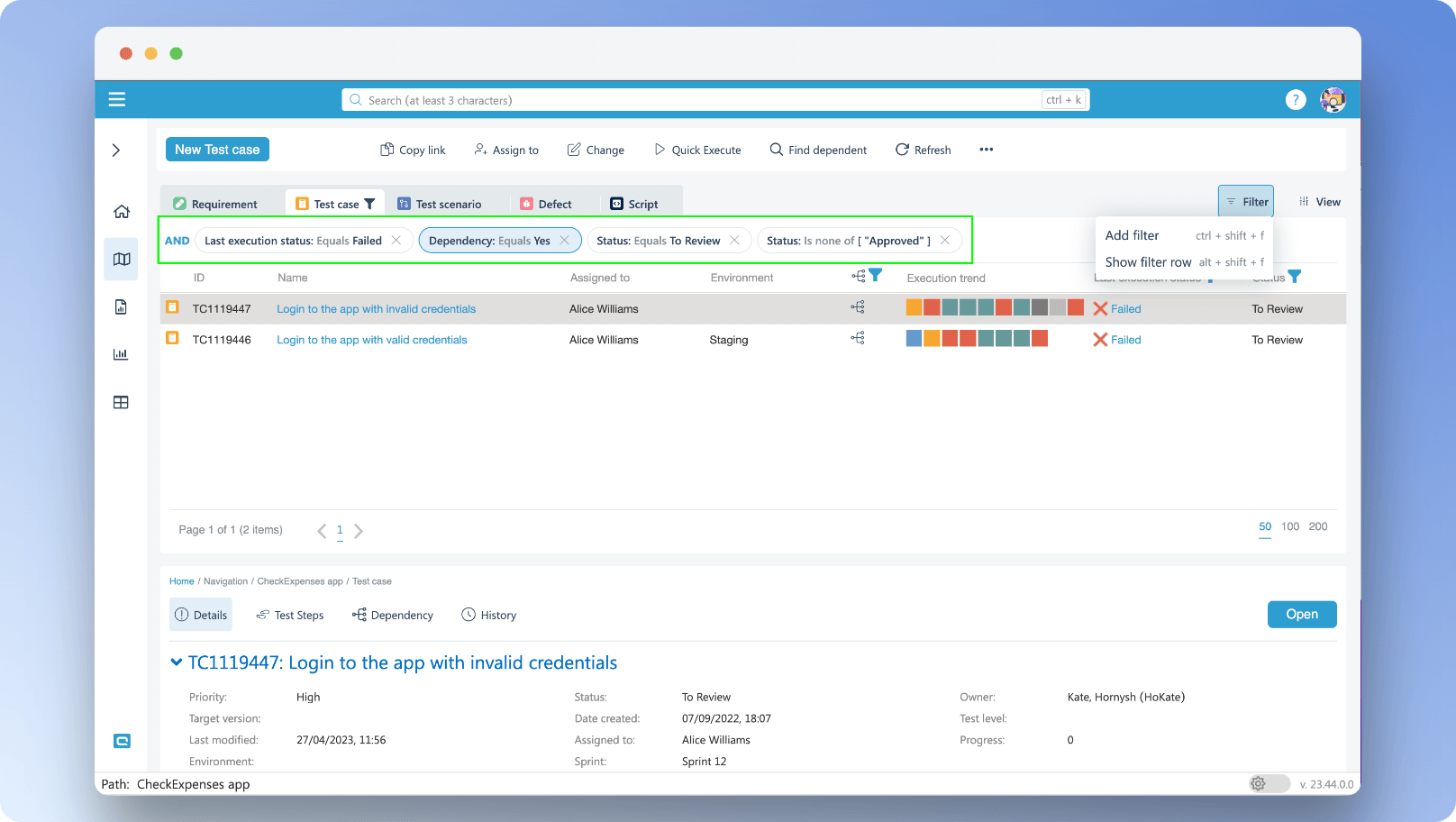
Want to view a specific subset of information within your grid? No problemo! Just click on the ‘Filter’ button and select your preferred option.
If you’re after a simple filter scenario, the ‘Filter row’ option is your go-to. It displays items that meet your desired criteria for a given column. But if you’re after something more advanced, look no further than the ‘Add filter’ option. With this option, you can display items that meet multiple conditions!
All the filters that you apply will be displayed at the top of the grid like a fancy crown for your data.
And if you change your mind or want to mix things up, removing a filter is as easy as clicking on the cross on the label.
Grid and Columns
In the old version of aqua’s UI, you could only add or reset columns from the ribbon. Now, arranging them is a breeze.
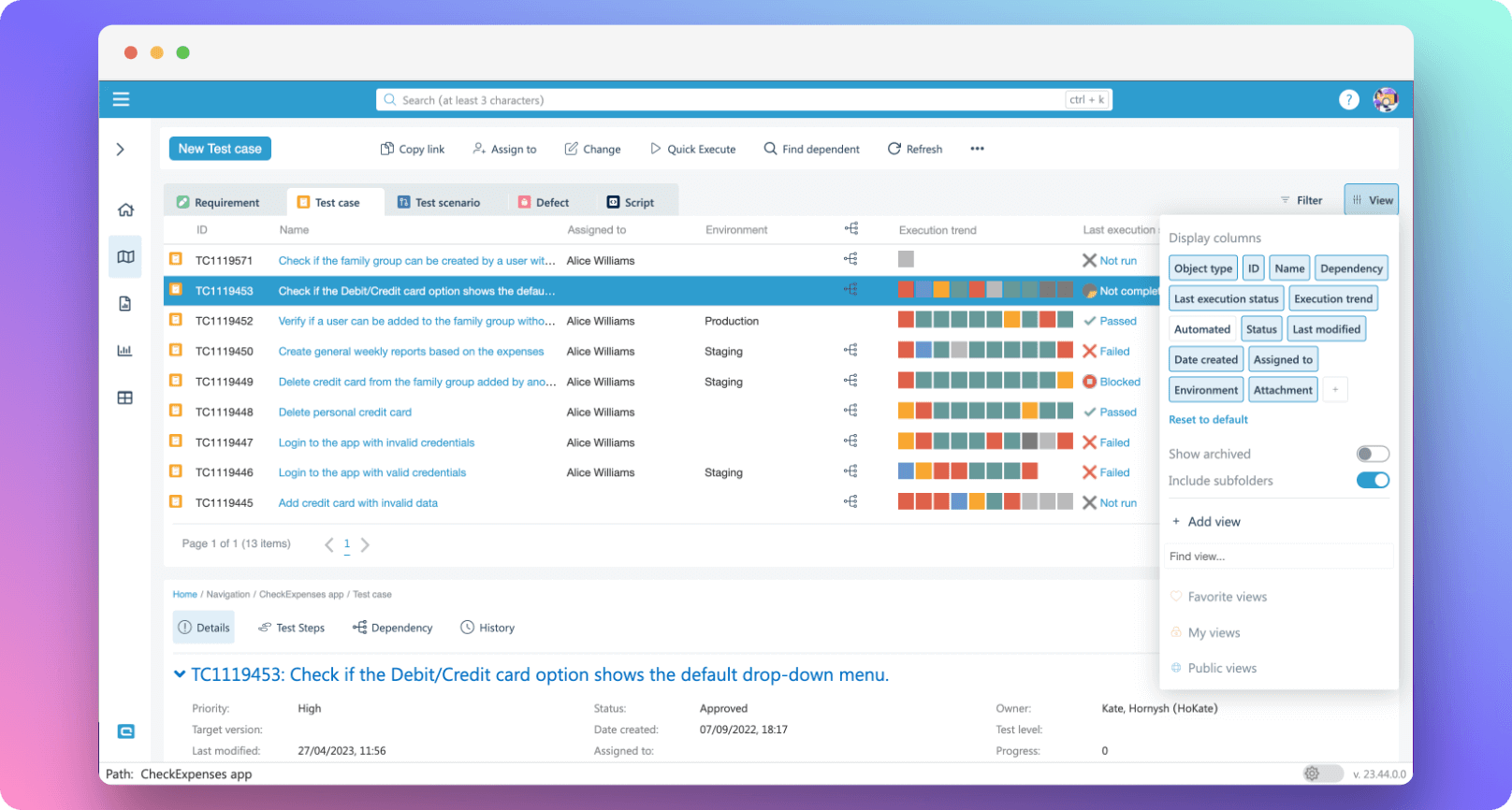
If you want to customise your grid, just click on the ‘Views’ button. At the top of the panel, you’ll see the default columns and any custom columns you’ve added.
If you want to hide a column, simply click on the corresponding column label, and it’ll be hidden from your grid immediately.
To add a new column, click on the plus sign or use a shortcut to enable the column picker. And guess what? You can even call up the old column picker with a shortcut even when the Views panel is closed!
And if you want to restore your grid to its original state, just click on ‘Reset to default.’
Improvements to AI Copilot
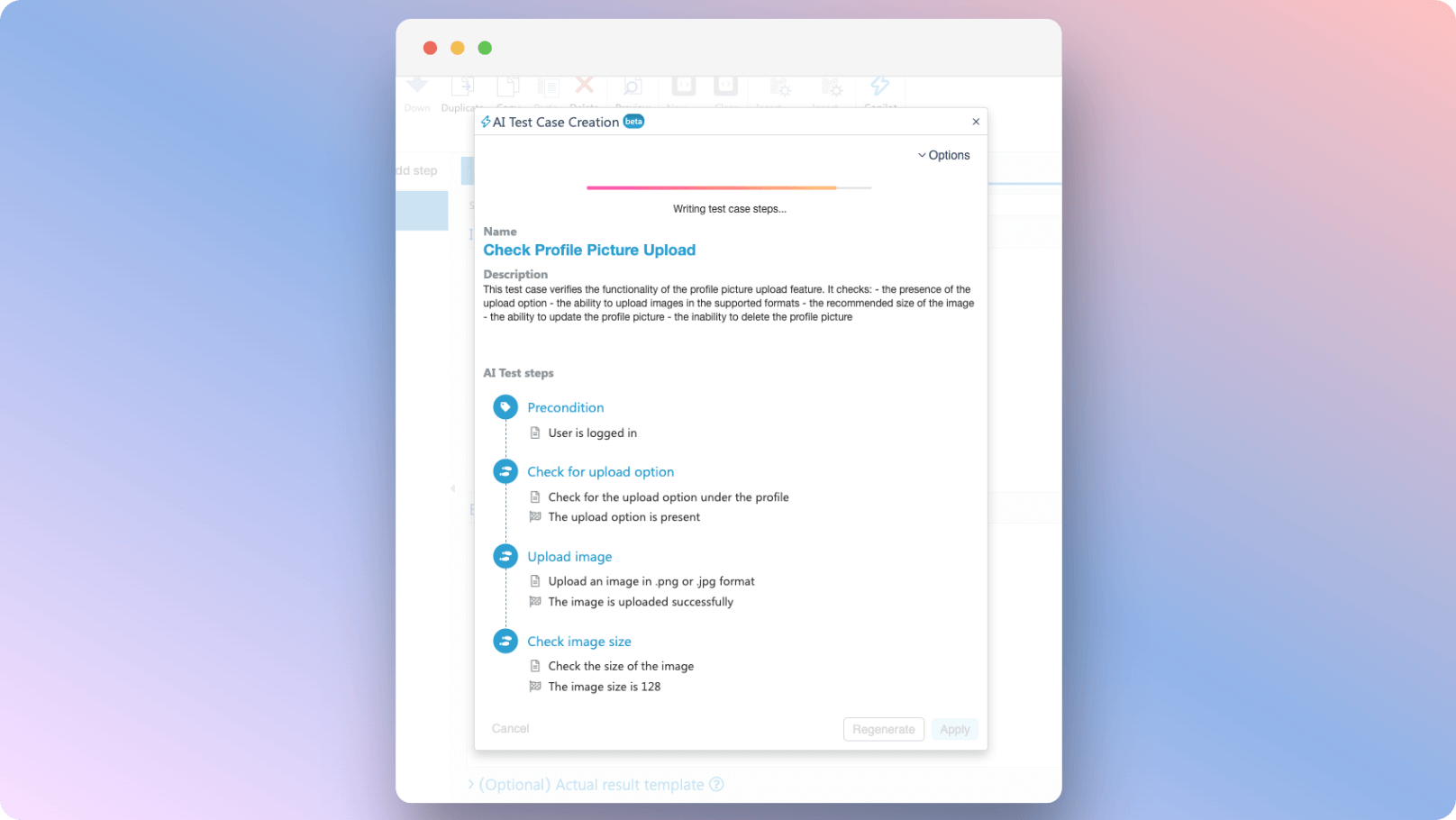
The AI Copilot is now improved and accessible from the requirements!
Gone are the days of spending countless hours creating test cases from scratch or updating them every time requirements change. With our new and improved Copilot, you can generate a test case with just a few clicks!
Simply create or open an existing requirement and click on Copilot in the ribbon. Wait for the system to work its magic and analyse your requirement, and then voila! A shiny new test case will be generated just for you!
And if you’re feeling extra creative, you can even use AI Copilot to improve an existing test case and make it easier to execute. When a requirement changes, just click the button to make the test case match it.
Like the new update? Excited to try new features? Don’t wait and jump to aqua or if you are not aqua user, no worries — create an account or contact our sales team at sales@aqua-cloud.io
Want to know what’s coming next? Be the first to find out in the upcoming product updates.
Join our social media channels!
Linkedin: https://www.linkedin.com/company/aquatesting/
Facebook: https://www.facebook.com/aquacloudtesting/
Twitter: https://twitter.com/aqua_testing