aqua 20.1 brings you some new features and improvements!
The new release focuses on improving usability and making working with aqua even easier.
New: Improved test scenarios
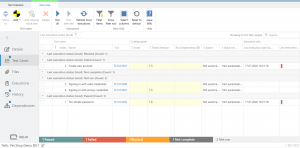
The overview of test cases in test scenarios has been further refined and now offers the possibility to customize the view with filters, grouping or sorting, as you are used to from the item browser.
New: Improvements regarding accessibility
With aqua 20.1 we also provide further improvements in terms of accessibility (BITV 2.0).
Firstly the execution page has been revised, so that the keyboard control as well as the command line (F10) can be used. Furthermore, some other areas where the keyboard control was implemented incompletely, have now been upgraded.
Secondly all items can now also be opened directly from the command line by just entering their Id.
In addition, the icon for incomplete test case executions has been revised to be better distinguishable from failed executions.
New: Changing the path from within items
A small but very practical new feature is the ability to move items directly from within the item.
In the path bar at the bottom of an item, you could previously only see in which folder this item was located and you had to search for it in the item browser of the navigation to move it to another folder.
With aqua 20.1 you can change the path directly in the path bar of the opened item if you notice that the path is incorrect.
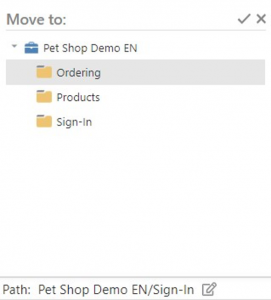
Screenshot – aqua 20.1 Move item via path bar
New: Excel import in aqua Web
From now on, requirements, test cases, test scenarios and defects can be imported easily from an Excel file into aqua in the webbrowser.
This allows you to migrate even large amounts of data from previous systems to aqua and lets you work efficiently in aqua.
How the import files should look like can be found here: http://aquawiki.andagon.com/versions/20.1/import
New: Print function in all items
The popular print function from the desktop client has now also made it to the web and has also been expanded.
Now you can print all information about any item like requirements, test cases, test scenarios or defects by clicking on the “Print” button.
You can also choose what you want to print, such as the details, the description, information about attached files or the entire history.
Additionally, you can print the test steps for test cases, the test cases for test scenarios and the discussions for requirements.

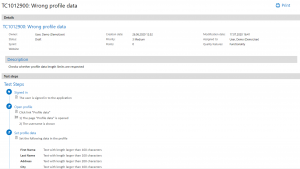
Screenshot – aqua 20.1 Test Case printout
Other new features:
- Sub-requirements: full support for custom fields including workflows
- Links in text fields can be opened directly (http://aquawiki.andagon.com/versions/20.1/add_link_in_text_field.html)
- Manual execution of automated tests
- Filter option for the execution log of automated test executions
- Jenkins Plugin: Test-case IDs can be passed as parameters in aqua notifier
- DB-Agent: Integrated driver for Oracle database
- Re-Design of Project settings (project-specific)
- Re-design of e-mail template configuration
- REST API enhancements
- REST API improved reverse proxy support
- SAML 2.0: Support for Logout
- Autotranslate: Support for Chinese, Japanese, Brazilian Portuguese
aqua 20.1 will be released on 24 of July 2020
Best wishes from the whole aqua team!